Create a provider setup and a push target
Open Providers and save a provider setup for the selected app profile. Expo Push and Firebase / FCM are available on iOS and Android; APNs is available on iOS. An APNs setup needs the app's topic and gateway, and an FCM setup needs the Firebase project ID, which TestDock can read from the service-account JSON.
Then open Targets and save the target app's device push token as a push target. Targets are separate from provider setups, so one setup can send to several saved devices.
Credentials and tokens remain scoped to the profile in operating-system secure storage. For APNs, paste one JSON object containing key_id, team_id, and private_key; FCM v1 accepts Firebase service-account JSON, and an Expo access token is optional. TestDock creates the short-lived APNs provider JWT or Google OAuth access token in memory and reuses it until shortly before it expires.
Build a reusable payload
Save alert or background-data templates with title, body, custom data, sound, badge, priority, time to live, and collapse identifier. On Android, a template can also set a notification channel ID; on iOS, a notification category ID.
Use focused templates for behavior the app implements, such as opening a conversation, refreshing background data, or exercising a notification action.
Validate, send, and inspect
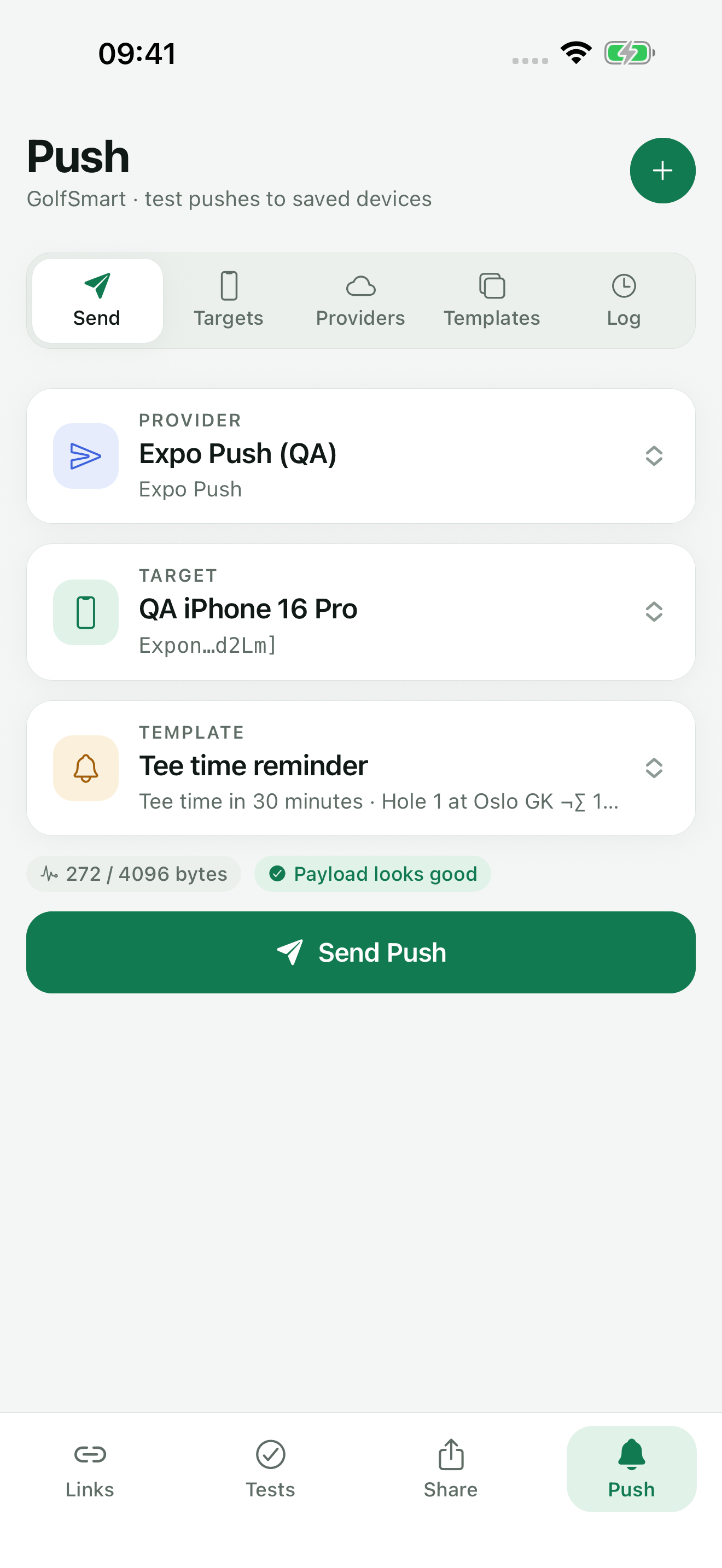
Choose an active provider setup, a saved push target, and a payload template. Before sending, TestDock measures the provider payload and checks provider-specific rules, such as the APNs topic, FCM reserved data keys, and the 4,096-byte payload limit.
The log records the payload, the provider response, and a shortened token hint instead of the full device token, and translates common rejection codes into practical next steps. Provider acceptance still does not prove device delivery or target-app handling.
Turn behavior into a scenario
Write ordered steps with an observable expected result and mark each pass, fail, or skip during the run. Add concise notes and screenshot evidence where the status alone is not enough.
Completed runs remain immutable; start a new run when testing a fix so the earlier result is preserved.
Copy test link on a scenario gives you a testdock://run link to paste into a ticket. Opening it on a phone with TestDock and the matching scenario shows the scenario and starts a run after one tap, and the link can carry run values such as orderId=1234. Some trackers only make http and https links clickable.
TestDock Free includes the sample scenario and one scenario of your own, with runs, photos, and shared results. Pro makes scenarios unlimited.
- Keep one primary outcome per scenario.
- State what pass looks like.
- Avoid credentials in notes and screenshots.
- Share only reviewed result exports.
Free & Pro: what’s included
Available on the App Store and Google Play. Free includes one app profile with unlimited saved links, Quick open, Paste, sharing links in, home-screen shortcuts, and the sample scenario plus one scenario of your own. A one-time Pro purchase unlocks unlimited profiles and scenarios, share fixtures, push testing, association inspection, links created from an apple-app-site-association file on iPhone, and profile or scenario import and export.