Diff Anything 1.1 is built around the work that becomes risky or awkward in a browser: resolving competing edits, finding visual changes, reviewing private documents, and synchronizing folders.
The release keeps those sources on your computer and gives each material a workspace designed for the decision you need to make—not just a list of changed lines.
01 / Merge with context
Resolve Base, Ours, and Theirs in one workspace
A two-file diff can show disagreement, but it cannot reliably explain which side changed from the shared starting point. Pro's three-way merge adds that common Base beside Ours and Theirs.
Independent changes combine automatically. The current workspace also merges edits to separate words of the same line, shows Ours and Theirs against Base, and offers Ours, Theirs, either ordering, or Base when edits compete. The merged result stays editable, and it cannot replace the current result while unresolved conflict markers remain.
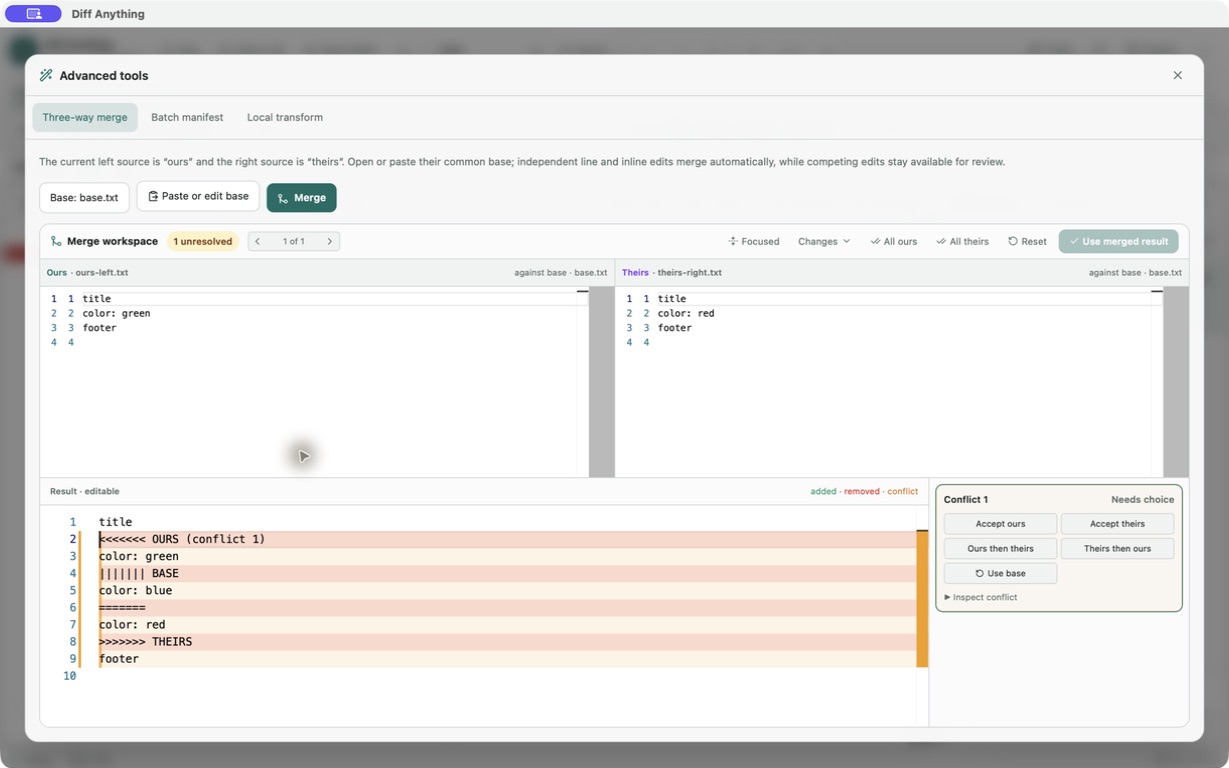
See the complete three-way merge workflow, limits, and Base/Ours/Theirs explanation.
02 / See the change
Six image views and exact visual measurements
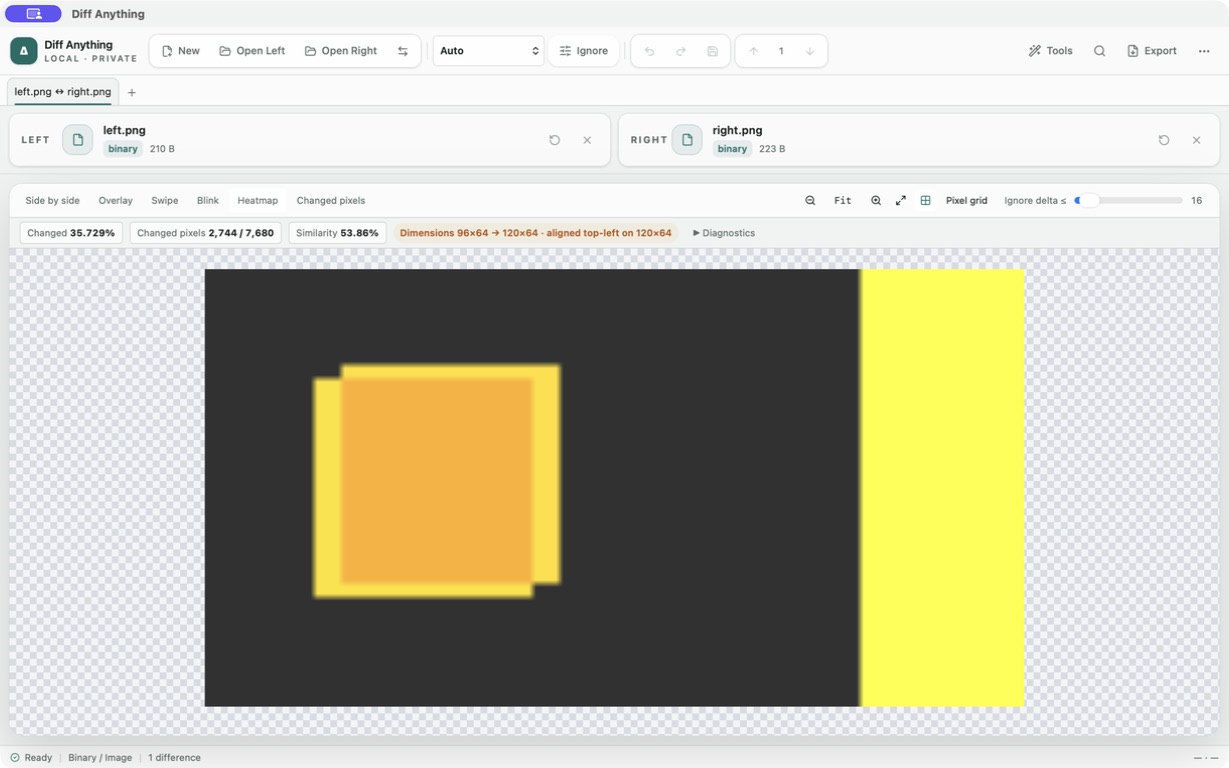
Use side by side for orientation, overlay for alignment, swipe for before-and-after inspection, blink for movement, heatmap for intensity, and changed pixels for a focused mask. Fit and true-pixel zoom, a transparency grid, and a 0–255 threshold make subtle raster and alpha changes easier to inspect.
Different dimensions remain part of the analysis: both images align at the top left on a shared transparent canvas. The workspace reports changed-pixel count and ratio, similarity, mean error, root-mean-square error, maximum channel delta, source dimensions, and the smallest rectangle containing the change.
03 / Review in context
PDF pages and extracted wording stay connected
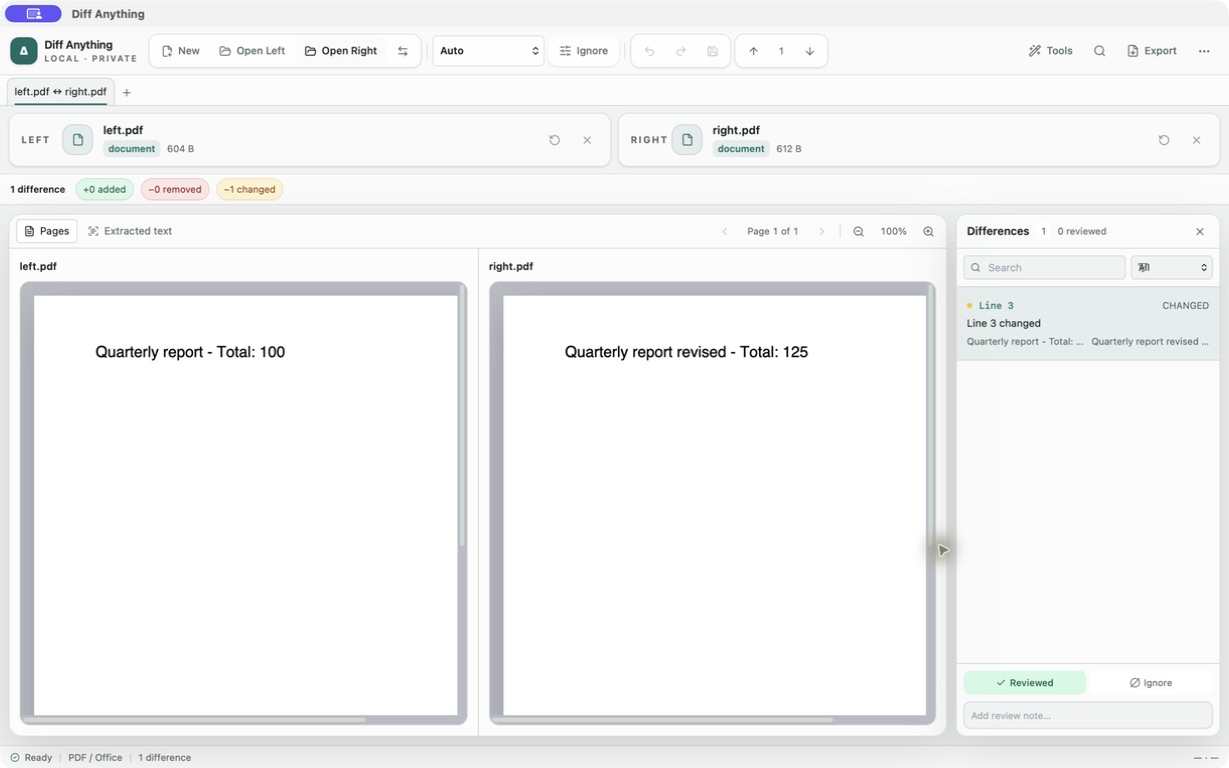
PDF review now combines rendered originals with extracted-text comparison. Move between pages, zoom from 25% to 300%, switch to the normalized text diff, and follow a selected wording difference to its associated page.
Page preview is available for PDFs within the supported preview limit; if a preview cannot be produced, extracted text can still be compared. Office and RTF review remains text-based, and extracted text is not presented as proof that two layouts are visually identical.
04 / Synchronize safely
Folder changes have a plan, rollback, and undo
After reviewing added, removed, and changed paths, Pro can create a synchronization plan in either direction. Before anything changes, Diff Anything shows exactly how many files will be created, updated, or deleted.
The reviewed selection is applied transactionally. If part of the operation fails, completed work is rolled back. After success, one-click undo remains available while you verify the destination.
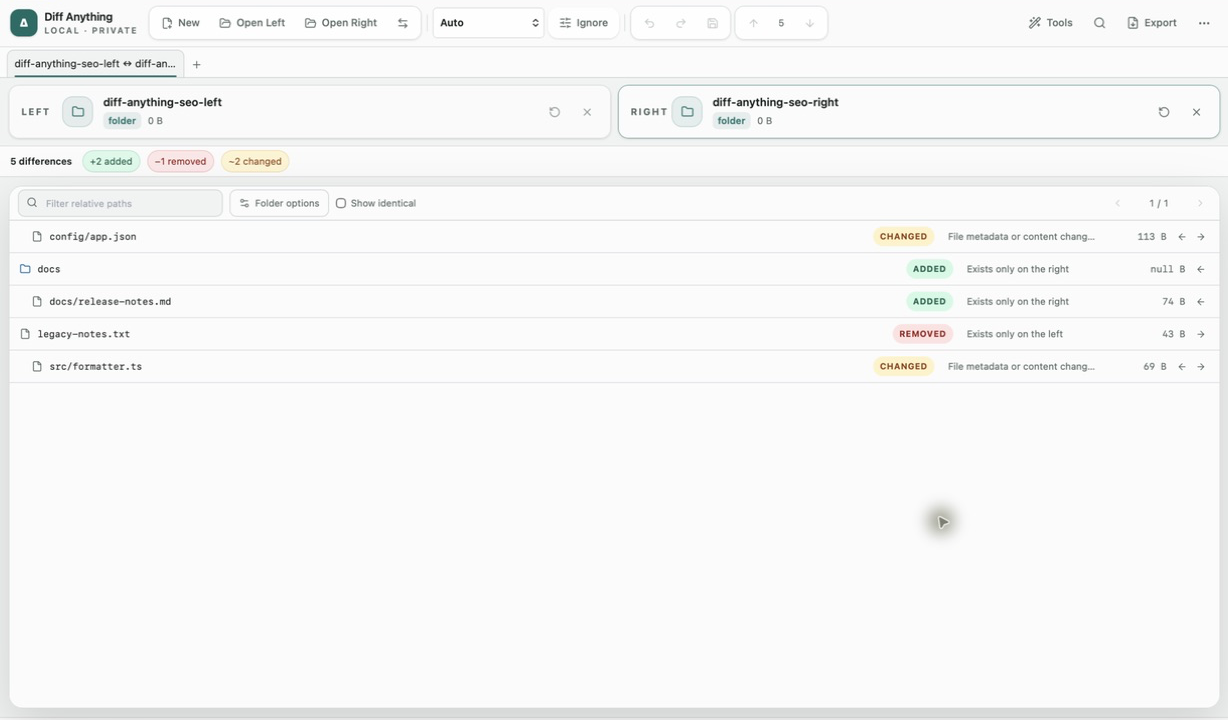
See how to compare two folders on Windows and read the results before you synchronize.
05 / Keep the source local
Comparison content does not need a round trip to a server
An online diff service must receive the content it compares. HTTPS protects that content in transit, but the provider still processes readable input, adding its retention, logs, backups, access controls, hosting, and subprocessors to the systems you must trust.
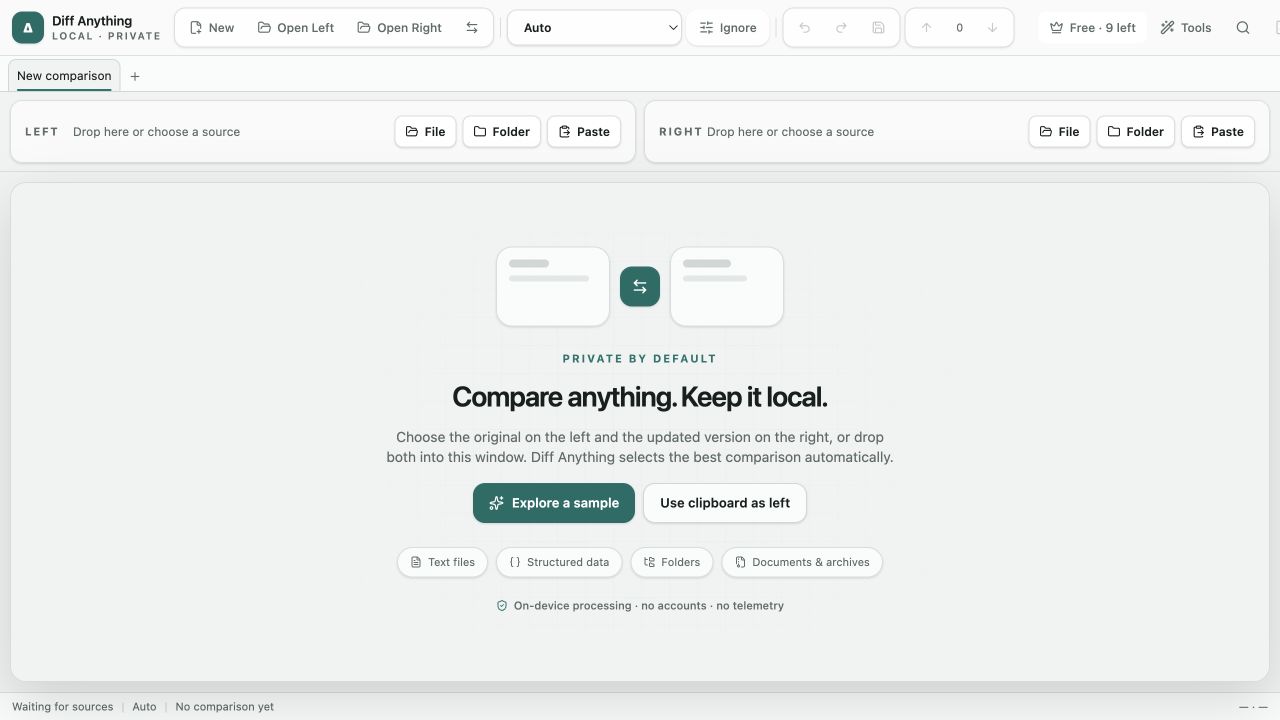
That does not mean every online tool is unsafe. It means the page itself cannot prove what the backend stores or who can access it. Diff Anything removes that upload from the workflow: files, folders, pasted text, images, and documents are compared locally, with no account, cloud comparison service, analytics, or telemetry.
Signed store builds may contact the Mac App Store or Microsoft Store for product, purchase, and entitlement checks. Comparison content is not part of those requests.
Read the full guide to the privacy risks and trust boundaries of online diff tools.
Diff Anything 1.1 is available for macOS from the Mac App Store and for Windows from the Microsoft Store. Free lets you try PDF review, image comparison, and the other comparison modes within preview limits. Three-way merge and folder synchronization are included with the one-time Pro purchase.