Release work has an awkward category of mistakes: problems that are trivial to describe after a rejection, but easy to miss before clicking Submit. A screenshot is the wrong size. A response field quietly disappears. Neither needs a heavyweight platform to catch.
I built two free browser tools around those checks. Both run entirely in the current tab, need no account, and make their limitations visible rather than turning a heuristic into a promise.
01 / Store assets
A screenshot check with store-specific rules
The Store Screenshot Validator reads image metadata locally and checks each file against the selected listing target. Apple checks are organized by App Store Connect screenshot slot across iPhone, iPad, and Mac; Google Play covers phone screenshots; and Microsoft Store covers desktop screenshots.
For Apple, exact dimensions, accepted formats, set count, and transparency are checked for every published iPhone and iPad display family as well as Mac. Google Play adds edge-length, aspect-ratio, format, and recommendation-readiness checks. Microsoft Store checks PNG format, desktop minimum dimensions, file size, and set count. Each rule set links directly to the current Apple, Google, or Microsoft documentation and records its verification date.
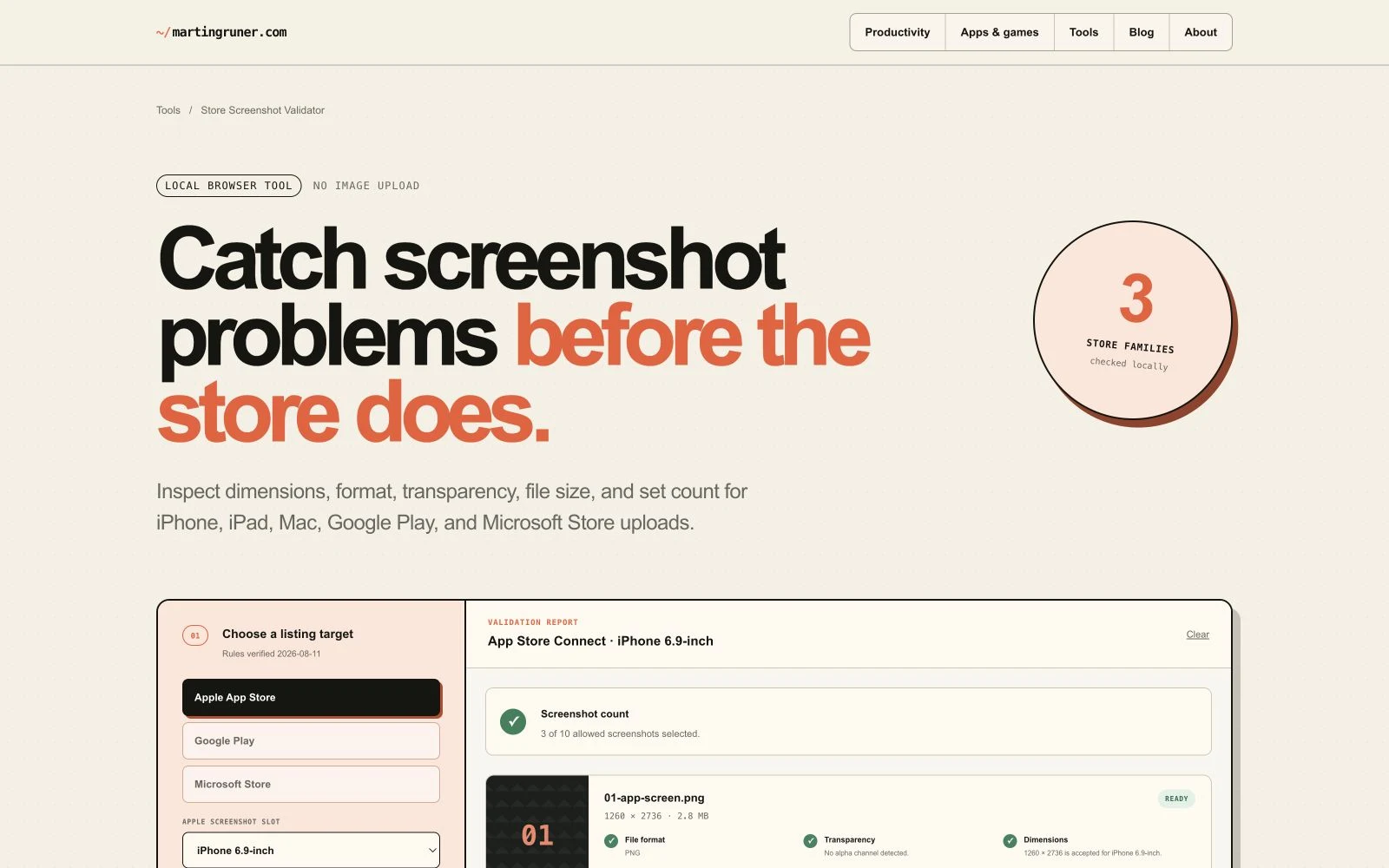
The check is a companion to Screen Studio Kit, not a smaller copy of it. Screen Studio Kit owns the composition, localization, device frames, validation, capture, and export workflow. The browser tool answers one narrower question: are these finished files structurally ready for this upload slot?
02 / API contracts
A breaking-change report from the consumer’s side
The OpenAPI Breaking Change Checker compares a baseline description with a candidate replacement. It accepts Swagger 2.0 and OpenAPI 3.0 or 3.1 in JSON or YAML, resolves internal JSON Pointer references, and groups findings into breaking, needs-review, and compatible changes.
The comparison covers removed paths and operations, required parameters, request and response media types, response statuses, object properties, required fields, types, enum values, and security requirements. Reports can be exported as Markdown or JSON.
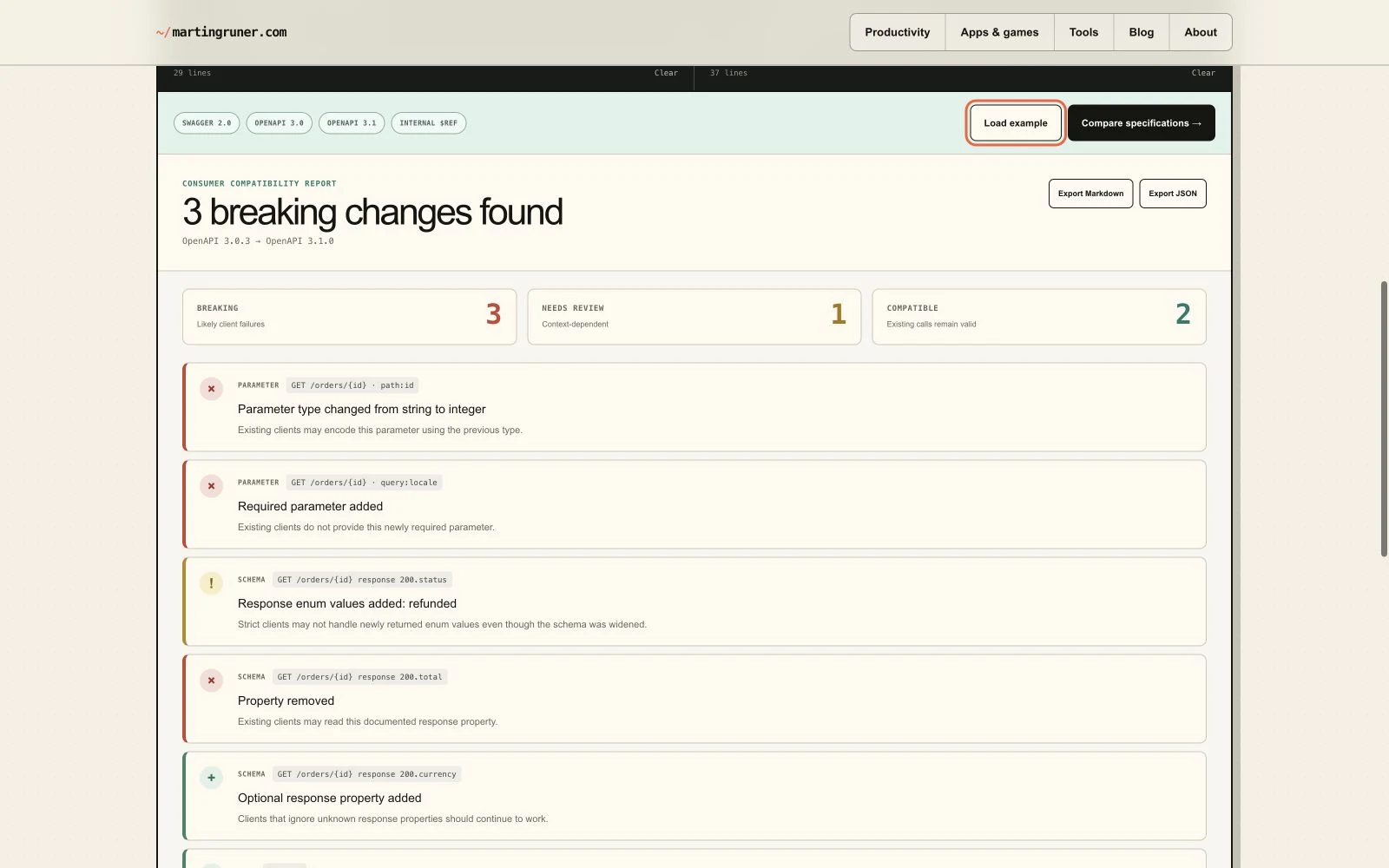
This is the small, immediate version of a workflow already present in Diff Anything, which includes specialist OpenAPI and JSON Schema comparison alongside other local comparison modes. The browser checker is useful when the API description is already at hand and a quick, shareable report is enough.
03 / Boundaries
Local processing is useful. So are honest limits.
Neither tool has a backend. Images are inspected with browser file APIs; API descriptions are parsed and compared in JavaScript. Closing or reloading the page clears the working state.
That does not make either result a certification. A screenshot tool cannot judge licensing, visual truthfulness, localization quality, or every policy. An API description cannot reveal undocumented runtime behavior or prove that every client handles a schema change safely. External references are identified by the checker but are not fetched.
Automate the objective checks. Keep the consequential interpretation visible.
That boundary is intentional. These tools should remove avoidable release friction without hiding the review work that still belongs to a person.