DevDock 1.3 is now on the Microsoft Store. This release makes everyday Git work feel like part of the project workspace instead of a collection of commands you have to reconstruct when something changes.
DevDock already kept repositories, generated tasks, Docker services, databases, health checks, and run history attached to a project. Version 1.3 brings the state between those actions closer to the surface: which branch each repository is on, whether remote commits are waiting, which destination a push will change, and how to move forward when the working tree is not clean.
01 / See the repository first
Git state now belongs in the project overview
A project can contain one repository or, with Pro, several folders such as a monorepo’s subprojects or separately located repositories. The overview now keeps each repository’s current branch, changed-file count, and known ahead-or-behind state visible with the rest of the project health.
Branch and fetch actions sit beside that state. You can switch to a discovered local branch, create a local branch from a uniquely named remote branch, or fetch one remote or every configured remote with pruning. The result stays attached to the repository that produced it, which matters when Backend, Frontend, and Mobile are all part of one DevDock project.
The useful question is not “can the app run Git?” It is “can I see which repository I am changing, what state it is in, and what happens next?”
02 / Keep the work in progress
Switch branches without pretending the working tree is clean
An ordinary branch switch still runs as an ordinary Git operation. If Git reports that local changes would be overwritten, DevDock offers a reviewed Keep changes and switch path.
That path creates a dedicated protected stash containing tracked, staged, and untracked changes, records the exact stash it created, switches to the selected branch, and restores only that stash with the index. Existing stashes are left untouched. If the switch itself fails, DevDock attempts to put every saved change back on the original branch.
Interrupted operations have a specific recovery record and action. If restoring the changes creates conflicts, the files are left in Git’s normal conflicted state and the safety stash remains as a backup. DevDock does not hide the conflict or apply the same patch a second time.
03 / Know the destination
A push begins with a review, not a hopeful click
The push workflow lists the repositories and remotes that can receive their current branch. Each selection shows the source branch, destination branch, remote URLs, and commits waiting to push. DevDock rechecks the selected remote before sending commits, so the review is not treated as permanent truth.
If the remote has commits that are not in the local branch, DevDock stops before the push and explains that a pull is required. When histories have diverged, you can review fast-forward, merge, and rebase choices. A successful pull can continue the original push automatically rather than leaving the operation half finished.
Long pushes have visible phases, elapsed time, and live output, including repository-hook output. SSH passphrases and HTTPS credential prompts can continue the same operation after review instead of forcing you to begin again.
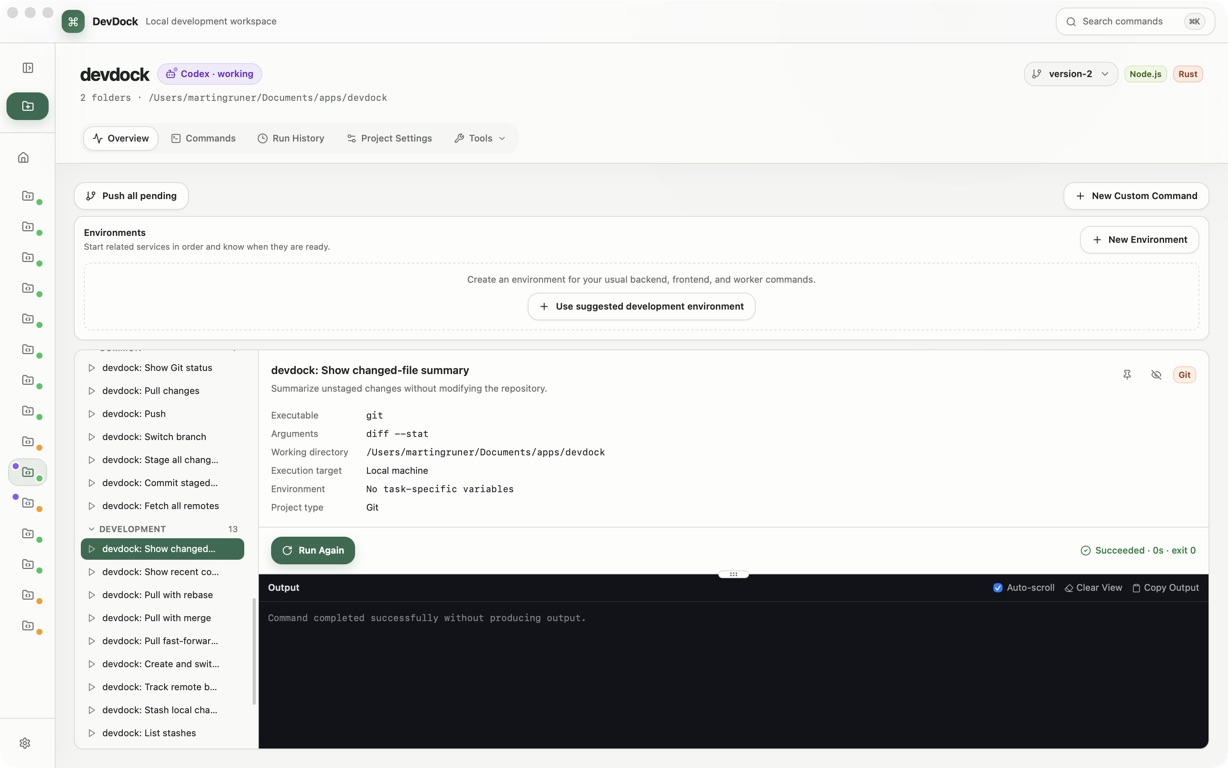
04 / Repair the failed operation
Recovery stays beside the thing that failed
Version 1.3 keeps common Git repairs in the active workflow. If a commit is missing a Git author identity, DevDock can save the required name and email and retry that commit. If a changed-file list became stale, it can refresh the repository state directly from the failure instead of making you close the flow and find it again.
Pull problems use the same approach. Known ahead and behind counts appear before the operation. If Git discovers divergence only after a pull or push begins, DevDock turns that output into a concrete next step while preserving the original repository and task context.
05 / Less hunting
The right command and folder are easier to find
The Commands page now searches across command names, descriptions, technology labels, executables, arguments, identifiers, and working directories. A search such as frontend push can narrow a multi-folder project to the Git action attached to the frontend repository.
Registered folders can also be renamed without moving them on disk. A durable role such as Backend, Web, Mobile, or Infrastructure can remain clear even when the actual directory name was chosen for a different reason.
DevDock 1.3 does not try to turn Git into a hidden background service. It makes the current state visible, reviews the consequential step, and keeps the result with the project so the next action starts with evidence.