A device frame can explain what kind of app is being shown, but a perfectly flat mockup often sits on top of the composition instead of belonging to it. Screen Studio Kit 1.2 adds controlled depth without flattening the frame into a finished bitmap.
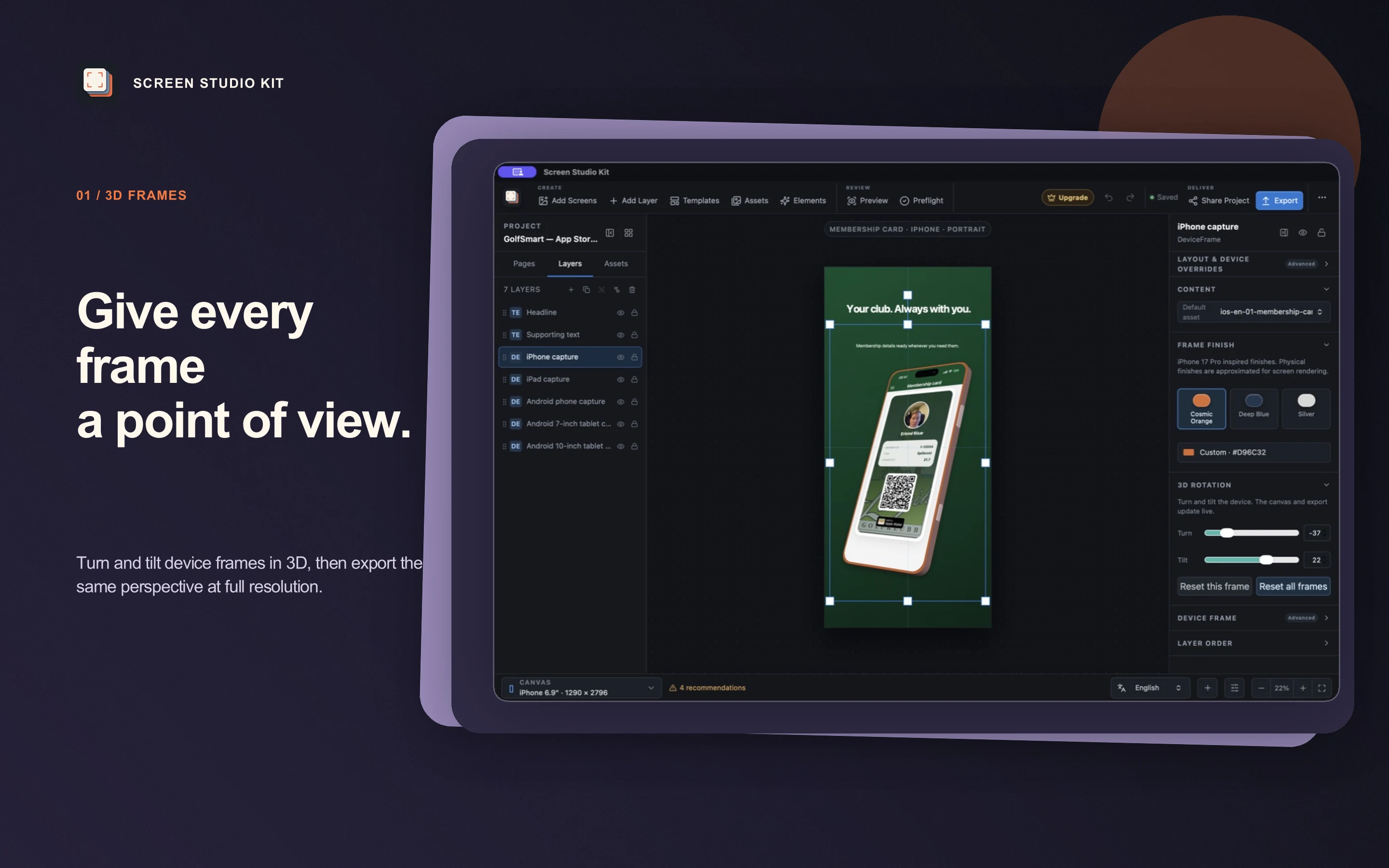
Device-frame layers now store independent Turn and Tilt angles. The hardware body, screen content, finish, shadows, and perspective remain connected to the same editable layer, and the native export renderer consumes the same values as the interactive canvas.
01 / A point of view
Depth is part of the composition
The useful version of a three-dimensional frame is not a preset image. It is a layer that can still move, resize, change finish, receive a different capture, and participate in the output-size rules of the project.
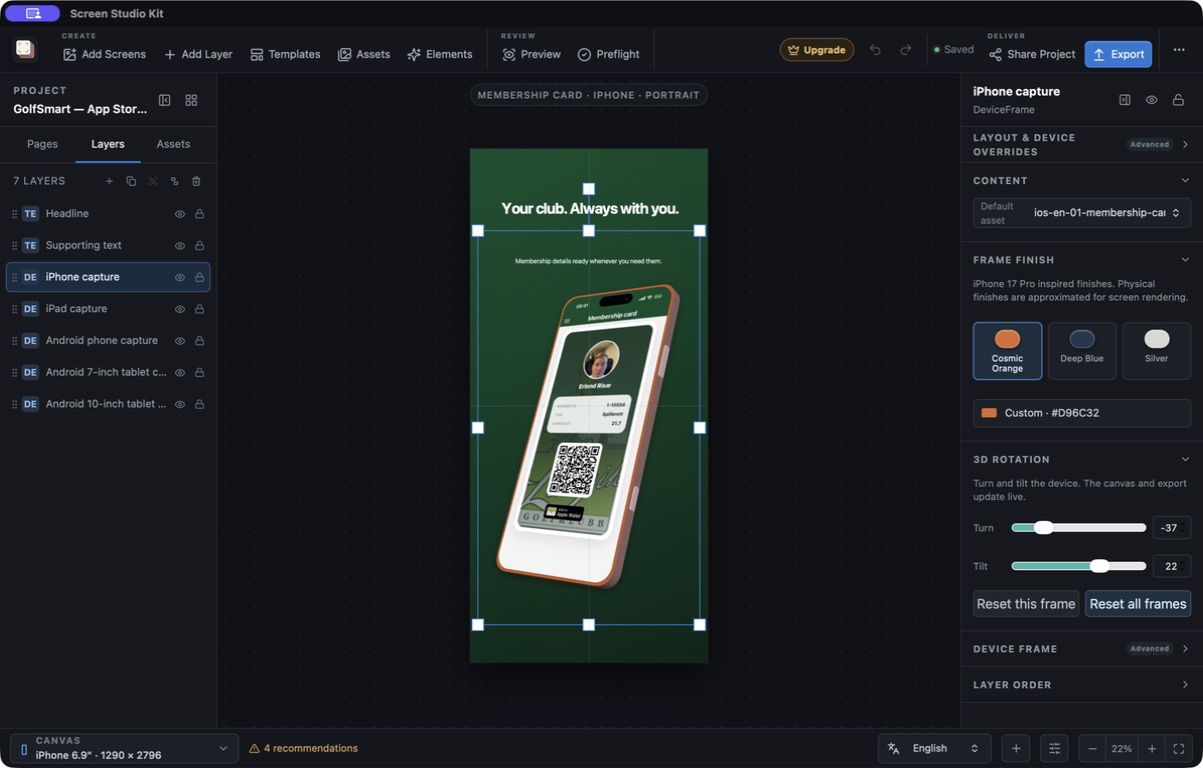
Version 1.2 keeps that model intact. Turn rotates the device from side to side; Tilt changes the vertical viewing angle. Both are constrained to -60° through 60°, which keeps the perspective bounded and gives the editor a predictable reset point.
02 / Edit live
Turn, tilt, finish, and content stay together
Select a device-frame layer and the inspector exposes both 3D controls beside the frame finish and capture. Moving either slider updates the canvas immediately, including the visible hardware depth and the projected screen content.
Reset this frame returns only the selected layer to a neutral presentation. Reset all frames removes the 3D angles across the project, which is useful when a release needs a conventional flat treatment again.
03 / Same scene, native output
The export keeps the chosen perspective
The canvas is the editing surface; the final files are rendered by the native export engine. Version 1.2 applies the stored Turn and Tilt angles there as well, so a batch does not quietly fall back to a flat frame.
The rendering contract covers phone and tablet families, frame proportions, hardware depth, screen cropping, and deterministic pixel output. Existing projects migrate with zero-degree angles, preserving their previous appearance until a frame is deliberately changed.
Perspective is scene data, not a preview-only effect.
04 / Shipping deliberately
Use three-dimensional frames where they help
Depth is most useful when it establishes hierarchy or makes a device feel like part of the artwork. It should not make the application capture unreadable, and not every store or campaign needs it.
Screen Studio Kit preflight specifically warns when a rotated custom iPhone frame is used in a project with an iPhone App Store size, so the final submission can be reviewed against Apple's current artwork requirements. The same project can reset that frame, retain the 3D treatment for another store or campaign, and export each approved version from its source scene.
Version 1.2 is a focused update: device frames gain a real point of view, while the project, preview, validation, and deterministic export workflow stay the same.