Good store artwork is not one finished image. It is a sequence of decisions: the promise on the first frame, the device and language it must fit, the alternative worth testing, and the exact set of files that will be exported. Screen Studio Kit 1.3 makes those decisions editable in one local project.
Version 1.3 sharpens the complete design and release workflow: campaign treatments, better starting points, direct copy editing, intentional crops, richer typography, reusable multi-device compositions, and shared styling that does not have to be rebuilt page by page.
01 / Treat the listing as a campaign
Compare the message, not just the pixels
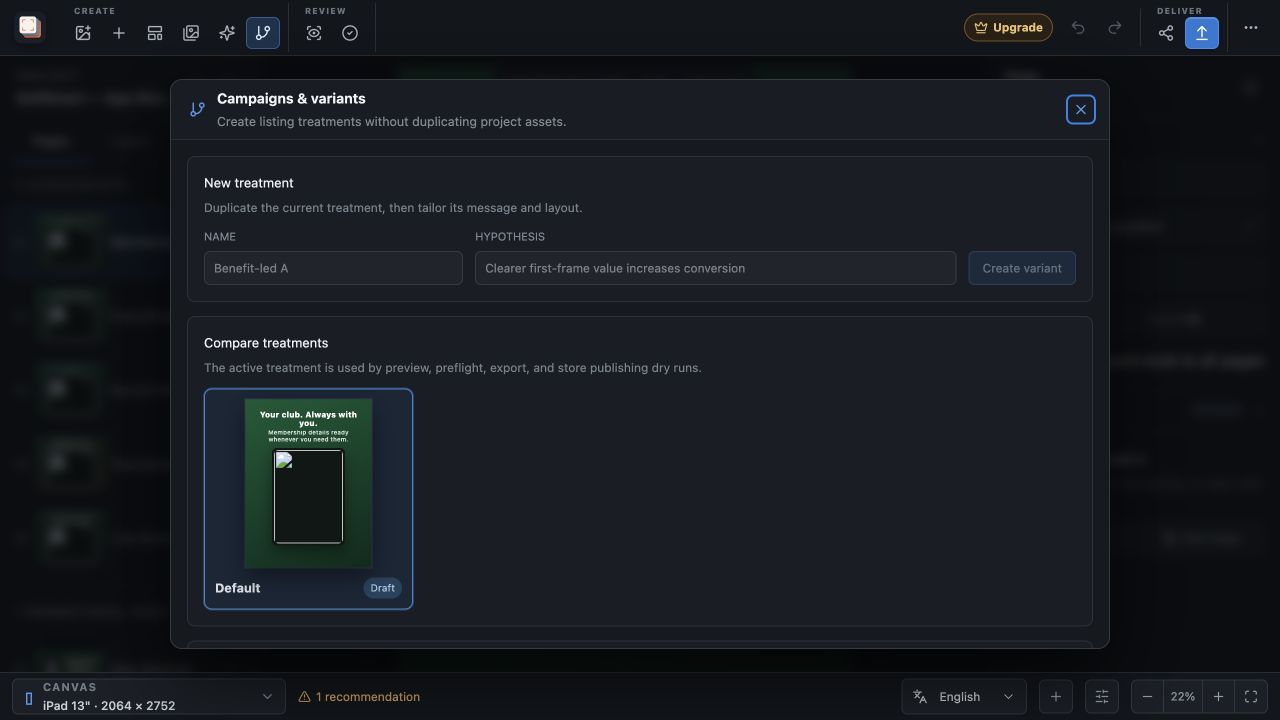
A campaign variant duplicates the current treatment without duplicating its project assets. Give it a name and a hypothesis, change the message or layout, and compare the first frame beside the other treatments. Each treatment also has a status, result, and notes, so the decision is still understandable after the release is over.
Preview, preflight, export, and store publishing dry runs use one explicit active treatment. That small boundary matters: the files sent for review are connected to the campaign that was actually chosen, not whichever page happened to be open last.
02 / Start with a useful shape
Twenty templates, then your own system
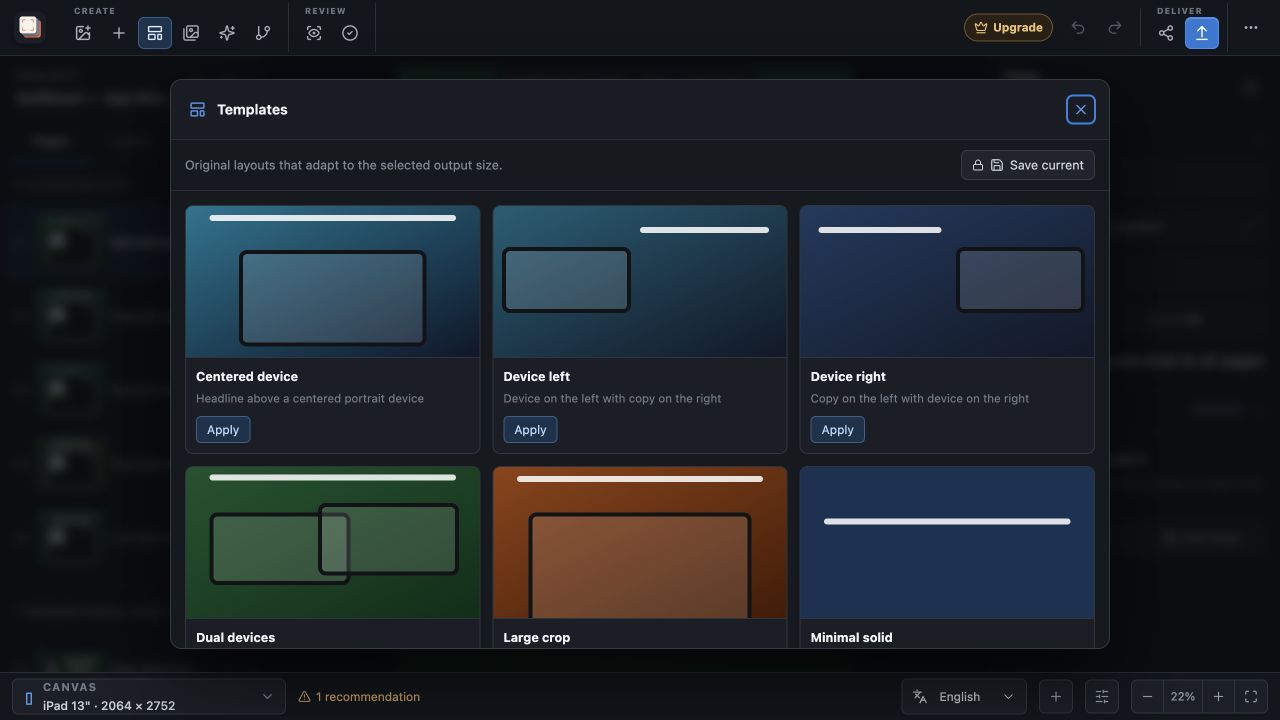
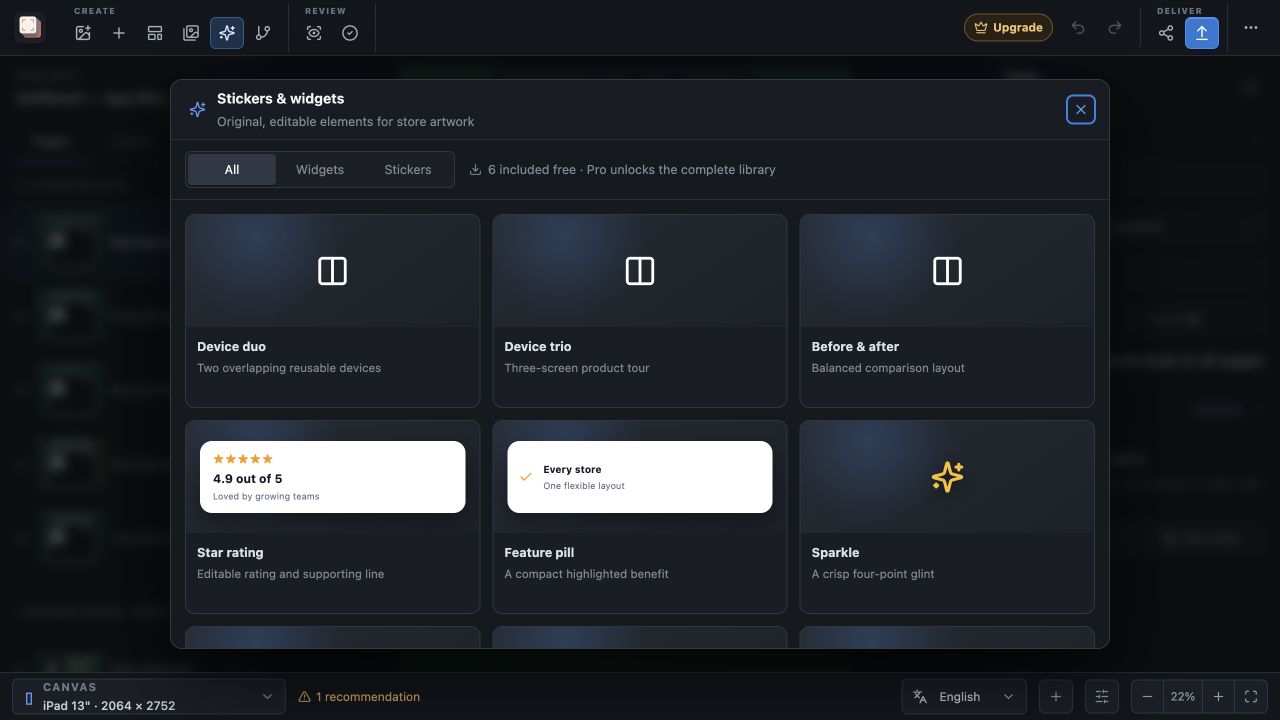
The new built-in library includes 20 responsive starting points, from restrained editorial layouts to bold product scenes, device duos, and multi-screen compositions. Applying one creates normal editable layers; it does not lock the artwork into a preset or bake the device and copy into an image.
A working page can also become a custom project template. That makes a strong launch treatment reusable without pretending that every product or store size needs the same finished design.
03 / Keep the art direction editable
Edit copy, crops, frames, and details where they appear
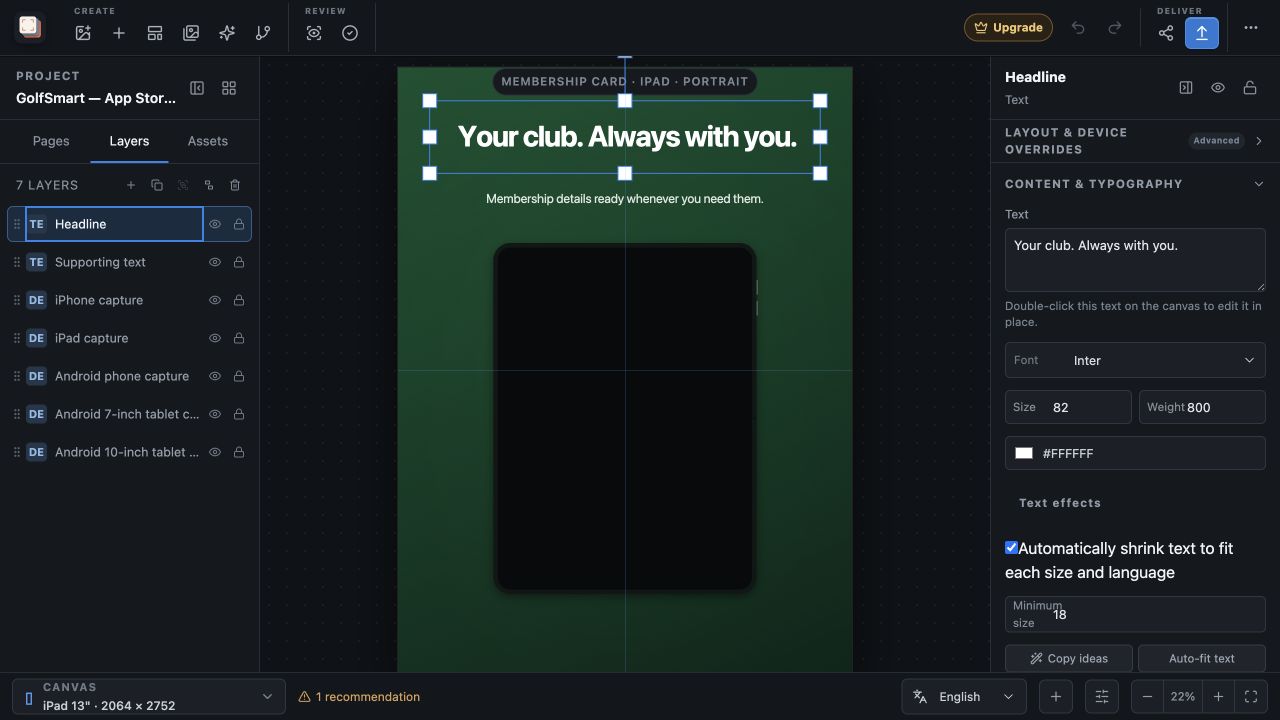
Double-click a text layer to edit it directly on the canvas. The inspector then provides the controls that normally lead to small design detours: imported custom fonts, fit behaviour, background color and opacity, padding, rounded corners, outline, and shadow. A matching layer style can be applied across pages when a treatment needs to remain coherent.
Images and screenshots now use a visual focal point rather than an accidental centre crop. Make a linked crop variant when a release needs a dedicated framing, or pull out an important area with an editable feature callout. Device duo, trio, and before-and-after compositions work the same way: they are ordinary layers that can still be restyled, localized, resized, or replaced.
04 / Carry the treatment to the release
Shared styles without hidden automation
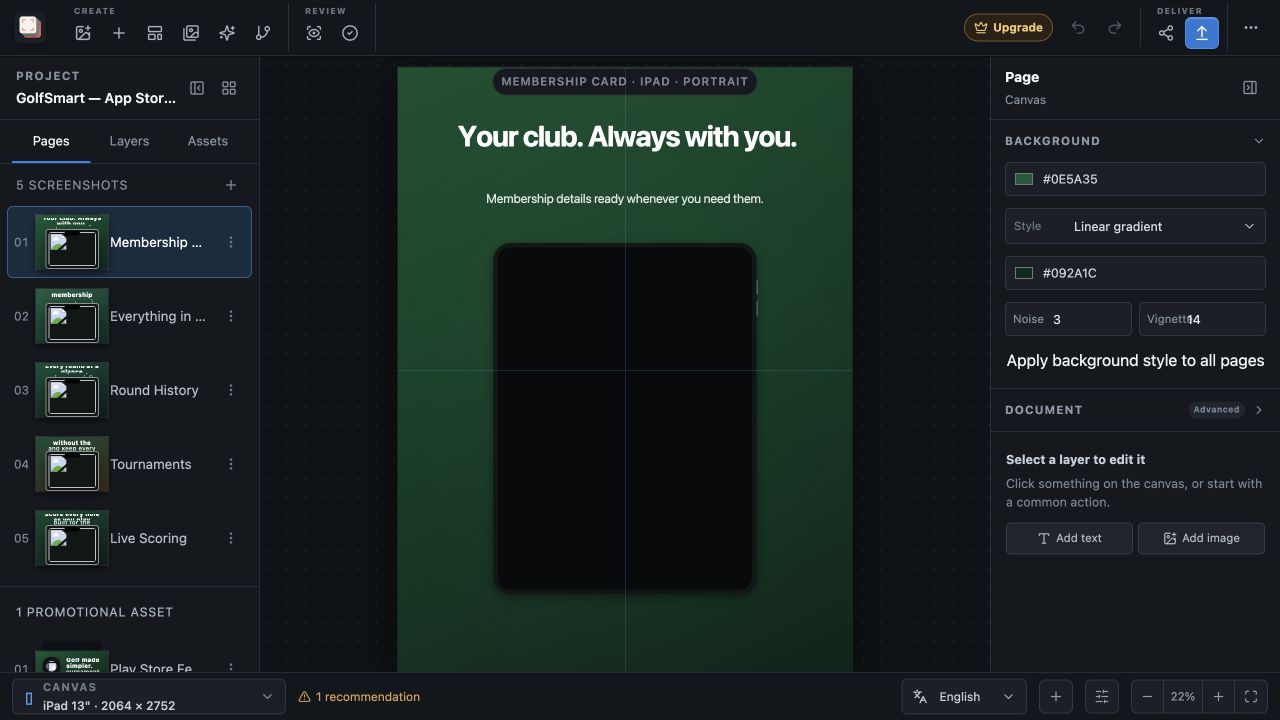
Backgrounds can now be solid, gradient, radial, image-based, textured with noise or vignette, and continued panoramically across ordered pages. Apply a deliberate background treatment across the page set instead of rebuilding it piece by piece; retain per-page control where the story genuinely needs a difference.
The same local-first contract remains in place. Projects, captures, typography, validation, and rendering stay on the device. Preflight checks the actual language-and-size matrix before deterministic PNG or JPEG export, and publishing still requires an explicit reviewed action. Version 1.3 is about making more of the work repeatable, not taking it out of your hands.
Compare the treatments, choose the strongest one, then export that exact version.