What first-class support means
DevDock calls a technology first-class only when it can recognize the project without executing repository code, present useful metadata, report the relevant toolchain health, and offer safe standard commands.
A familiar filename alone is not enough. Framework-specific actions are offered only when their invocation and working directory can be derived from repository metadata with predictable behavior.
- Detection identifies the project type.
- Health reports whether the expected local tools and configuration are usable.
- Commands translate confirmed metadata into explicit executable and argument lists.
Understand the detection boundary
Detection reads a bounded collection of known manifests, build files, and marker paths. It never starts the application, invokes a package manager, runs a build tool, evaluates a project script, or makes a network request.
This boundary keeps registration useful even for unfamiliar or partially configured repositories. A missing tool is reported as a separate condition instead of being discovered by executing an arbitrary command.
- Monorepos can expose several independently detected folders.
- Android and iOS remain separate platform adapters even in a shared repository.
- Docker and Git appear alongside language and framework results rather than replacing them.
Interpret the workspace result
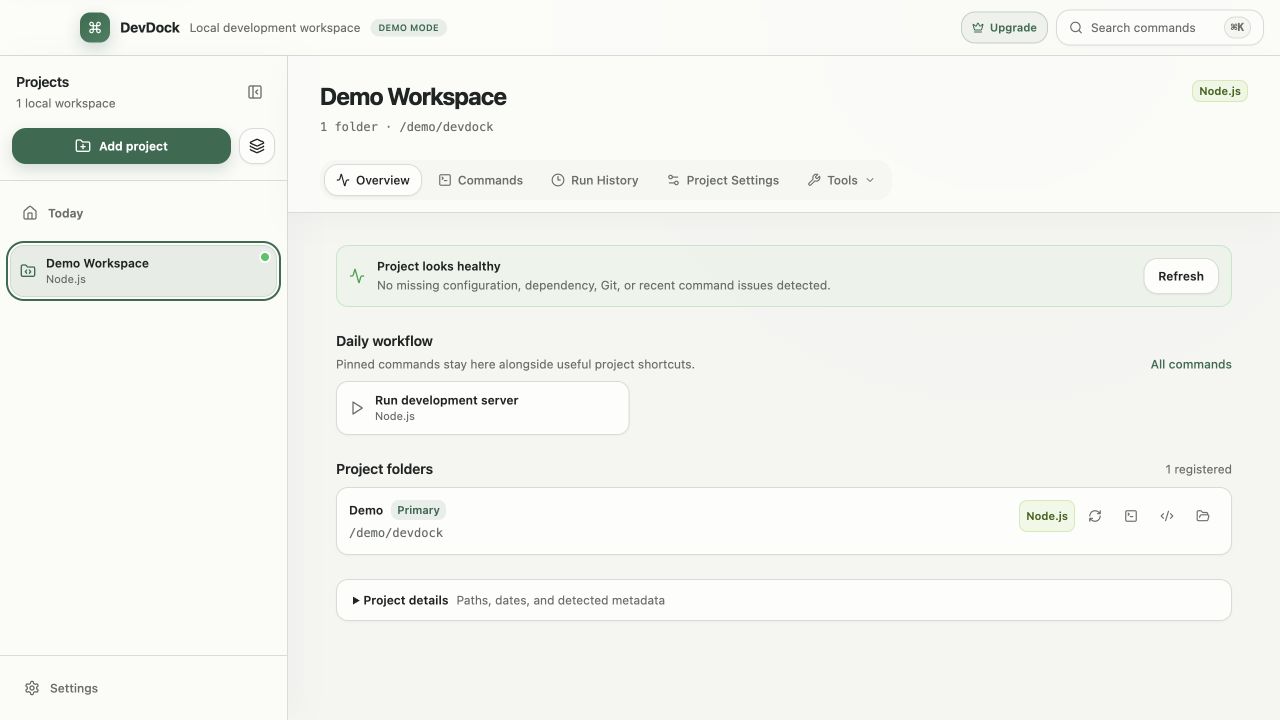
Open the project overview after a scan and read the result as an inventory. Registered folders define scope, detected technologies explain what DevDock understands, and health items show which expectations are currently satisfied.
If a result looks wrong, inspect the folder associated with it before changing configuration. An example app, generated directory, or nested tool can contain a valid manifest without representing the product's main runtime.
Model monorepos and split products
For a monorepo, register the repository root and let detected subprojects keep their own working directories. For a product split across repositories, attach each repository as a labeled folder inside one logical DevDock project.
The goal is not to flatten every stack into one command namespace. Preserve clear labels and working directories so a Web test task cannot be confused with an API test task that happens to use a similar name.
- Use role-based labels rather than repository slugs when that improves clarity.
- Keep generated commands scoped to the folder where their manifest was detected.
- Rescan after adding or moving a workspace package.
Add a repository-owned manifest
Create .devdock/technology.json when an internal framework, generator, or repository-specific tool needs direct commands that DevDock cannot infer. The manifest is intentionally declarative: it describes markers, metadata, explicit command arguments, and bounded log locations.
Marker paths must remain below the registered folder. Commands store an executable and argument array instead of an interpolated shell string, which keeps display and execution aligned and avoids relying on shell parsing.
- Use anyOf when one of several markers proves the technology is present.
- Use allOf when several files must exist together.
- Give every command a specific working directory and human-readable purpose.
- Choose none, normal, destructive, or production confirmation based on real impact.
- Declare only bounded log directories that belong to the project.
Verify repository commands
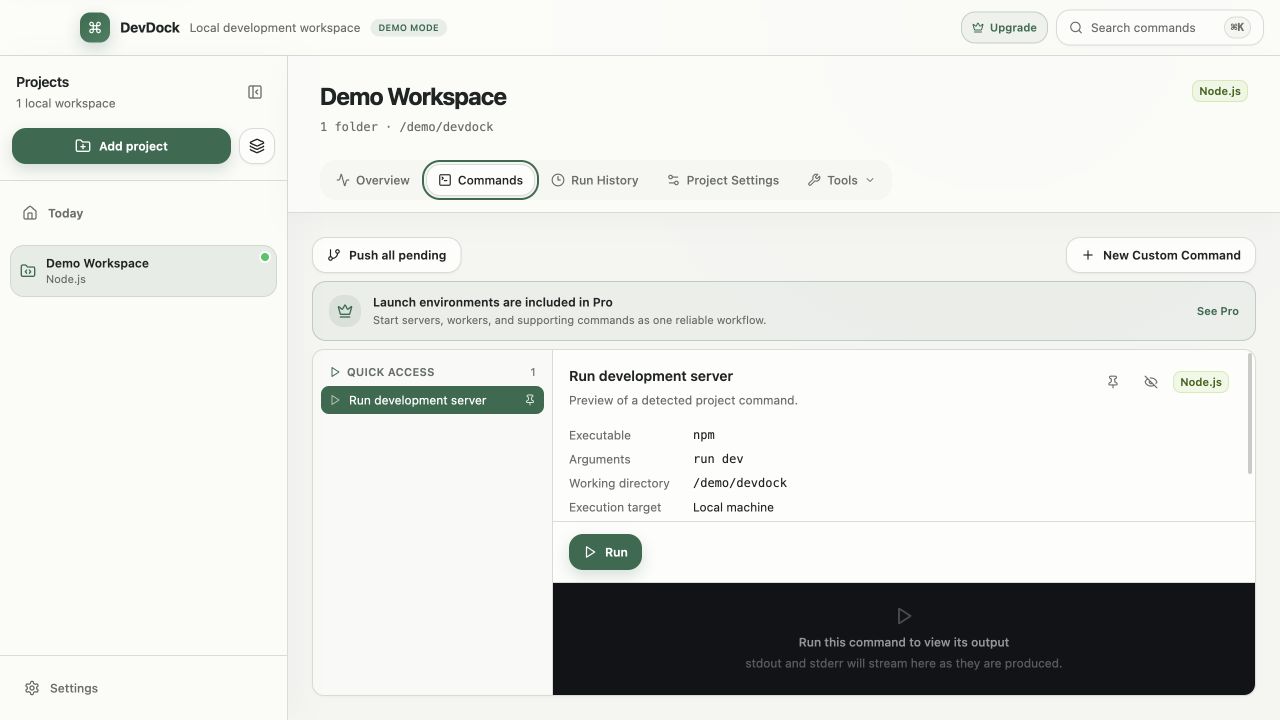
After adding or changing a manifest, rescan the project and inspect the generated tasks before running them. Check the visible executable, arguments, working directory, and confirmation level against the repository's own documentation.
Start with a read-only or bounded command. The command screen retains output and target context, making it easier to distinguish a detection problem from a toolchain or application failure.
- Do not use a broad shell command when a direct executable is available.
- Keep secret values in protected task inputs rather than the repository manifest.
- Remove obsolete tasks when the underlying project workflow changes.
Know when an adapter is required
A repository manifest is best for recognition and direct, explicit tasks. Use a compiled DevDock adapter when support requires structured form inputs, custom result parsing, framework-specific metadata, specialized process control, or operating-system integration.
If detection remains stale, confirm the registered folder, check marker spelling and path scope, then rescan. If a task is present but disabled, inspect toolchain health separately; installing a missing executable should not require redefining the technology.
Free & Pro: what’s included
Available on the Microsoft Store. Free for up to three local projects with core commands, Git, Docker, project health checks, and security-audit tools. A one-time Pro purchase unlocks unlimited and multi-folder projects, custom workflows, full history and insights, database tools, SSH transfers, and configuration backup and restore.