Capability overview
How can I use persistent app profiles in TestDock?
Create a current-platform profile for each app with its custom schemes, platform identifier, verified-link settings, and reusable tests. TestDock reopens the last profile you used and adds the custom scheme of any link that opens successfully.
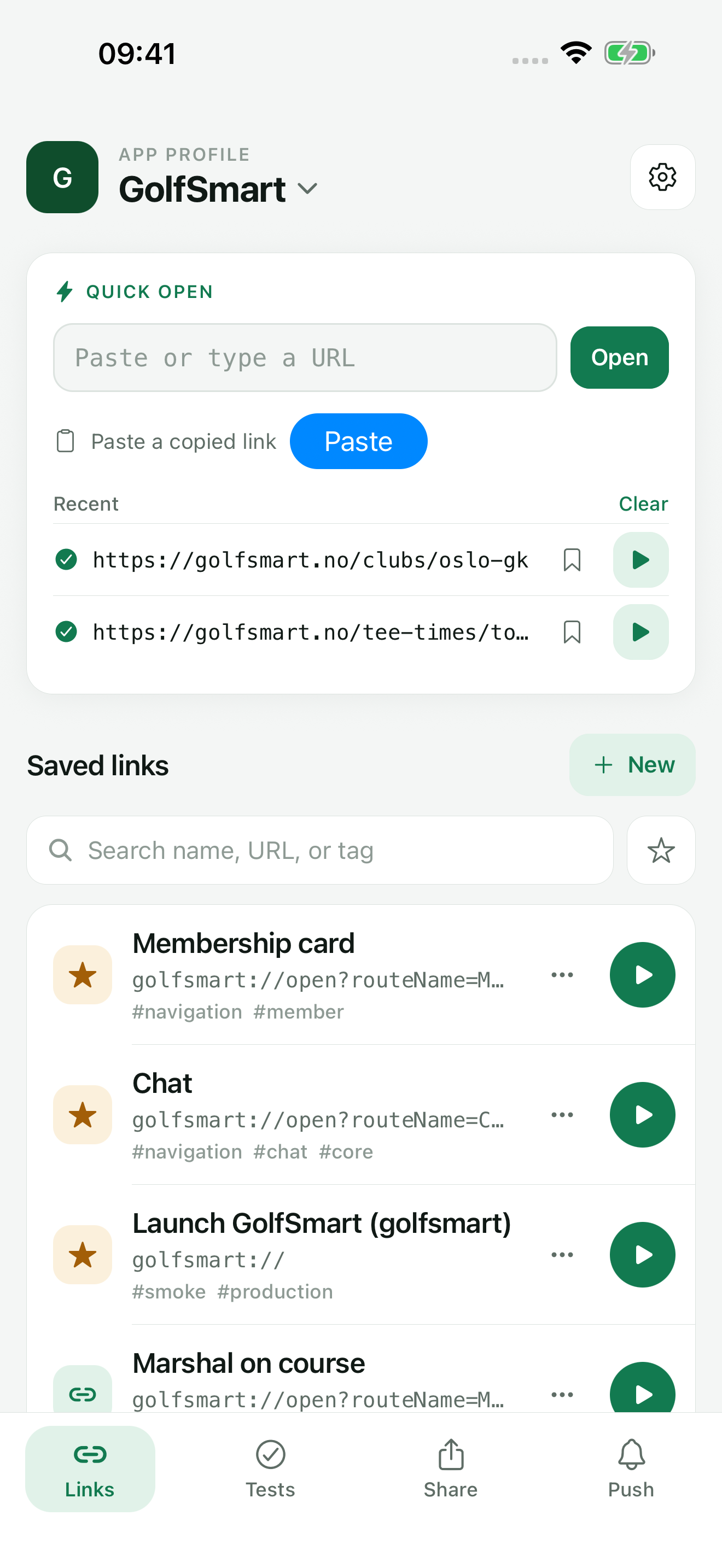
Keep your mobile app’s test links together and open them on the device where your app runs. Paste or type any URL to open it right away, share a link in from Slack, Mail, or Safari, and save the routes you check often so the next test starts with the right input.
What a profile holds
One profile for each app you test on this phone
An app profile is TestDock's record of one installed app. When you create it, you enter the app name, pick a color, and optionally add the iOS bundle identifier or the Android package name. The Custom URL schemes field takes one scheme per line, so a release scheme and a debug scheme can live in the same profile.
After the profile exists, the App profile screen adds link handling: iOS associated domains on an iPhone, or Android app-link domains on an Android phone. Profile notes hold anything a tester needs before starting, such as which test account to sign in with. When a link with a custom scheme the profile does not list yet opens successfully, TestDock adds that scheme for you.
Every deep link, share fixture, saved push target, provider setup, notification template, and scenario you create afterwards belongs to that profile. Link history and push logs are kept per profile as well, so results from two apps never mix.
Tabs
Four tabs, and TestDock reopens where you left off
Each profile has four tabs: Links, Tests, Share, and Push. Links holds Quick open and the saved links, Tests holds scenarios, Share holds share-input fixtures, and Push holds targets, provider setups, templates, and the delivery log. Share and Push are part of TestDock Pro.
When you open TestDock again, it returns to the last profile you used, on the Links tab. The profile name at the top of the Links tab leads back to the full list of app profiles.
iOS and Android
A profile belongs to the platform TestDock runs on
A profile created on an iPhone is an iOS profile; one created on an Android phone is an Android profile. The profile list shows only profiles for the current platform, and the forms only ask for that platform's identifier and link domains.
To test the same app on both platforms, create a profile on each device. The bundle identifier and package name are stored as reference information. TestDock does not read them from the installed app, and it cannot change the app's build or environment.
Free and Pro
One profile is free; unlimited profiles come with Pro
TestDock Free includes one app profile with complete deep-link testing and one scenario of your own, and an archived profile still uses that slot. The sample profile does not. The one-time Pro purchase removes the limit and adds Duplicate, which creates a copy with "Copy" added to the name.
A duplicate follows the same rules as a profile export: device tokens and provider credentials are not copied, copied provider setups start disabled, and file share fixtures need their file chosen again.
- Search app profiles and sort the list by Recent or Name
- Archive hides a profile from the active list; Restore brings it back
- Delete removes the profile's data and its saved secure values after you confirm
In the workflow
How to use it
Create the profile
Tap New App Profile, enter the app name, add the bundle identifier or package name, and list each custom URL scheme on its own line.
Add link domains
Open the App profile screen and enter the iOS associated domains or Android app-link domains the app claims, then tap Save App Profile.
Add the tests
Save links on the Links tab and a scenario on the Tests tab, and, with Pro, add share fixtures and push setups for the parts this app supports.
Keep the list current
Archive profiles for apps you are not testing right now and delete profiles for apps you no longer ship.
Useful in practice
When to use it
Related manual
Set up your first TestDock app profile
Create a persistent profile for an installed mobile app and record the schemes and platform metadata its tests depend on.
Read the guideDirect answers
Questions about persistent app profiles.
Can one profile cover both the iOS and Android versions of my app?
No. A profile is tied to the platform TestDock is running on. Create one profile on your iPhone and another on your Android phone.
Does archiving a profile free the slot in TestDock Free?
No. Archived profiles still count toward the one-profile limit. To start with a different app on Free, delete the existing profile, or unlock Pro for unlimited profiles.
Does TestDock read the app's identifiers from the installed app?
No. You enter the identifier, schemes, and domains yourself, although TestDock adds a custom scheme once a link that uses it opens successfully. The domains appear as choices in the association inspector.
What is removed when I delete a profile?
After confirmation, TestDock removes the profile's links, fixtures, push setups, templates, scenarios, and history, along with its saved device tokens, provider credentials, scenario photos, and copied share files.
Free & Pro: what’s included
Available on the App Store and Google Play. Free includes one app profile with unlimited saved links, Quick open, Paste, sharing links in, home-screen shortcuts, and the sample scenario plus one scenario of your own. A one-time Pro purchase unlocks unlimited profiles and scenarios, share fixtures, push testing, association inspection, links created from an apple-app-site-association file on iPhone, and profile or scenario import and export.