The job to be done
Check every route on each build, not only the one you changed
Deep links often fail without any error. A renamed route, a new required parameter, or a navigation refactor can send a link to the home screen instead of the order it names, and nobody notices until a customer taps it.
On a physical phone, every retest means rebuilding each URL by hand with realistic IDs and finding somewhere to tap it from.
TestDock stores each route as a link template in the app's profile and opens it on the phone through iOS or Android. A link someone sends you can be pasted into Quick open or shared into TestDock and opened straight away. The free version includes this for one app profile, with no limit on the number of saved links.
Recommended path
Turn your route list into saved links, then retest per build
Set up once per app; each later retest is opening the saved links and checking where they land.
Record the schemes and domains
In the app profile, list every custom URL scheme the build registers, one per line, and add the iOS associated domains or Android app-link domains it claims.
Save one link per destination
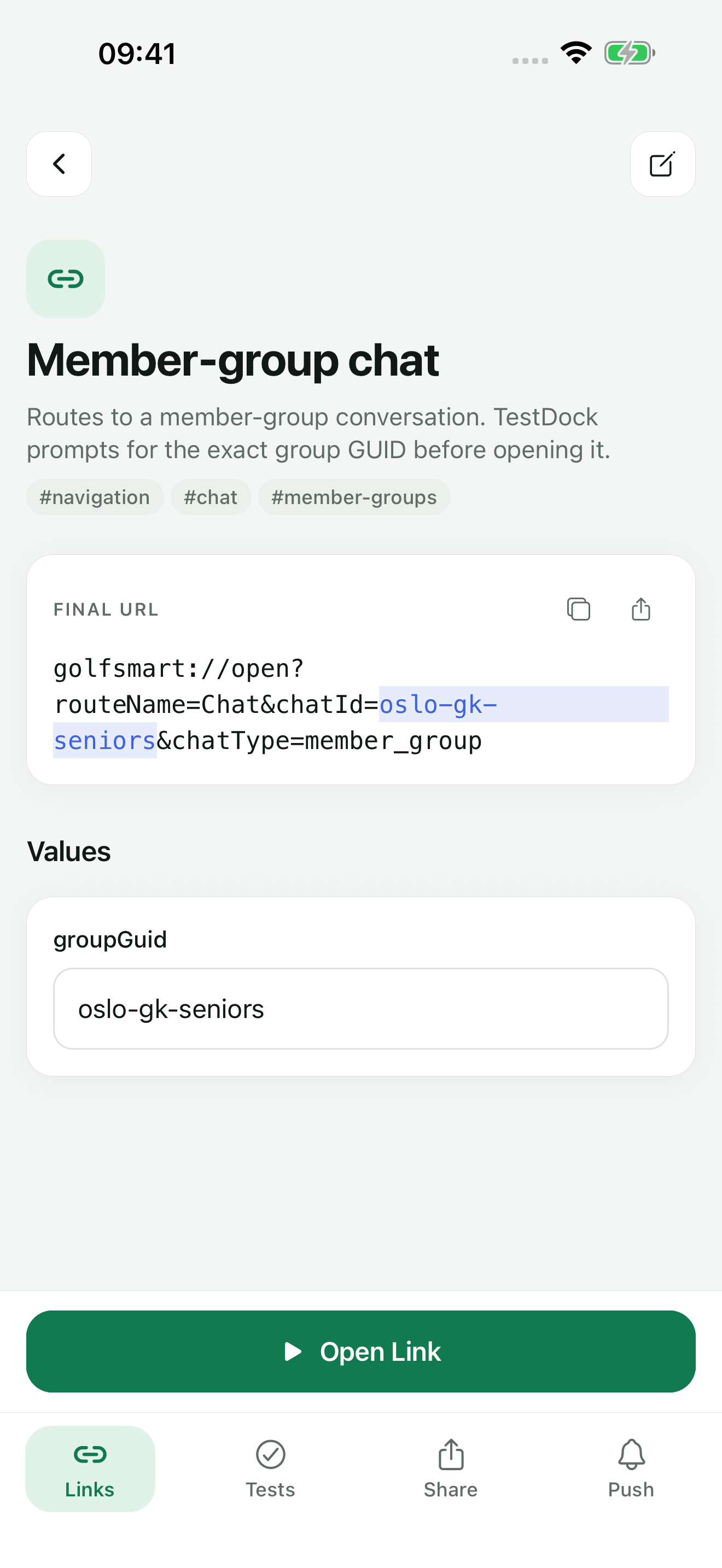
Add a link for each route you support, with {{variables}} for IDs and NAME=value defaults for values that rarely change. Tag links by feature so the Links tab search finds them. If the routes are in a list, copy it and use Save all.
Open the link and judge the result
Fill any Required field under Values, check the Final URL, and tap Open Link. Then confirm the screen, the record shown, and back navigation.
Repeat a failure exactly
Recent opens lists each URL sent, so whoever fixes the bug can reopen the failing link with the same values.
Inspect the domain when https links open the browser (Pro)
Tap Verify universal / app links, choose the domain, and tap Inspect public file. Fix any failed check on the server before opening the link again. On iPhone, you can then save the paths the AASA file declares as links.
Capabilities involved
Where each part of a deep-link pass happens
Limits to know
What a link test proves, and what you confirm yourself
An accepted result means iOS or Android took the open request. TestDock cannot see which app or screen handled the link, so the tester confirms the destination on the phone.
Free covers Quick open and saving, editing, opening, and reviewing the history of links for one app profile, plus one scenario of your own. The Association inspector, more profiles, and unlimited scenarios come with the one-time Pro purchase.
Links belong to the platform TestDock runs on. Test the iOS build from an iPhone profile and the Android build from an Android profile; profile imports skip links saved on the other platform.
The inspector checks that the file is reachable over HTTPS, served as JSON without a redirect, and correctly structured. Matching app IDs, paths, package names, and signing fingerprints against your build stays manual.
Related manual
Test deep links and app associations
Save reusable custom schemes and web links, resolve their parameters, open them on device, and inspect association files.
Its sections cover open a link without saving it, create a reusable link, review before opening, verify app-link configuration, use history deliberately. Use it when you are ready to reproduce this workflow with your own project data.
Read the guideDirect answers
Questions about this use case.
Do I need a computer connected to the phone?
No. TestDock runs on the phone and opens links there. Only the Pro Association inspector needs a connection, to fetch the file from your domain.
How do I retest a route with a different ID each time?
Leave that variable without a default. TestDock then asks for it on the link screen before Open Link becomes available, and the history records the value you used.
How do I give a developer the link that failed?
Use Copy or Share on the link screen to pass on the exact Final URL. Recent opens shows when it was opened and whether the system accepted it.
Can a scenario step fill in a link's variables?
A step that opens a saved link uses that link's default values, replaced by any run values the scenario was started with, such as orderId=1234 from a test link. The run does not ask for missing values, so give every other variable a default before adding the link to a scenario.
Free & Pro: what’s included
Available on the App Store and Google Play. Free includes one app profile with unlimited saved links, Quick open, Paste, sharing links in, home-screen shortcuts, and the sample scenario plus one scenario of your own. A one-time Pro purchase unlocks unlimited profiles and scenarios, share fixtures, push testing, association inspection, links created from an apple-app-site-association file on iPhone, and profile or scenario import and export.