Most comparison jobs are a check before a handoff: is this export complete, will this API change break a client, did this config change only what it should? Diff Anything 1.6 answers more of those questions directly, on your own Mac or Windows PC.
You can now compare a CSV export with the workbook it came from, run an API schema check in CI that fails only on breaking changes, use the same rules for YAML as for JSON, and switch the difference colors to blue and yellow. Every difference can also be read as a written list and handled from the keyboard.
Check the handoff before it goes out
Answer the question, not just the diff.
- Compare a CSV or TSV export with the workbook sheet it came from
- Let a CI job fail only when an API change is likely to break clients
- Read differences in colors you can tell apart, or as a written list
01 / Check an export against its source
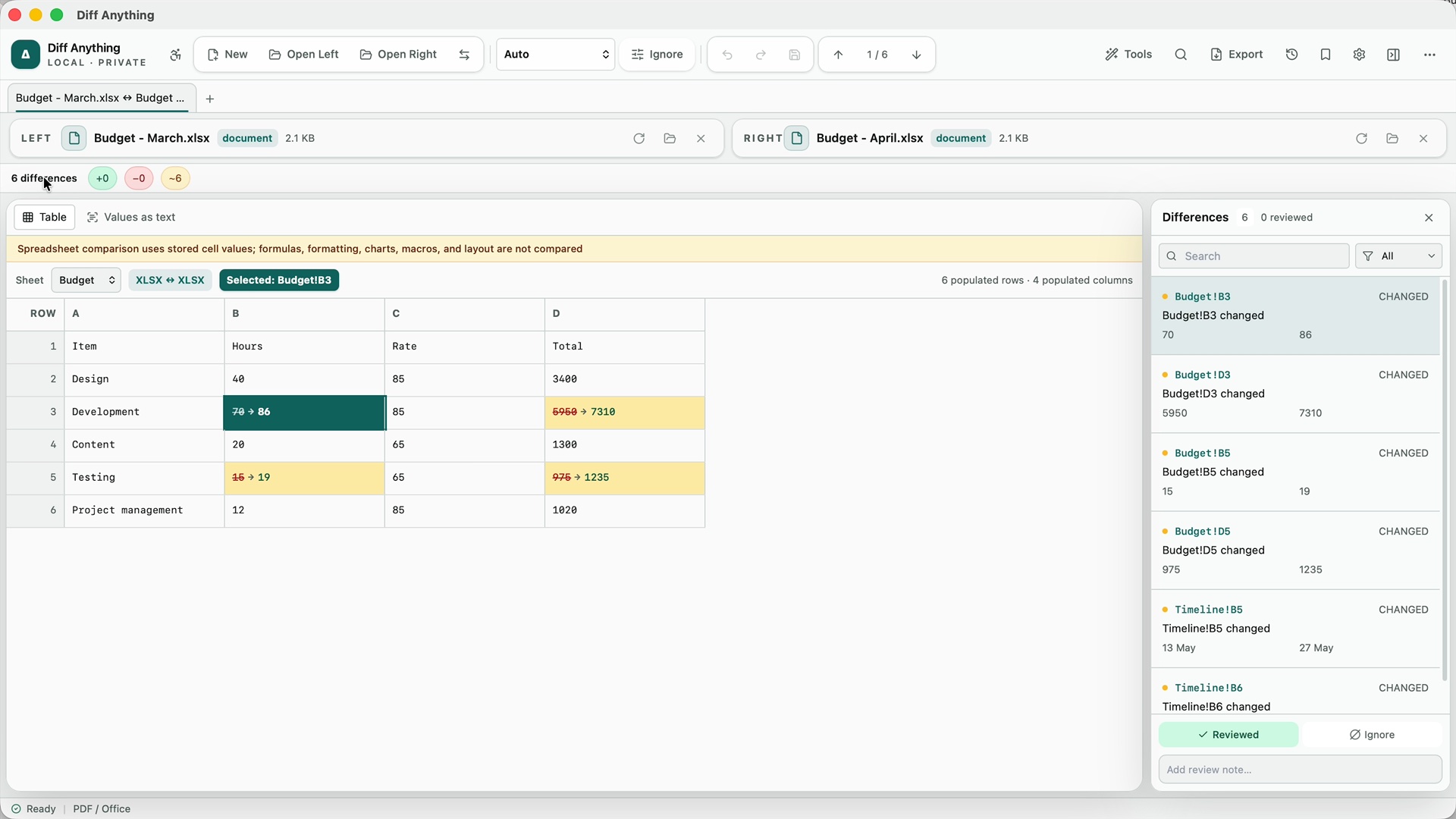
Compare a CSV file with the workbook it came from
A report is built in Excel, exported to CSV, and sent to another system. When the numbers look wrong on the other side, the first question is whether the export still matches the workbook. Until now that meant converting one file before you could compare them.
In 1.6, open the CSV or TSV file on one side and the Excel, OpenDocument, or Apple Numbers workbook on the other. Diff Anything compares them cell by cell, using the workbook's first sheet unless you choose another under Compare with sheet. Each changed cell is listed with its address, so you can go straight to the row that changed.
Values are compared as the workbook stores them, so a formatting difference such as 20 in the workbook and 20.0 in the CSV is shown as a change. That is useful when the receiving system cares about the exact text it gets.
02 / Stop breaking changes before they ship
Fail a CI job only when an API change is likely to break clients
Diff Anything already labelled likely breaking OpenAPI and JSON Schema changes with a rule code, such as a removed operation or a new required input. Now the result also shows a breaking-change verdict and count, and identical schemas report no differences at all, even when one is written in JSON and the other in YAML.
With Pro on Windows, run the same comparison in your pipeline with --mode api --fail-on breaking, or set failOn: breaking for a case in a batch manifest. The job passes when the changes are additive and fails when a change is breaking or could not be classified. JUnit and SARIF reports list each finding with its rule code, so the build log says what broke and where.
The rules are heuristic: they do not resolve $ref or tell request and response schemas apart, and some breaking edits, such as a renamed parameter, are not classified. Use the check as an automatic first gate, and keep a reviewer for the changes it lets through.
03 / Fewer false changes
See only the configuration changes that matter
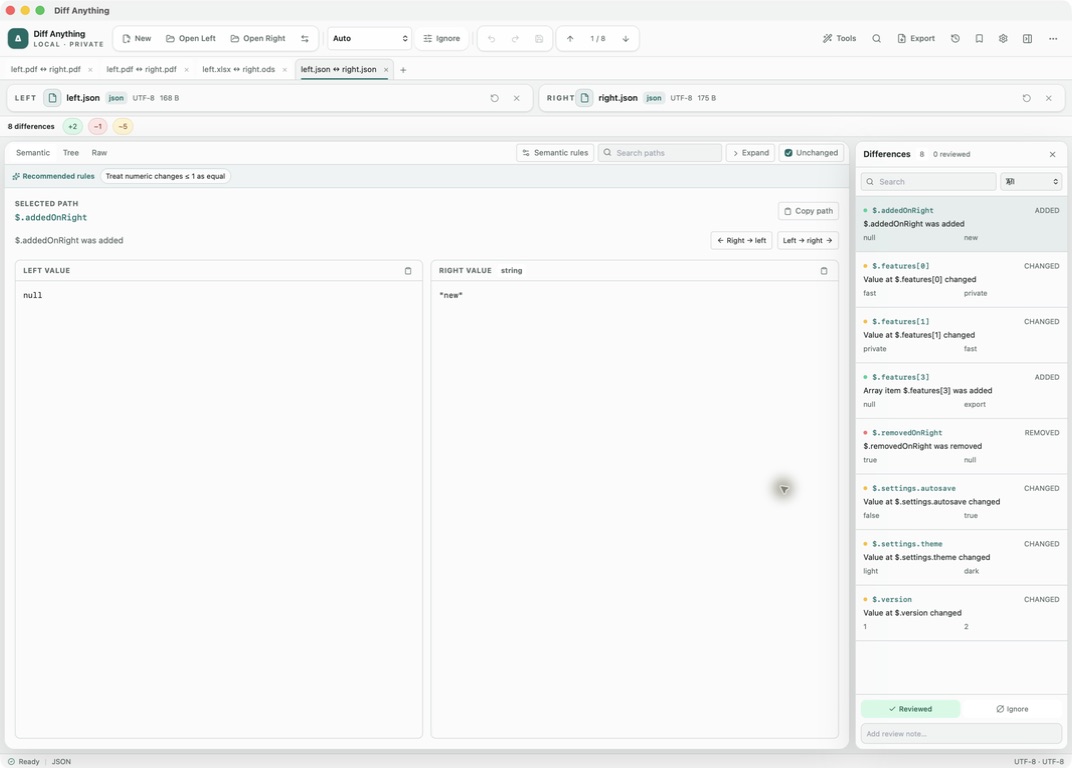
YAML now has the same Semantic rules as JSON. Ignore a generated field, treat a list as unordered, compare a path without letter case, or allow a small numeric tolerance, and Pro profiles save those rules for the next run.
Lists of records with an id, _id, uuid, or key field are now paired by that field automatically, so one inserted record no longer makes every record after it look changed. Numbers compare by value, so 1 and 1.0 are equal. XML elements are matched by a key attribute such as id or name, and each difference has a readable XPath location.
When you copy a change into a JSON file, only that value is written: the file keeps its comments, trailing commas, and indentation. HTTP response comparison now reports a changed HTTP version and reason phrase as well as the status code.
04 / Review in a way that works for you
Read every difference in colors you can tell apart, or in words
Most diff tools show added content in green and removed content in red, the two colors that people with red-green color blindness confuse most. In Settings, choose Difference colors, then Blue and yellow. Added and removed content then stay clearly different in light and dark themes, across the code editor, merge, structured trees, tables, folders, and documents. The setting is free.
The accessible workspace turns a comparison into one ordered page: the sources, a summary, and every difference written out with its location, the change, and the original and updated values. A contract change reads like “Page 1, clause 2.2: changed ‘within thirty (30) days’ to ‘within sixty (60) days’”. Step through the list, mark items reviewed, add notes, and apply changes without the mouse. Open it with Command-Shift-A on a Mac or Control-Shift-A on Windows; on a Mac it opens by itself when VoiceOver is running.
Word, PowerPoint, PDF, and spreadsheet results now describe their differences in words too, by page, clause, slide, or cell, and Word and PowerPoint comparison reads more formats, including DOCM, PPTM, templates, and OpenDocument text and presentations.
05 / Rely on what you see
Trust the result you get
A comparison you cancel is shown as cancelled, never as identical, with a button to run it again. In three-way merge, two edits to the same line are combined only when they touch separate words; anything else is shown as a conflict for you to decide, so the merged file never contains a value that neither side wrote.
When something cannot be done, the message now says what went wrong and where, for example that a file is open in another app, and it appears on top of any open dialog. On Windows, git diff can use Diff Anything as a diff driver for the file types you choose, alongside the existing difftool setup.
The next export, API change, or config review is a few clicks away.