Direct answer
Can Diff Anything detect breaking OpenAPI changes?
Diff Anything compares OpenAPI and JSON Schema as parsed contracts and labels likely breaking changes with heuristic rule codes, such as a removed operation or a new required input. With Pro on Windows, the CLI and batch manifests run the same comparison in CI: identical schemas pass, and --fail-on breaking fails the job only on breaking or unclassified changes, with each finding's rule code in JUnit and SARIF. The rules are heuristic, so flagged and passing results still need contract review.
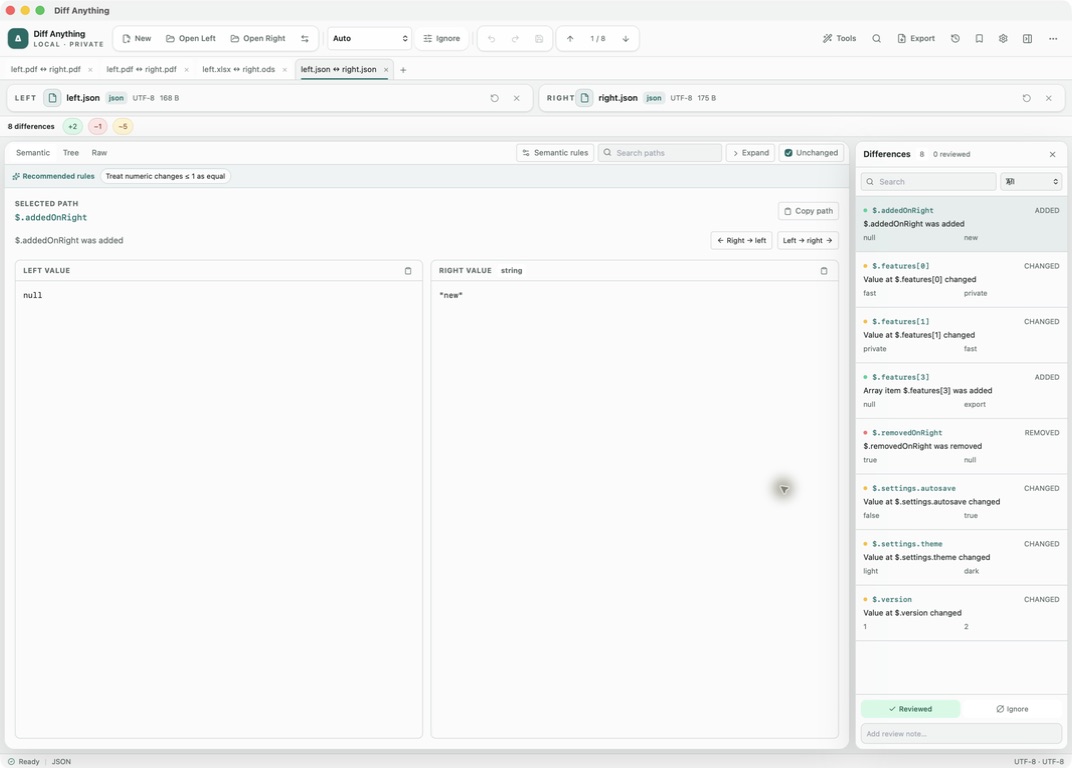
Supported schemas
OpenAPI, JSON Schema, GraphQL, and SQL tables.
API Schema mode compares OpenAPI and JSON Schema documents written in JSON or YAML. Auto detects them from top-level keys such as openapi, swagger, or $schema. The same mode also reads GraphQL type, interface and input definitions, and SQL CREATE TABLE statements.
Every change is listed with its location, for example $.paths["/users"].get.parameters[0]. If the two sides are written in different schema languages, the result says that classification is structural only.
Breaking-change rules
Likely breaking changes are labelled with a rule code.
Each difference is checked against a set of compatibility rules. A match is labelled "Breaking API change" with its rule code, and the Breaking filter in the difference list shows only those items. A note above the result gives the verdict, such as "2 potentially breaking API change(s) detected by heuristic rules". Identical or equivalent schemas, including the same schema written once in JSON and once in YAML, report no differences.
- API001: an operation, parameter, response, or path was removed
- API002: a field, column, or type member was removed
- API003: a value was removed from an enum, oneOf, or anyOf
- API004: a new required input was added
- API005: an optional or nullable value became required
- API006 and API007: a minimum or maximum constraint became stricter
- API008: security requirements were added or changed
- API009: a schema's type, format or $ref changed, or a value inside its properties changed kind
- API010: a GraphQL field signature or SQL column definition changed
How to read it
Treat the classification as a review aid.
The rules look at where a change sits in the document. They do not distinguish request schemas from response schemas, so a new required response property is flagged in the same way as a new required request field. References ($ref) are compared as written and not resolved: a changed reference is flagged under API009, but the schema it points to is not compared. Changes to keywords such as pattern are listed without a rule code. Removing a whole entry under components, renaming or moving a parameter, adding additionalProperties: false, and removing security requirements are not classified as breaking.
Arrays such as parameters are compared by position, so inserting a parameter can also show changes at later positions. Read each flagged item before deciding whether clients are affected. The result says the same: when no rule matches, manual contract review is still required.
CI gate
Fail a CI job only on breaking changes with Pro.
With Pro on Windows, --mode api runs the comparison from the command line with summary, terminal, or JSON output. Add --fail-on breaking and the command returns 1 only when a change is breaking or could not be classified; identical schemas and non-breaking changes return 0.
In a batch manifest, set failOn: breaking on an API case. JUnit output lists the breaking changes with their rule codes, and SARIF reports each finding as its own result, with breaking changes under their rule code as errors. The rules are heuristic, so treat a passing check as a first gate, not as proof that clients are unaffected.
Best for
Where this workflow fits.
- Reviewing an OpenAPI or JSON Schema change before it is released to clients
- Getting a first list of likely breaking changes to check by hand
- Comparing API definitions that must stay on your own machine
No accounts, cloud comparison service, analytics, or telemetry.
Relevant capabilities
What Diff Anything brings to the job.
Practical workflow
From setup to a reviewed result.
Open the released and candidate specs
Choose the two OpenAPI or JSON Schema files. Auto opens them in API Schema mode.
Filter to Breaking
Use the Breaking filter to see the changes that matched a compatibility rule first.
Check each flagged change
Read the rule code and location, then decide whether it affects requests, responses, or neither.
Review the remaining changes
Switch back to All to check changes the rules do not classify, such as pattern edits or a renamed parameter.
Useful in practice
Direct answers
Questions about OpenAPI diff tool.
Can Diff Anything detect breaking OpenAPI changes?
Diff Anything compares OpenAPI and JSON Schema as parsed contracts and labels likely breaking changes with heuristic rule codes, such as a removed operation or a new required input. With Pro on Windows, the CLI and batch manifests run the same comparison in CI: identical schemas pass, and --fail-on breaking fails the job only on breaking or unclassified changes, with each finding's rule code in JUnit and SARIF. The rules are heuristic, so flagged and passing results still need contract review.
Does it support Swagger 2.0 and OpenAPI 3?
Both are detected and compared as JSON or YAML documents. The same compatibility rules apply to both; there are no version-specific rules.
Are $ref references resolved?
No. References are compared as written, so a changed $ref is flagged under API009, but the schema it points to is not compared. External reference files are not loaded.
Can a CI job fail only on breaking changes?
Yes, with Pro on Windows. Use --mode api --fail-on breaking, or failOn: breaking in a batch manifest. The job fails only on breaking or unclassified changes, and identical schemas pass.
Is API schema comparison part of the free plan?
In the app, yes: the free plan shows the complete result for files up to 5 MB, with 10 comparisons per day. The command-line api mode, --fail-on breaking, and batch manifests need Pro.
Go deeper
Run repeatable comparisons, read highlighted terminal output, interpret exit codes, integrate with Git, and publish machine-readable CI results.
Read Use Diff Anything from the CLI, Git, and CIFree & Pro: what’s included
Available on the Mac App Store and Microsoft Store. Free desktop use lets you try every comparison engine for files up to 5 MiB per side and 10 new comparison sessions per local day; collection previews show the first 100 items and PDF previews show the first 3 pages. The free CLI supports text and JSON. A one-time Pro purchase removes the preview and session limits and unlocks larger sources within technical limits, saved profiles and history, report export, three-way merge, folder synchronization, batch manifests, trusted preprocessors, and every CLI mode.