The email says “only formatting.” The filename says FINAL. Track Changes looks clean. None of that proves the contract wording is unchanged.
A single added “not,” a shortened notice period, a different liability cap, or one deleted obligation can change the deal. Diff Anything gives legal professionals an independent comparison of the earlier contract and the file now waiting for approval—without sending either document to an online comparison service.
Before anyone signs, compare the files.
Know exactly what changed in the contract in front of you.
- PDF, DOCX, and RTF text comparison
- One-by-one difference review with notes
- Local processing on macOS and Windows
01 / The risk
Do not trust the label. Compare the contract.
Contract negotiations produce attachments, downloads, renamed copies, clean copies, execution copies, and “final” versions that are not always final. The reliable question is not what the file is called or what the accompanying email says. It is whether the wording in this file matches the version you reviewed.
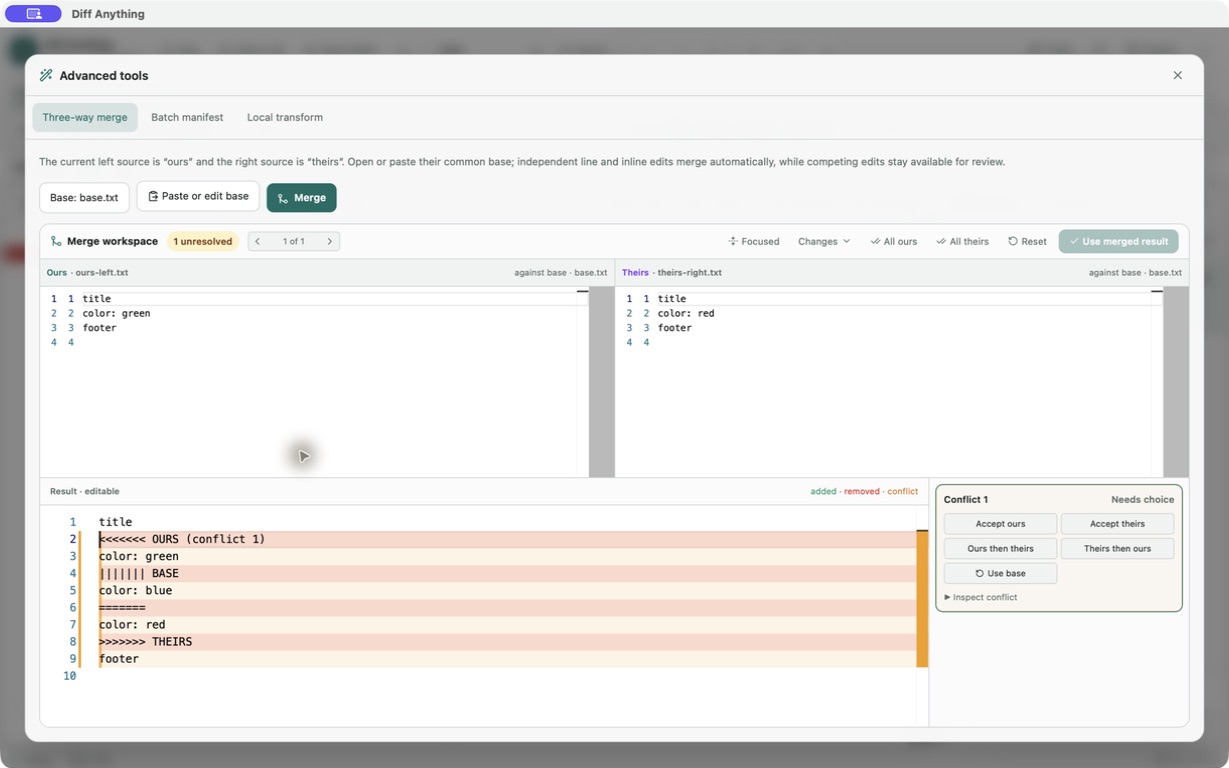
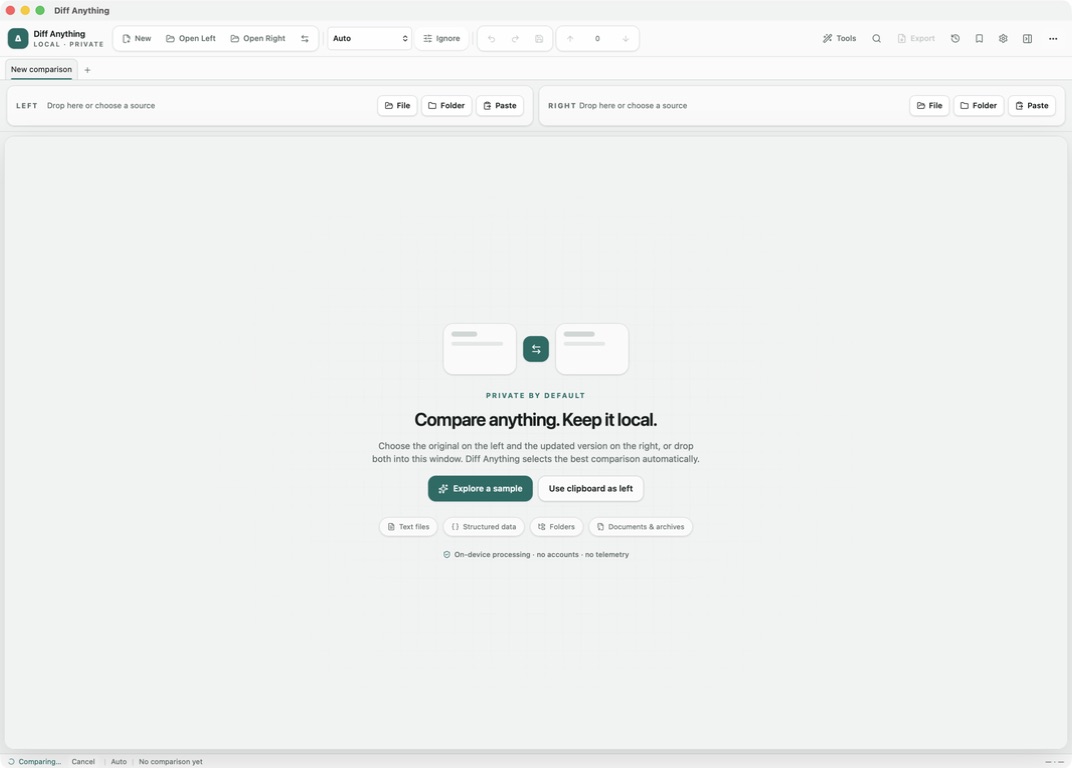
Put the trusted contract on the left and the newly received contract on the right. Diff Anything extracts their text and identifies added, removed, and changed wording. The result is calculated from the two documents themselves; it does not depend on the sender’s change summary.
02 / Small edits, different deal
Eight contract changes you do not want to discover after signature
The consequential edit is not always a rewritten page. It may be one word, one number, or one sentence in a document everyone believes is settled.
These are illustrative review scenarios, not legal classifications. Diff Anything shows detected wording changes. The lawyer determines their meaning, materiality, and response.
03 / Independent verification
Create your own redline from the files you actually received
Tracked changes are useful, but they are not an independent check of two delivered documents. Changes may have been accepted, markup may be hidden, or the clean copy may have taken a different path through the negotiation.
Diff Anything compares the extractable wording in PDF, DOCX, and RTF files whether or not a useful change history accompanies them. If wording in the revised file differs from the earlier file, the text comparison can surface it as an addition, removal, or change for review.
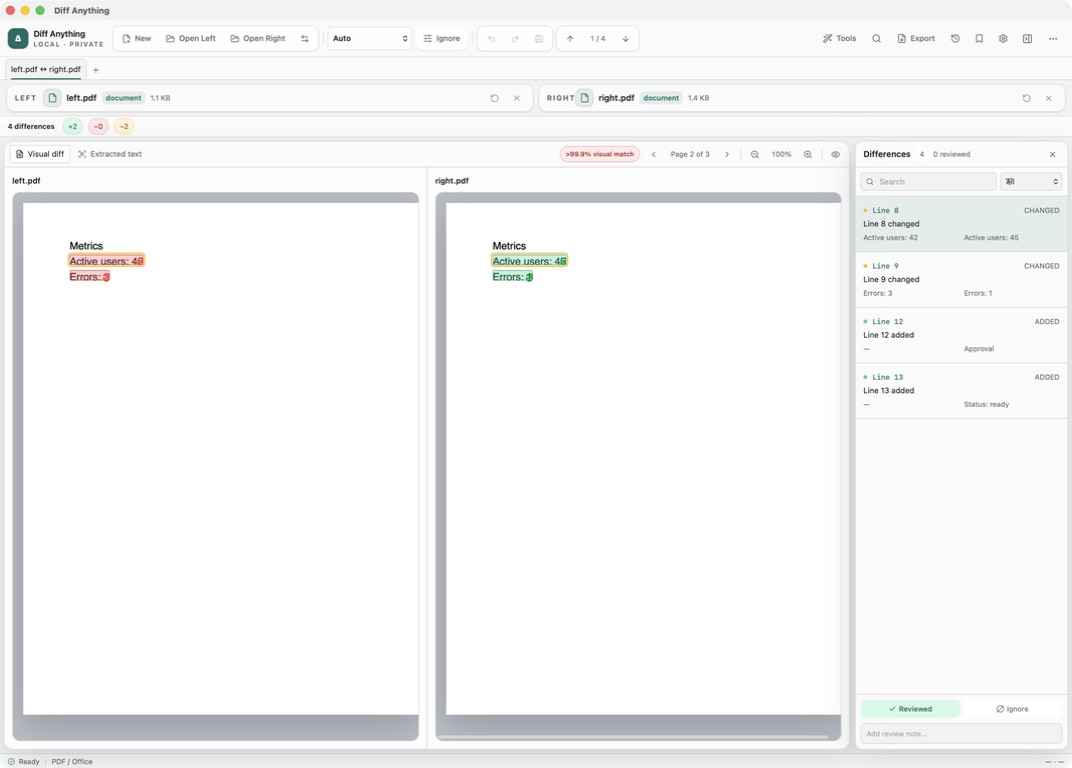
For PDFs, choose Extracted text to review wording without being pulled into another view when you select a difference. Choose Visual diff to raster-compare the rendered pages, highlight changed regions, and read a per-page visual-match percentage.
04 / Controlled review
Turn every detected change into a deliberate decision
A redline only helps if the reviewer can finish it. Diff Anything counts the detected differences and lets you move through them one by one. The Differences pane opens with a new comparison, shows the earlier and revised text, supports search and filtering, and remains collapsible when the source needs more space.
Mark a difference as reviewed or ignored, add a note, and filter for changes still pending. With Pro, the review state stays with the local comparison history, and report export can carry the difference list, statuses, and notes into a review record.
Do not ask, “Did anything else change?” Ask the two files—and work through the answer.
05 / Where it earns its place
Six moments when an independent comparison earns its place
Check the “clean” copy that comes back
Compare the returned NDA with the version you sent. A changed definition, residuals clause, permitted-recipient list, or survival period becomes part of the difference review.
Review edits outside the negotiated clauses
Do not limit the check to liability and indemnity. Compare the whole agreement so changed payment, audit, assignment, notice, or renewal wording can also surface.
Compare the signature PDF with the approved draft
Run one final comparison before signature so the approval relates to the wording in the actual execution file, not a similarly named earlier attachment.
Check dates, notice periods, and restrictions
Surface changed commencement dates, renewal language, notice periods, territories, durations, and other extractable wording for professional review.
Verify the release that will actually be signed
Compare the final document with the negotiated draft and inspect changes to payment timing, release language, confidentiality, non-disparagement, or enforcement wording.
Check the material outside the main agreement
Compare CSV schedules by stable keys, then use folder comparison to inventory files added, removed, or changed between two deliveries.
06 / The deal-clincher
And the contracts never need to leave the computer
The comparison is useful on its own. For confidential legal work, the processing model is what closes the loop: Diff Anything reads and compares the selected documents locally on the Mac or Windows PC in front of you.
There is no Diff Anything account, no cloud comparison service, no analytics, and no telemetry. The contract contents are not uploaded to a Diff Anything server. A draft NDA, an unannounced acquisition agreement, an employee settlement, or a client’s execution copy can be compared without first handing it to a browser-based comparison provider.
Signed store builds may contact Apple or Microsoft for product, purchase, and entitlement checks. Comparison content is not included in those requests. Exporting a report is a separate, explicit action.
Local processing removes one avoidable disclosure path. It does not replace the firm’s own requirements for device security, access control, retention, backups, or handling exported reports.
07 / The exact boundary
It finds changes. You practise law.
Diff Anything does not decide whether a clause is acceptable, interpret a contract, assess legal risk, verify authority, or certify a document-handling process as compliant. It gives the responsible professional a focused list of detected changes to review.
Document comparison depends on extractable text. Image-only scans require OCR first. DOCX and RTF comparison is text-based, not visual. Password protection, signatures, comments, tracked-change history, fields, styling, pagination, and other layout details may require inspection in the original application.
For PDFs, the two views measure different things. Visual diff compares rendered pixels and reports changed regions and a match percentage; Extracted text supplies the wording difference list. Review extraction warnings, remember that visual identity does not prove equal metadata or tagging, and inspect the original files before relying on the result.
The promise is not “these contracts are legally equivalent.” It is “here are the detected wording changes you need to review.”
The next “final” contract is already on its way.