Screen Studio Kit 1.4 brings editable 3D device frames and eight new background styles to your app marketing screenshots. Build the store images, adapt the artwork for your website, and keep the project ready for the next release.
A screenshot update can mean new app captures, revised copy, another device size and a fresh set of translations. Screen Studio Kit brings those jobs into one editor. Version 1.4 expands the visual options, while the saved project keeps the text, captures, frames and backgrounds available for further changes.
01 / Inside the editor
Edit the frame, background and copy in one place
The images in this post were made in Screen Studio Kit for Fieldnotes, a fictional travel app. They include finished exports and the editor views behind them, so you can see both the artwork and the controls used to make it. The set covers phone, laptop, desktop, tablet, watch and TV frames, with cream, forest green and warm clay backgrounds.
In the iPhone example, the app capture sits inside a device frame beside editable text. The background pattern, colours, frame finish and typography can all be changed in the project. A replacement capture or a revised headline does not require rebuilding the surrounding composition. That is useful when the screenshots are nearly finished and the app changes again.
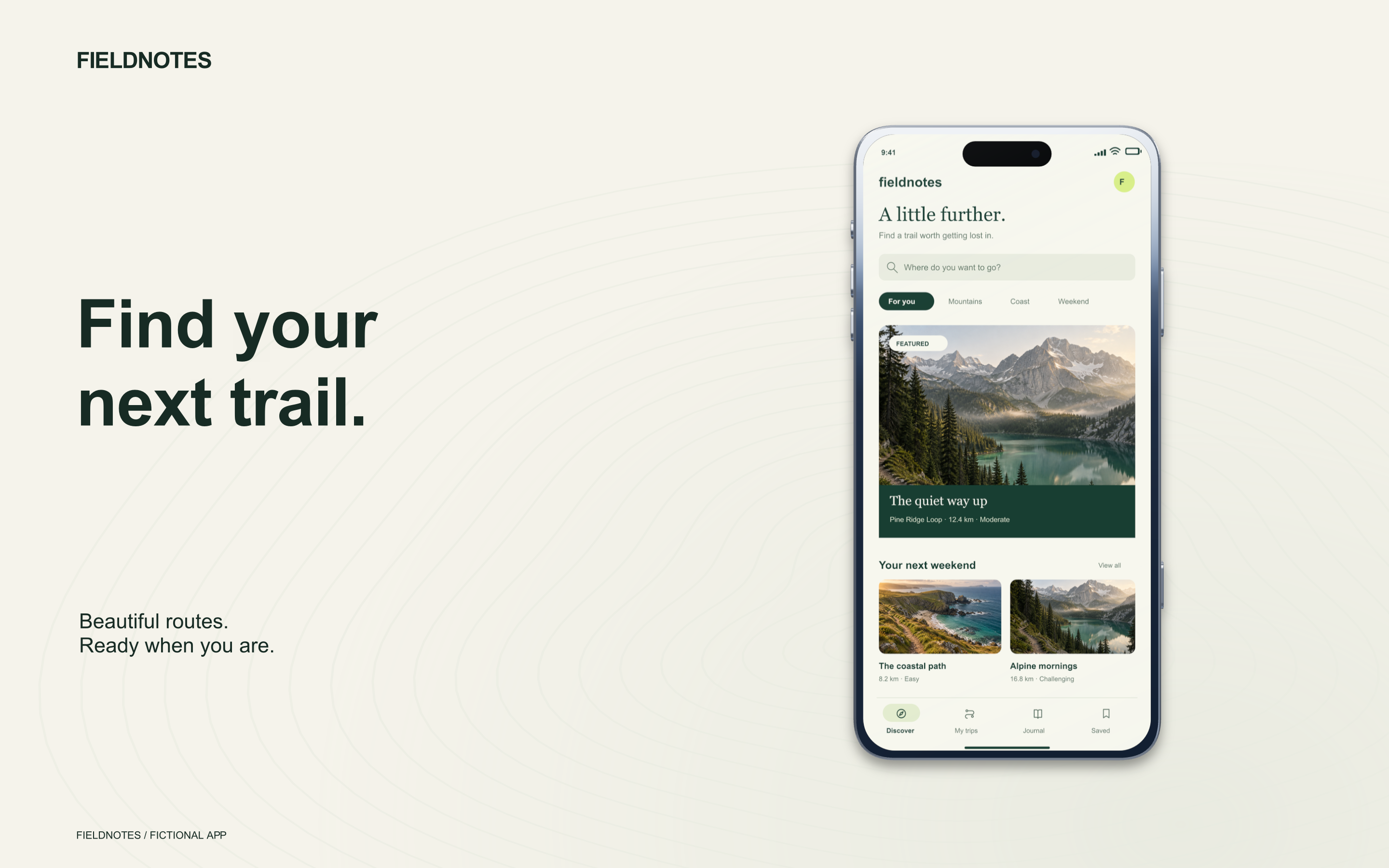
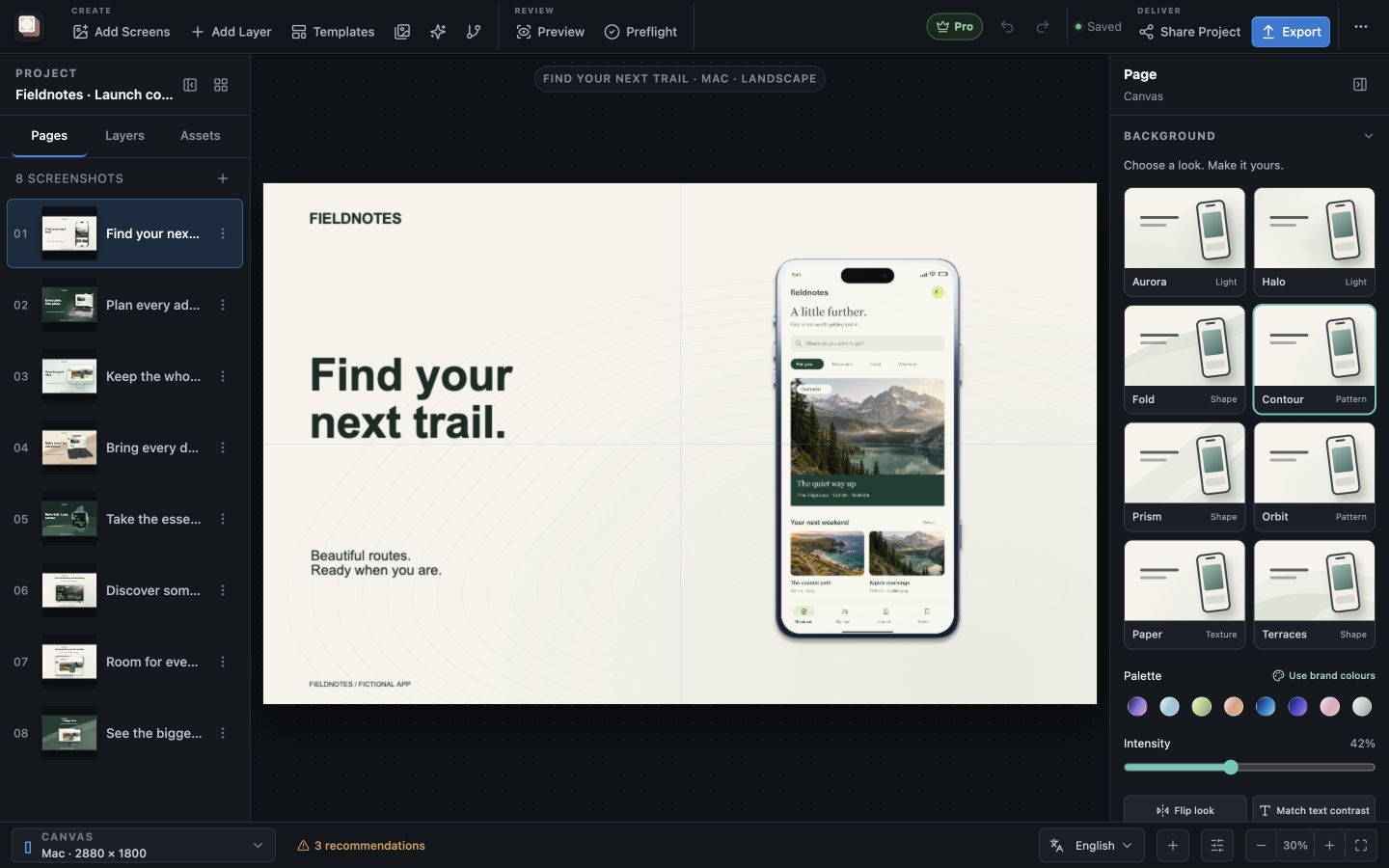
The headline remains a text layer, the app capture remains an image, and the frame retains its own appearance controls. You can adjust one while seeing it alongside the others. In the editor view below, the page list holds the rest of the Fieldnotes set; the canvas and inspector show the selected phone composition.
For a release announcement, the same project can hold a wide website composition alongside the store artwork. Each layout can use the space its destination allows, while the app captures and visual direction stay together. The gallery here uses wide marketing images; store screenshots use the output dimensions selected for the listing.
02 / Projects and variations
Keep the screenshot set together
Screen Studio Kit stores the pages of a screenshot set in one project. You can work through the individual captures, revise their copy and return to earlier pages without opening a separate design file for each image. The Fieldnotes project contains the phone discovery screen, a laptop planning view and the smaller watch interface shown later in this post.
Campaign variants provide room for alternative treatments within that project. A different headline or background can be kept as a variation while you decide which version to use. The original remains available, which makes the project useful during review as well as after the artwork is approved.
When the next release changes a screen, you can return to its page, replace the capture and update the copy. The frame, typography and background are already there. With Pro, custom templates also let you reuse a layout in future work.
03 / New in 1.4
Eight screenshot backgrounds, editable in your brand colours
Version 1.4 adds Aurora, Halo, Fold, Contour, Prism, Orbit, Paper and Terraces. The collection includes soft lighting, curved and angular shapes, fine line patterns and subtle texture. These backgrounds are part of the editor, with controls for palette, custom colours, intensity and horizontal flip.
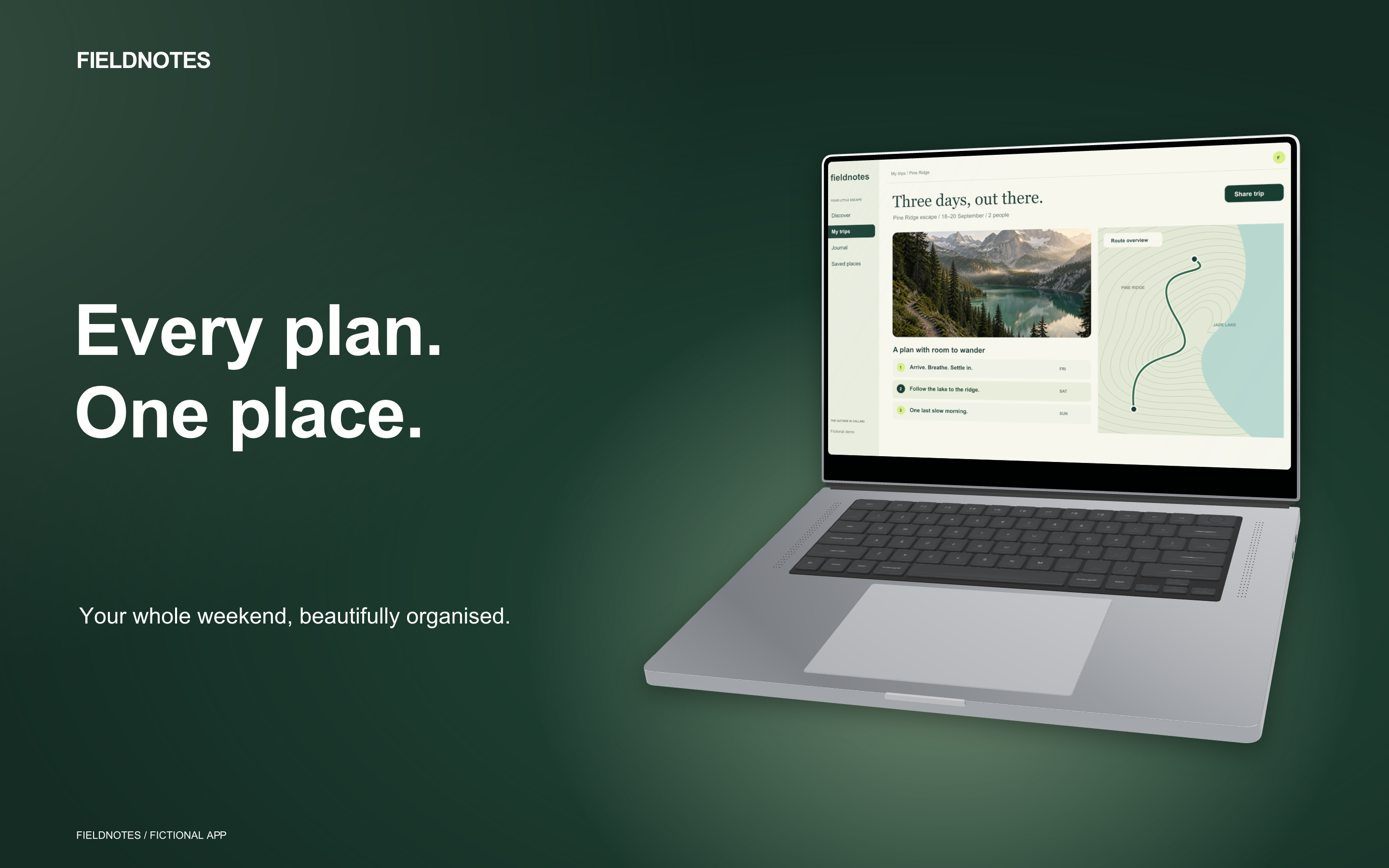
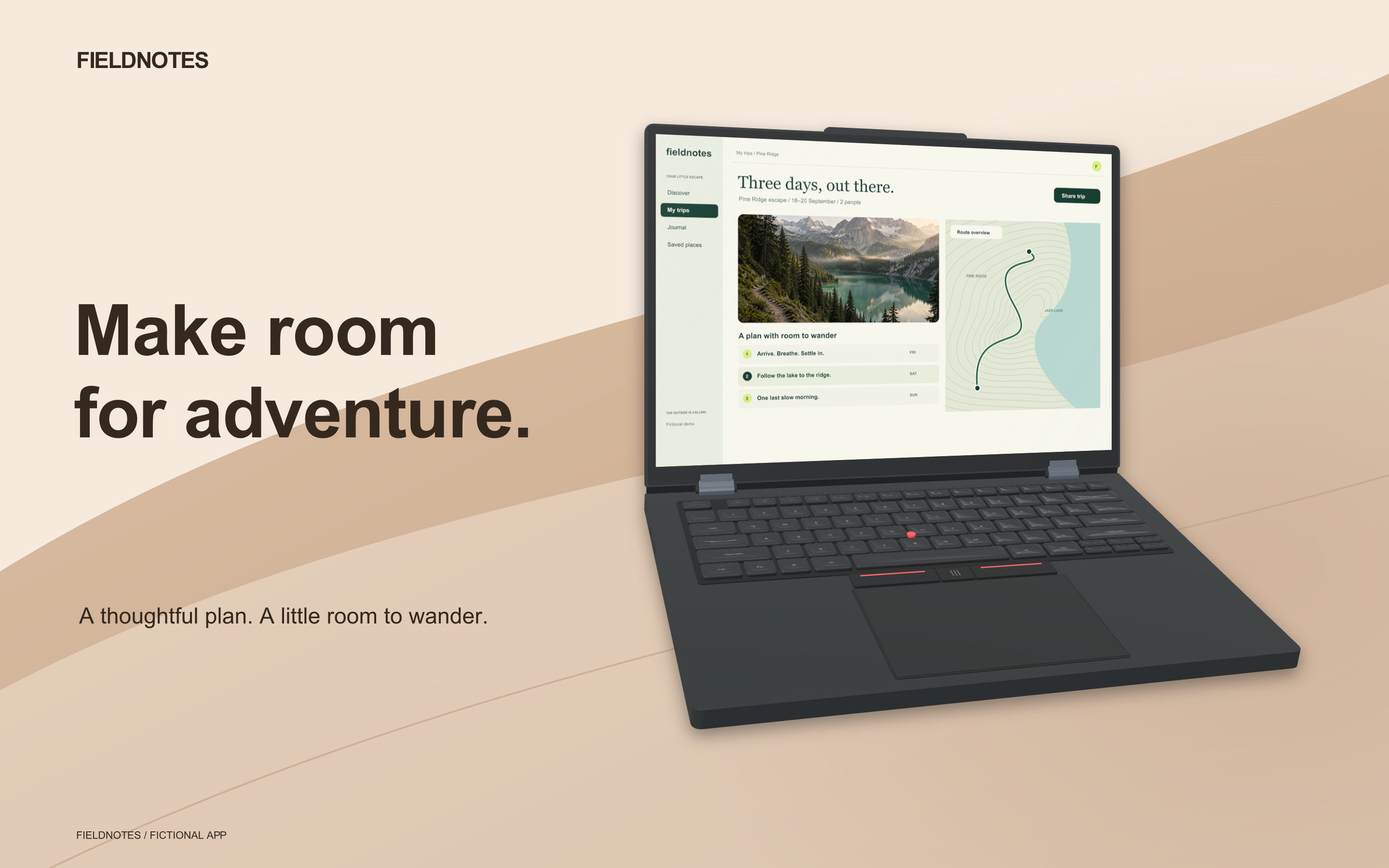
The Fieldnotes phone uses fine contour lines on cream. The laptop composition uses a dark background with a pool of light behind the silver frame. Both were made with the built-in background controls. Changing the look preserves custom colours, so comparing a pattern with a glow does not discard the palette you have already chosen.
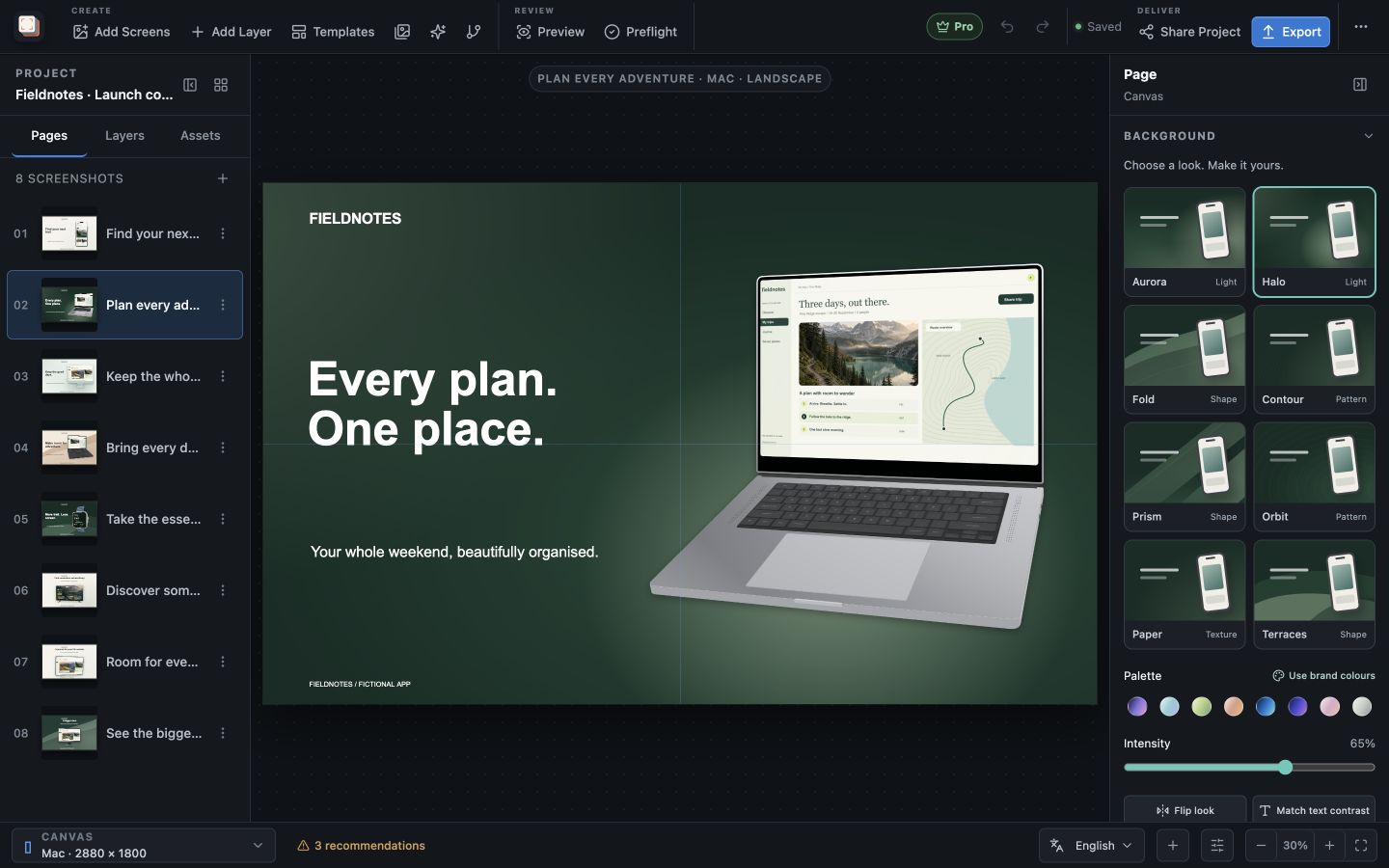
The intensity slider adjusts the strength of the background artwork. Flip changes its orientation, and the brand-colour action applies colours from the project. Text colour has a separate matching action, so a background change does not silently recolour the headline. You can also apply a background treatment across the pages in the set.
Solid colours, gradients and image backgrounds remain available. The new collection adds more options without requiring a separate background image to be prepared for every variation. See the screenshot background controls for the full set of adjustments.
04 / Updated device frames
3D device mockups for phones, computers, watches and TVs
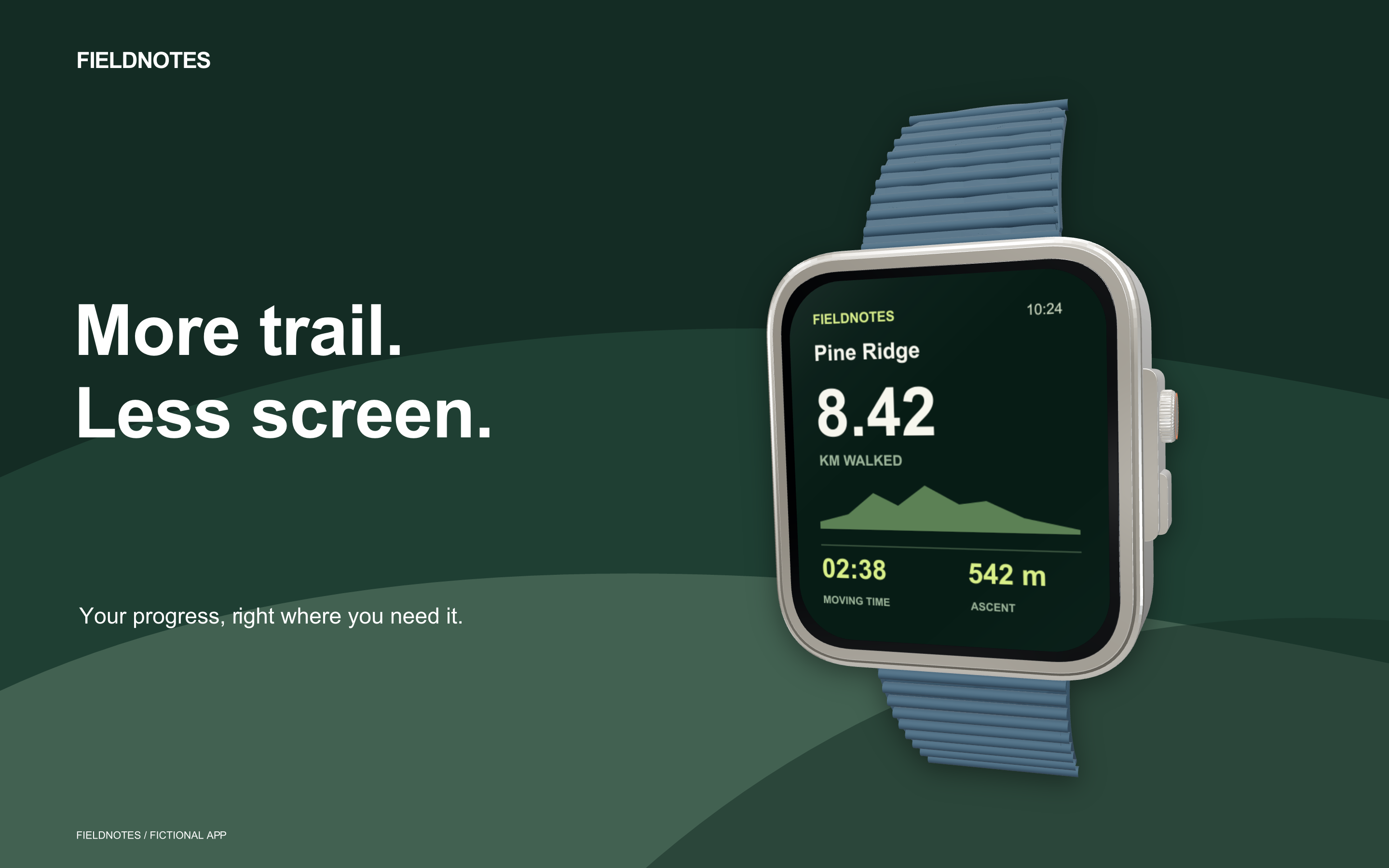
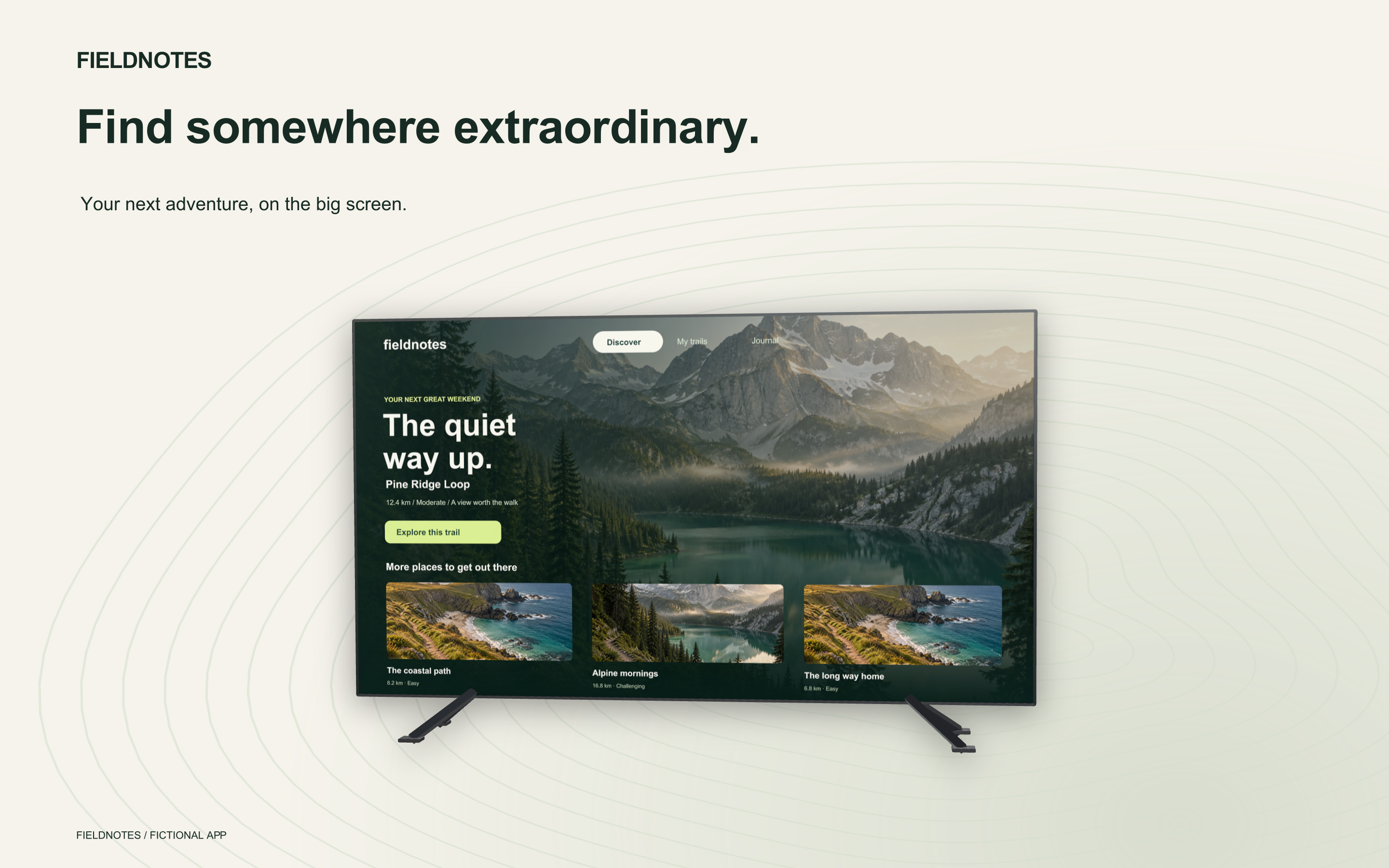
The frame work in 1.4 extends across phones, tablets, watches, laptops, desktops and TVs. Finishes and 3D angles are editable, with lighting that follows the device orientation. The gallery includes a silver MacBook, a dark unbranded PC laptop, a watch and a landscape TV composition.
Turn and Tilt adjust the frame directly, while the studio presets provide ready-made angles. Frame finishes can be changed alongside the background, and an appearance can be applied to matching frames across the project. The selected angle carries through to the exported image.
View all eight full-size screenshot examples →
The complete gallery also includes iPhone, iMac, tablet and PC monitor artwork. Open any example to inspect the exported image at full size. The laptop pages show the wider Fieldnotes planning interface; the watch and TV pages use captures composed for those screens.
For a product with desktop and companion apps, these frames let the website artwork cover the different interfaces in one screenshot project. For store images, the chosen output size remains a separate part of the layout. A wide gallery composition can be adapted for the listing without committing the project to a flattened mockup.
05 / Localization and export
Update the project, then export the release
With Pro, manage translated copy and language-specific images in the same project, then batch-export the selected pages, sizes and languages. Translation CSV exchange lets the copy move between the project and a translation workflow without turning every language into a separate design file.
Layouts remain adjustable for different output shapes and translated text. A longer headline can be reviewed in context, alongside the capture it describes. The responsive layouts and localization guide covers how those versions are managed before export.
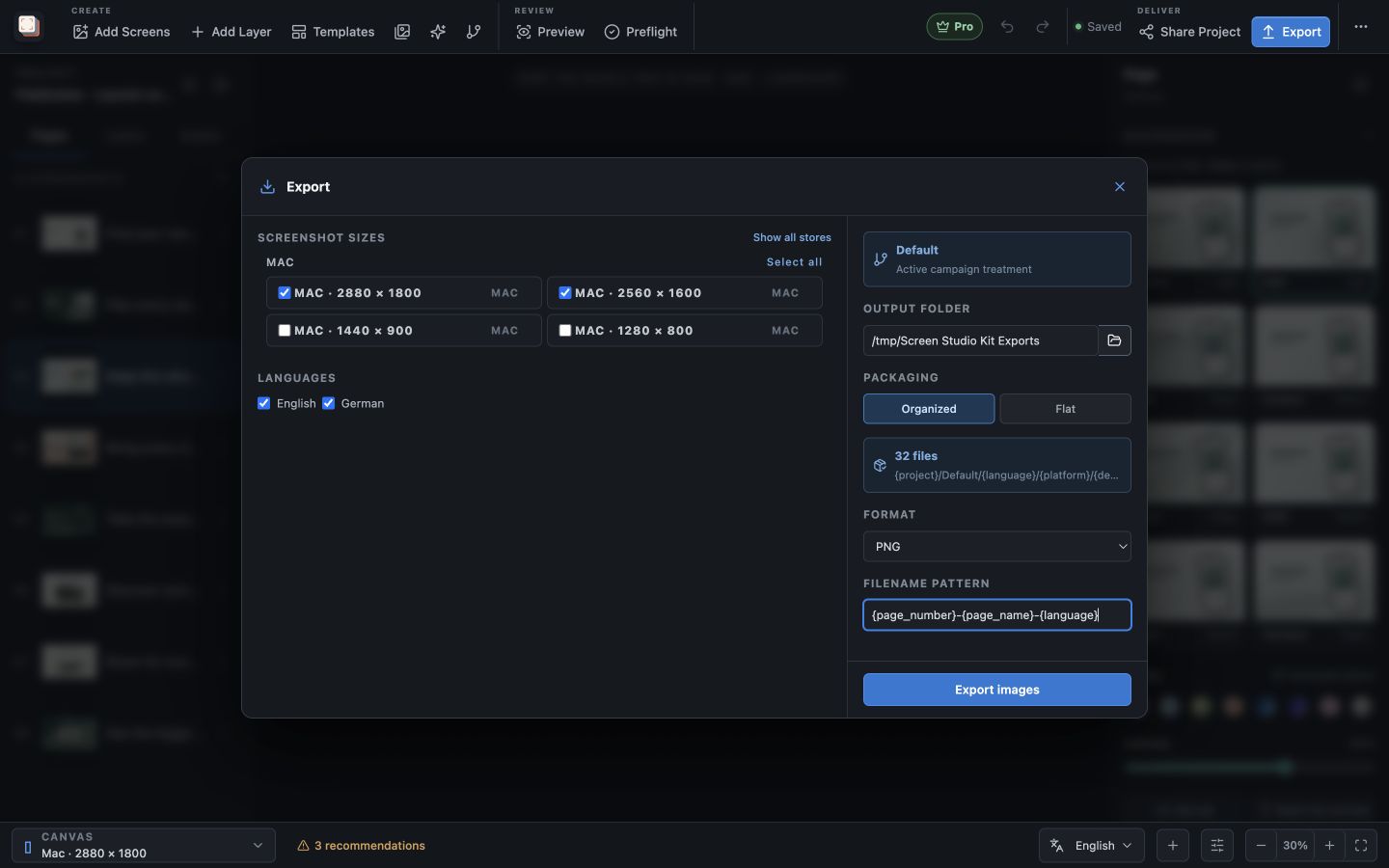
Pro also includes command-line export for an existing local release workflow. It uses the matching installed app in a graphical session and the same device-frame rendering as the editor. The project can therefore remain the source for both manual editing and command-line export.
06 / Editions
What is included in Free and Pro?
Can I export these kinds of images with Free?
Yes. Free includes device-frame editing, the background controls, three starter templates and up to ten full-resolution image exports per local day, with one size and one language per export. You can import your own app captures and produce finished artwork before deciding whether you need Pro.
What does Pro add?
Pro is a one-time purchase for unlimited exports, the complete template library, reusable custom templates, localization and multi-size, multi-language batch export. It also includes the command-line workflow. The largest difference is in handling a full release across many images, dimensions and languages.
Can the exported images be used outside a store listing?
Yes. The Fieldnotes gallery consists of website and release-announcement artwork exported from Screen Studio Kit. A project can contain layouts for those uses as well as your store screenshots, with the captures, copy and frame settings available for later updates.
Screen Studio Kit 1.4
Build your next screenshot set
Download Screen Studio Kit and try the new frames and backgrounds with your own app captures. Free includes full-resolution image export, so you can evaluate the finished artwork. Pro adds the localization and batch workflows for larger releases.
Explore Screen Studio Kit →