Capability overview
How can I use campaign variants in Screen Studio Kit?
Duplicate a treatment without duplicating project assets, record its hypothesis, status, result, and notes, compare first frames, and keep preview, preflight, export, and store sync tied to the active treatment.
Treatments move through draft, testing, winner, and archived states while preserving independent pages.
The active treatment is explicit before an export or store publishing dry run, avoiding accidental use of an outdated campaign.
Treatments
Keep alternative listing directions in one project
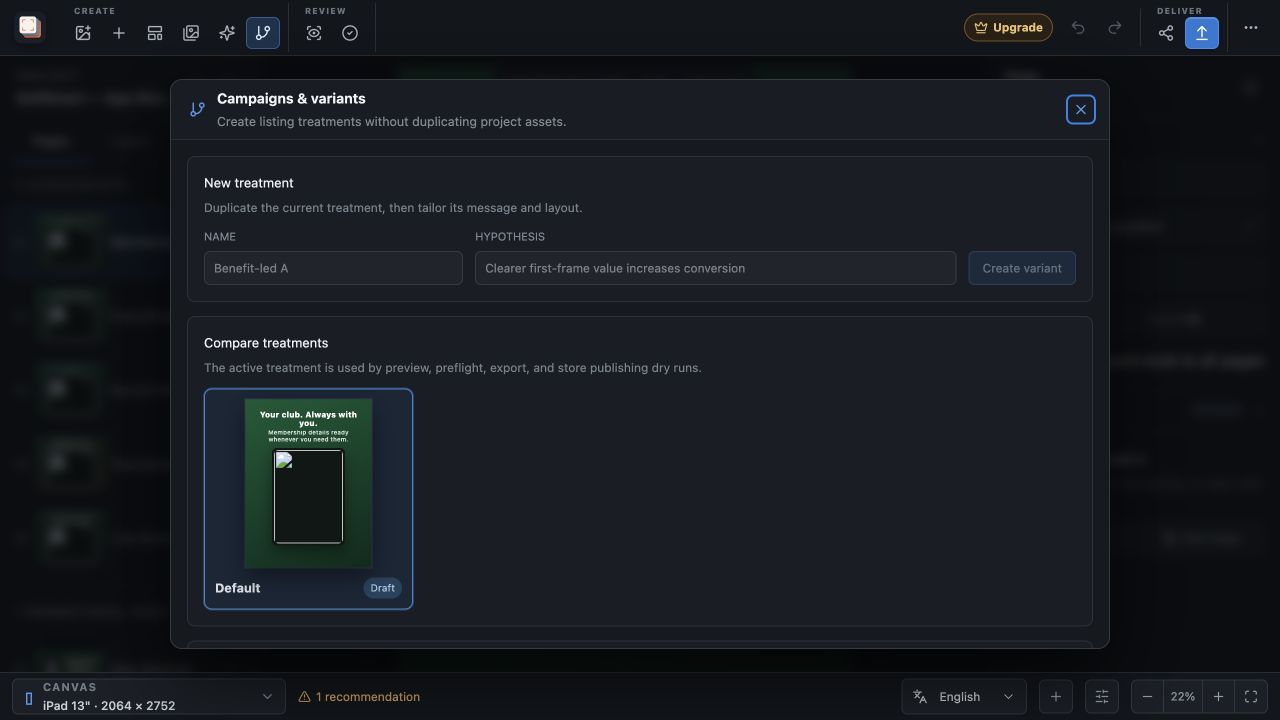
A campaign variant is a complete set of pages with its own headlines, layouts, backgrounds and page order. Every project starts with one treatment called Default. To add another, open Campaigns in the toolbar, enter a name and an optional hypothesis under New treatment, and choose Create variant.
The new variant starts as a copy of the current treatment's pages, ready for you to change the message or the arrangement. The asset library is shared by every treatment, so a variant does not duplicate your captures, fonts or images, and a layout change in one treatment leaves the others as they were.
Experiment record
Write down what each treatment is testing
The Experiment record for the active treatment has Name, Status, Hypothesis, Result and Notes fields. Status can be Draft, Testing, Winner or Archived. Only one treatment holds Winner at a time: marking a new winner moves the previous one to Archived.
The record is where you keep the reasoning and the outcome. Run the actual test in App Store Connect or Google Play Console, then enter what happened in Result, such as the conversion change and the audience it applied to. The next time you plan screenshots, the evidence sits next to the artwork it refers to.
Compare first frames
Compare treatments by their opening screenshot
Compare treatments shows the first page of every variant as a small preview at the current canvas size, with its name and status. Store search results show only the first few screenshots, so the opening page is where alternatives differ most for a potential customer. Click a preview to make that treatment active.
Creating or switching a treatment clears the undo history, so finish and review the current edit before you move to another variant.
Useful variants usually change one thing a customer notices first: the opening headline, the order of the first three pages, or which capture leads the set. Changing one element at a time makes the Result you record easier to interpret.
Active treatment
Export and publish the treatment you intend
The active treatment is the one used by Review outputs, Preflight, Export and Store Sync dry runs. The Export sidebar names it under Active campaign treatment, and Store Sync shows it as the Campaign treatment. Exported files go into a folder named after the treatment, so images from different treatments are kept apart.
Each run in the export history also records which treatment it came from, so you can tell later which folder of images belongs to which experiment.
Campaign variants are part of Free. The usual export limits still apply: Free exports one size and one language at a time within 10 images per day, and publishing a treatment to a store requires Pro.
In the workflow
How to use it
State the hypothesis
Decide what the new treatment should test, for example a benefit-led first headline instead of a feature list.
Create the variant
Open Campaigns, enter a name and hypothesis, and choose Create variant to copy the current pages.
Change the opening pages
Edit the first screenshots, then compare the first frames of each treatment side by side.
Export and record the result
Export or publish the active treatment, run the store test, and note the outcome in the Experiment record.
Useful in practice
When to use it
Related manual
Create your first screenshot project
Set up target stores, organize assets, create pages, and build a reusable composition that survives the next release.
Read the guideDirect answers
Questions about campaign variants.
Does a new variant copy my screenshots?
It copies the pages and their layers, but not the asset library. Captures, fonts and images are stored once and shared by every treatment.
Does Screen Studio Kit measure which treatment wins?
No. It stores the hypothesis, status, result and notes you enter. Run the experiment in your store console and record the result in the treatment.
Can I delete the Default treatment?
Yes, as long as another treatment remains. Delete variant is unavailable when a project has only one treatment.
Do campaign variants require Pro?
No. Creating, comparing and exporting treatments works in Free, within the Free export limits. Store publishing requires Pro.