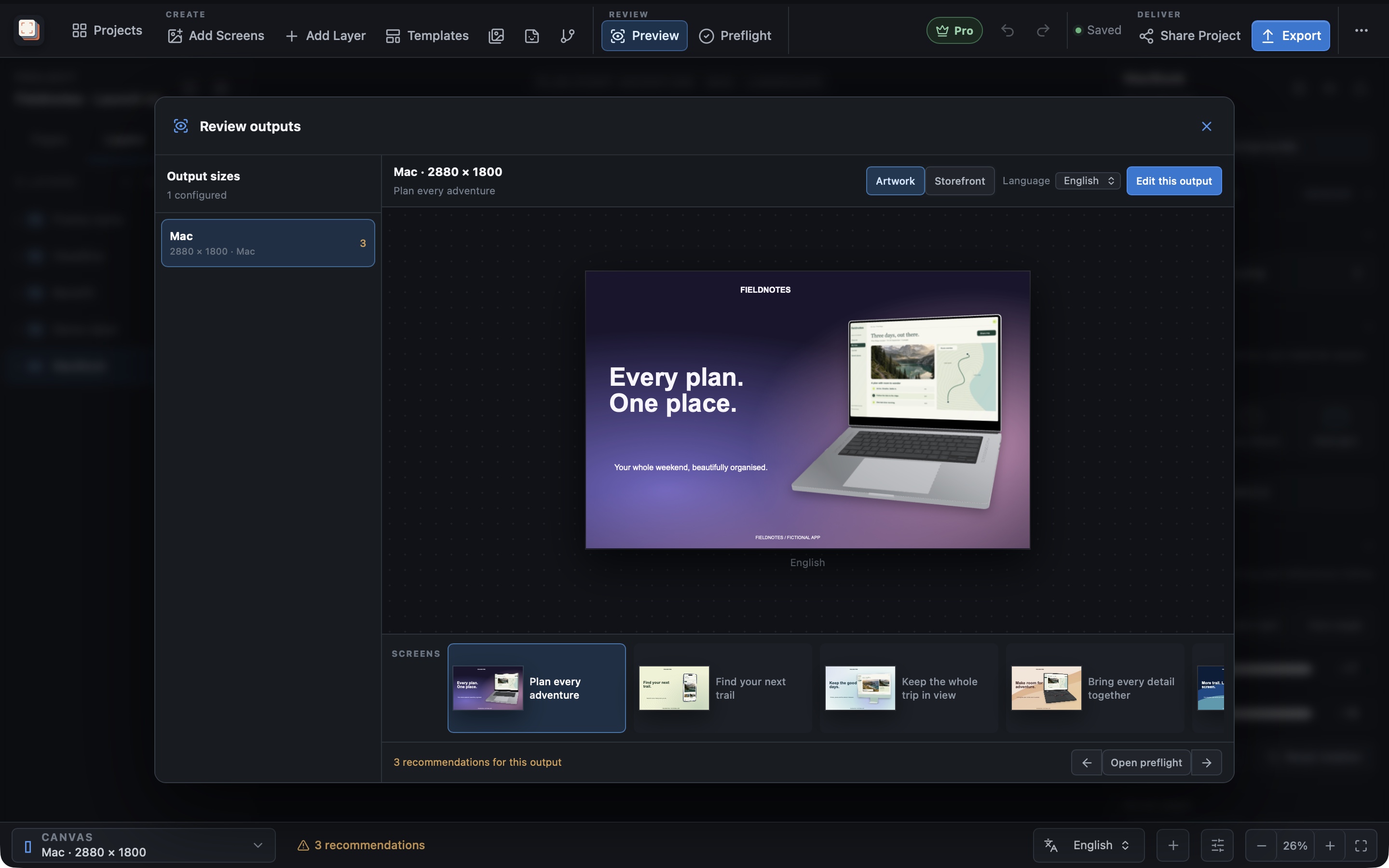
Read how to upload Microsoft Store screenshots for every language from one project for the Partner Center setup, the dry run, and what happens at certification.
Capability overview
How can I use reviewed publishing in Screen Studio Kit?
With Pro, review an App Store Connect, Google Play, or Microsoft Store publishing dry run, then confirm the screenshot upload. The App Store event card is exported for you to upload yourself.
Build a screenshot gallery that shows buyers what your app does. Place screenshots in device frames, write clear headlines, and adjust the composition for each output size. Start with three free templates or unlock all 26 with Pro.
Store connections
Connect App Store Connect, Google Play, or the Microsoft Store
With Pro, Store Sync in the More menu publishes screenshots to App Store Connect, Google Play, or the Microsoft Store. An Apple connection needs an Issuer ID, a Key ID, the App Store app ID and a .p8 API key file. A Google Play connection needs the package name and a service-account JSON file.
A Microsoft Store connection needs the app's Store ID, its package type (MSIX, or MSI or EXE), and a Partner Center JSON file with the tenant ID, client ID and client secret of a Microsoft Entra app added to Partner Center with the Manager role. MSI and EXE apps also need the seller ID in the same file.
Only the path to the credential file is saved in the project; the key itself stays in the file you choose. In the Mac App Store build, choose the credential file again after relaunching the app, as the sandbox requires.
Dry run
Render and check the batch before anything is uploaded
Choose the languages and store sizes, then Run dry preview. Screen Studio Kit renders every screenshot for the active campaign treatment, checks the counts against the store's limits and lists each file with its language and size. With Direct API, it also signs in to the store and matches each project language to an existing store listing; for the Microsoft Store it also checks that no other submission is in progress. A dry run uploads nothing and changes nothing in the store.
Counts are checked per size. App Store Connect sizes take between 1 and 10 screenshots, Google Play phone sets need 2 to 8, tablet and TV sets need 4 to 8, and the feature graphic must be exactly one image. The Microsoft Store takes up to 10 desktop screenshots per language across all desktop sizes, and exactly one super hero image. When a count is out of range, the dry run names the requirement and the number of visible pages.
For Apple Watch sizes, the dry run adds a reminder that watch screenshot sets depend on how the current App Store version is configured. On Google Play, a confirmed upload replaces the images in each selected listing group and then commits the change.
Confirm and publish
Publish exactly what you reviewed
Publish screenshots becomes available only after a successful dry run. It asks for confirmation and warns that existing screenshots for the selected language and size groups will be replaced.
The dry run produces a fingerprint of the project, store target, credential file, upload engine, campaign treatment and the rendered image files. If any of these change before you confirm, publishing stops and asks you to run the preview again, so a review of one version of the artwork cannot be used to upload another.
Coverage
Which stores and sizes can be published
Apple publishing covers the iPhone, iPad 13", Mac, Apple TV, Apple Vision Pro and Apple Watch presets; export the App Store event card and upload it yourself. Google Play publishing covers phone, 7-inch and 10-inch tablet, Android TV and feature graphic presets. Microsoft Store publishing covers the Windows desktop screenshot presets and, for MSIX apps, the 16:9 super hero art. Store logos, listing text and other Windows device families stay in Partner Center.
For an MSIX app, publishing starts a new submission from the last published one, replaces the uploaded image groups, and submits it for certification, so the app must have been published once before. For an MSI or EXE app, publishing replaces the screenshots in the draft listing; Submit for certification after upload is on by default, and turning it off leaves the draft for you to submit in Partner Center.
Upload engine uses Direct API by default. The Fastlane upload engine is unavailable in the Mac App Store build, which publishes through Direct API. Microsoft Store publishing always uses Direct API. Store publishing requires Pro; without it, you can export the same screenshots within the Free limits and upload them manually.
In the workflow
How to use it
Set up the connection
Open Store Sync, choose Apple, Google Play or Microsoft Store and enter the identifiers and credential file.
Select languages and sizes
Tick the languages and store sizes you want to update for the active treatment.
Run dry preview
Render the batch, fix any count or validation problems, and review the file list.
Confirm the upload
Choose Publish screenshots and confirm that the listed groups should be replaced.
Useful in practice
When to use it
Related manual
Exporting and publishing store screenshots
Check your screenshots before export, review the finished files, and publish approved screenshots to a store with Pro.
Read the guideDirect answers
Questions about reviewed publishing.
Does a dry run upload anything?
No. It renders and checks the screenshots and lists the files. With Direct API it signs in to the store to read the app's listings, but uploading happens only when you confirm Publish screenshots.
What if I edit the project after the dry run?
Publishing stops because the fingerprint no longer matches. Run dry preview again to review the changed files.
Can I publish to the Microsoft Store?
Yes, with Pro. Store Sync replaces the Windows desktop screenshots and, for MSIX apps, the super hero art in Partner Center. Each project language must match a listing that already exists there.
Does a Microsoft Store upload submit my app for certification?
For an MSIX app, yes: Partner Center applies listing changes only through a certification submission. For an MSI or EXE app, you choose; turn off Submit for certification after upload to keep the screenshots in the draft.
Where are my API keys stored?
They stay in the credential files you choose. The project saves only the file path.