Tools
App screenshot tools for your next release
Design a store listing, frame your app, adapt the layout for another size, or prepare a localized release. These workflows are all part of Screen Studio Kit, the desktop screenshot editor for Mac and Windows.
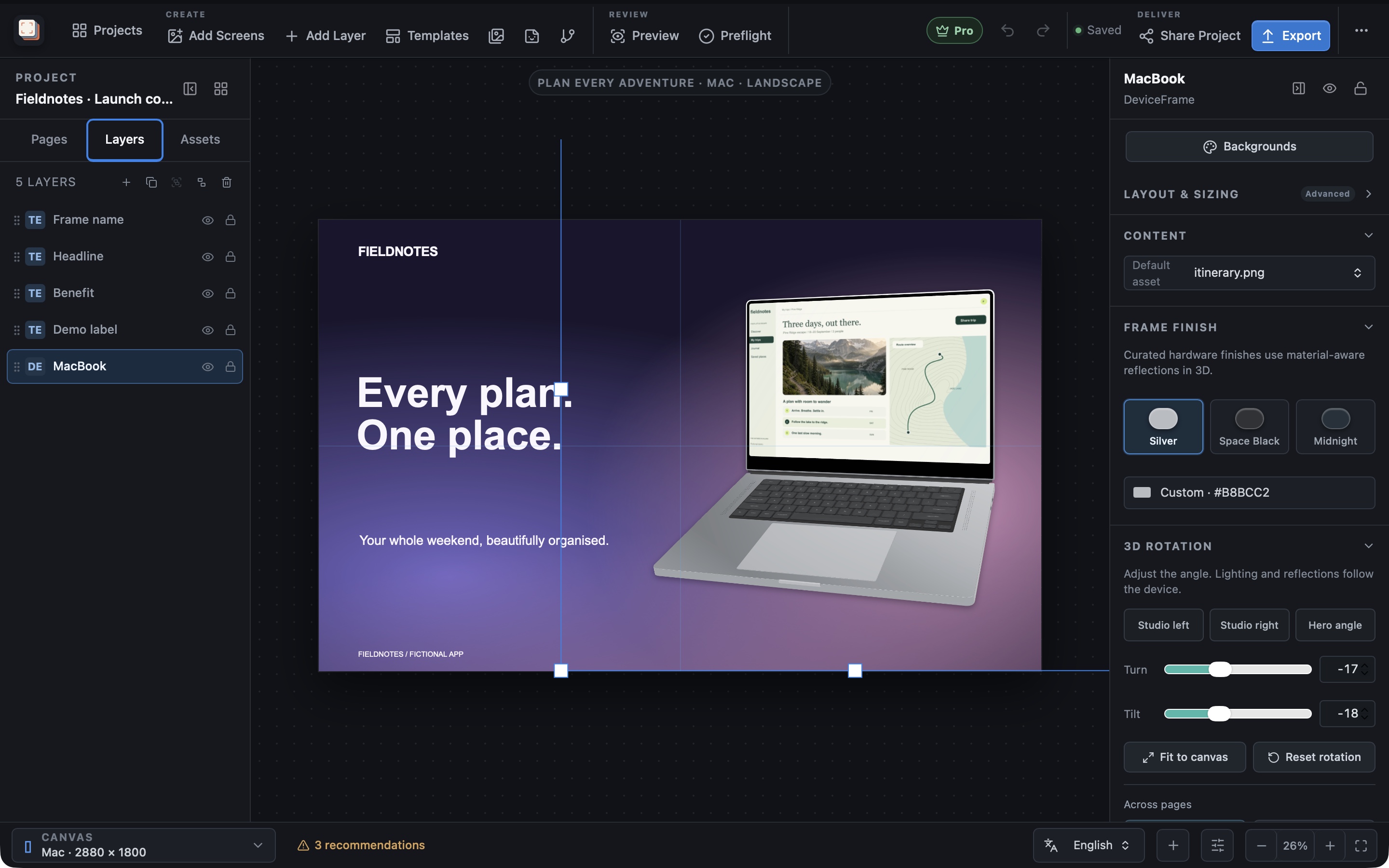
Start with the result you need. Each workflow shows the relevant editing controls, examples and steps to make it with your own app captures.
Create a complete App Store screenshot set from one design
Create App Store screenshots with your app captures, clear headlines, device frames and editable backgrounds. Keep the layout for the next release; Pro adds localization and batch export.
- First App Store launches that need a polished screenshot set
- Apps that support several Apple device families
Make Google Play screenshots without rebuilding every layout
Design Google Play phone and tablet screenshots with app captures, editable headlines and consistent backgrounds. Pro adds localized copy and batch export.
- Android apps that need phone and tablet listing images
- Products shipping to Apple and Google from one design system
Localize app screenshots without duplicating the design
Create localized app screenshots with Screen Studio Kit Pro. Keep translations, language-specific captures and layout adjustments in one reusable project.
- Apps listed in several languages or regions
- Long translations that require per-locale layout review
Turn app screenshots into device mockups
Put your app inside an iPhone, tablet, watch, laptop, desktop or TV frame. Adjust the finish and 3D angle, add a headline, and export the finished image with Screen Studio Kit for Mac and Windows.
- Store screenshots that present the interface inside a phone, tablet, watch, or desktop frame
- Layouts that mix framed captures with text and graphic layers
Adapt your app screenshots for each store size
Prepare different screenshot sizes from one editable design. Reposition the device and headline for each format, then use Pro to batch-export the selected sizes.
- Producing phone, tablet, desktop, television, headset, and watch sizes
- Avoiding distorted text or device frames when aspect ratios change
Capture repeatable app screens for your next release
Use Screen Studio Kit Pro capture recipes to repeat the device, deep link, and wait time for each screen and bring fresh captures into your screenshot project.
- Screens that can be reached reliably through deep links
- Apps whose UI changes frequently between releases
Upload your reviewed screenshots to App Store Connect
With Screen Studio Kit Pro, review the selected screenshot files, languages and device sizes before confirming an App Store Connect upload.
- Localized releases with many device-size and language combinations
- Teams that want a recorded export summary before publishing
Search by problem
Start with the job you need to finish.
Short, direct guides with a real product view and the fastest path into Screen Studio Kit.
Want the complete feature reference?
Browse all capabilitiesMake it with your app
Create your next screenshot set.
Bring an app capture, write the headline and shape the composition around it. Keep the design editable for the next release.
Follow the first-project guide →Browse the screenshot gallery →
Free & Pro: what’s included
Available on the Mac App Store and Microsoft Store. Free includes local projects, layer editing, three templates, six elements, asset management, preview, validation, device-frame editing, one size and one language per export, and up to 10 exported full-resolution images per local day. A one-time Pro purchase unlocks unlimited, multi-size and multi-language exports, all 26 built-in templates, custom templates, the complete element library, multiple languages with CSV translation workflows, automated capture recipes (not available in the Mac App Store version), and App Store Connect, Google Play, and Microsoft Store publishing.