The job to be done
Give your first listing a clear story
You have an app worth showing, but a folder of interface captures is not yet a listing. A prospective customer still needs to understand the benefit, see the important screen and recognise how the app fits into their day.
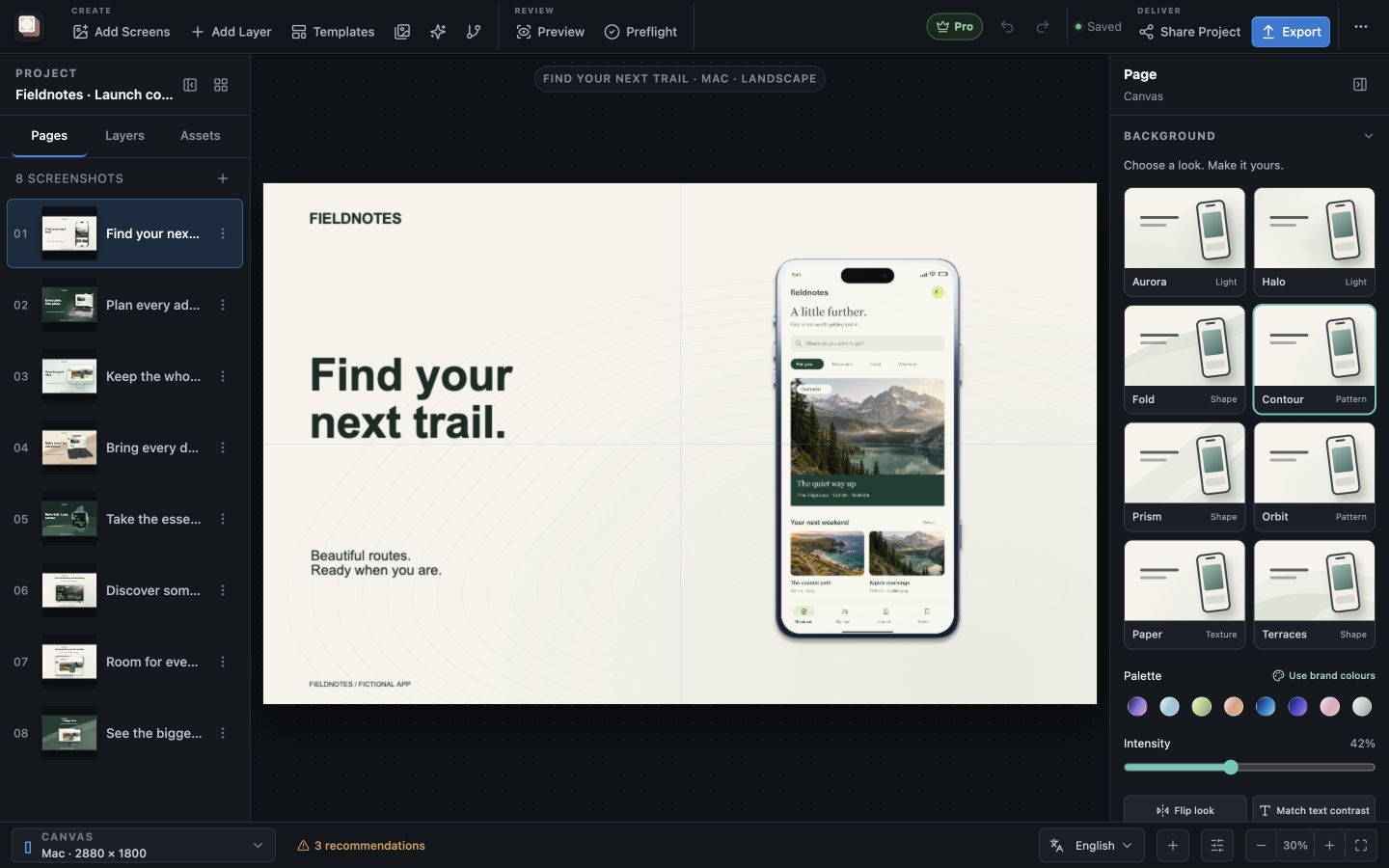
Screen Studio Kit brings the capture, headline, device frame and background into one editor. Choose the few screens that explain the product, then give each page a distinct job. Keep the colours and type consistent while the message progresses through the set.
Start with a blank page or one of the three free templates. The design stays editable, so you can improve the copy after seeing it beside the actual screen. The finished project becomes a starting point for the next app release.
Recommended path
Build the first screenshot, then the sequence
Start with one benefit you can demonstrate in the interface.
Choose the first promise
Write a short headline that explains the value of the screen you will show.
Compose the image
Import the capture, choose a device frame and adjust the background around the copy.
Build the supporting pages
Show the next useful workflows with a consistent palette and typography.
Review at the intended sizes
Check readability and export the selected output. Pro adds multi-size and multi-language batch export.
Capabilities involved
The controls that support this workflow
Related manual
Create your first screenshot project
Set up target stores, organize assets, create pages, and build a reusable composition that survives the next release.
Its sections cover choose your screenshot sizes, create the project, build the first page, adapt the layout to another size, choose a background that supports the message, duplicate and vary intentionally, keep the project for your next release. Use it when you are ready to reproduce this workflow with your own project data.
Read the guideDirect answers
Questions about this use case.
Can I create my first listing images with Free?
Yes. Free includes frame editing, background controls, three templates and up to ten full-resolution image exports per local day, at one size and one language per export.
Can I change the design later?
Yes. Keep the project and update its captures, copy, frames and backgrounds for the next release.