Free & Pro: what’s included
Available on the Microsoft Store. Free for up to three local projects with core commands, Git, Docker, Project Doctor, and security-audit tools. A one-time Pro purchase unlocks unlimited and multi-folder projects, custom workflows, full history and insights, database tools, SSH transfers, and configuration backup and restore.
Capability overview
How can I use ai agent presence in DevDock?
See when Claude Code or Codex is actively working in a project before you switch branches, run a build, or edit the same files.
The project row and dashboard show the active agent together with the session title or latest prompt.
Claude Code presence is read from recent local session transcripts, including terminal and Claude desktop app sessions, without connecting an account.
Agent presence is included in DevDock Free and reports activity only; it does not control the agent or inspect source changes.
In the workflow
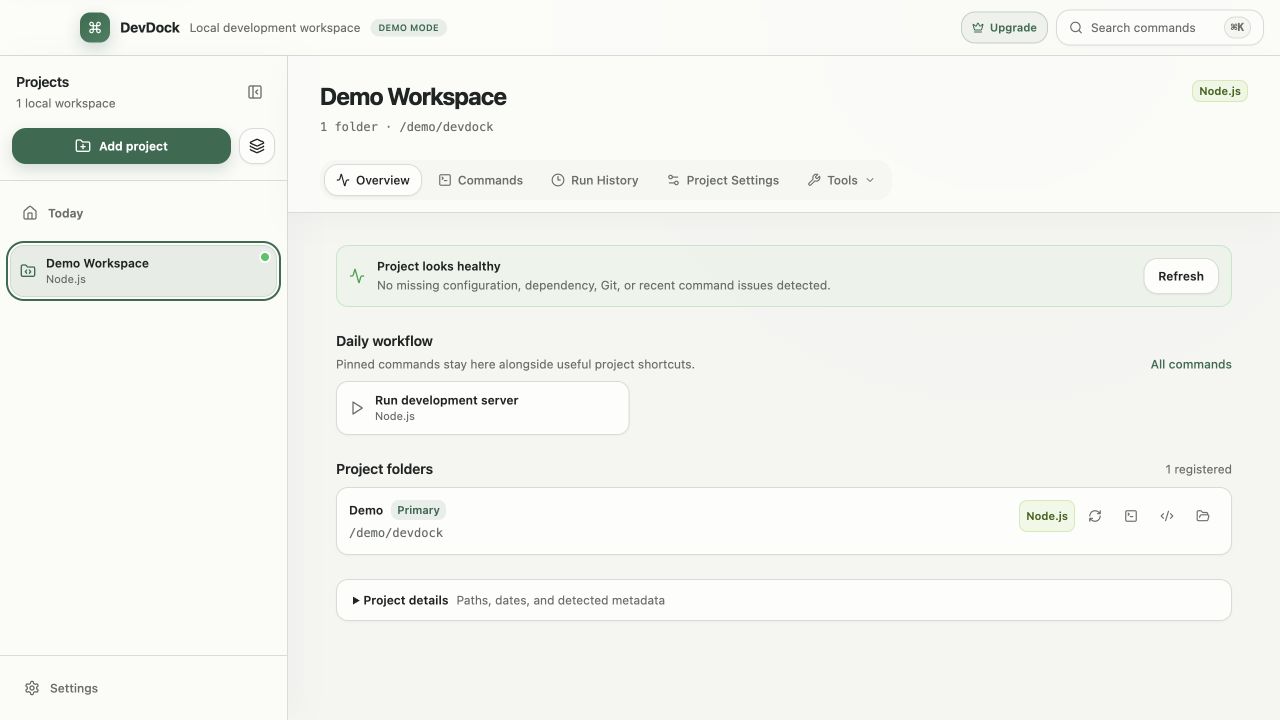
Review the workspace
See its folders, health, saved commands, and recent activity from one overview.
DevDock keeps the project, registered folder, working directory, execution target, and retained output connected so the same task remains understandable later.
Useful in practice
When to use it
Related manual
Getting started with DevDock
Build a dependable DevDock workspace: register a project, verify detection, run commands safely, and create a daily workflow you can return to.
Read the guideDirect answers
Questions about ai agent presence.
How can I use ai agent presence in DevDock?
See when Claude Code or Codex is actively working in a project before you switch branches, run a build, or edit the same files. The project row and dashboard show the active agent together with the session title or latest prompt. Claude Code presence is read from recent local session transcripts, including terminal and Claude desktop app sessions, without connecting an account. Agent presence is included in DevDock Free and reports activity only; it does not control the agent or inspect source changes.
Does DevDock replace the terminal?
No. It provides a repeatable control surface for common project workflows and can still open a registered folder in a terminal, Visual Studio Code, or File Explorer.
Does project detection run repository code?
No. Detection reads a bounded set of manifests and marker files. It does not execute package managers, build tools, project scripts, or network requests.