The job to be done
Pick up a project without rebuilding where you left it
Moving between a client project, your own product and a quick fix somewhere else costs more than the switch itself. You have to find the right folder, remember which servers it needs, check whether the branch is current and recall the last command that worked.
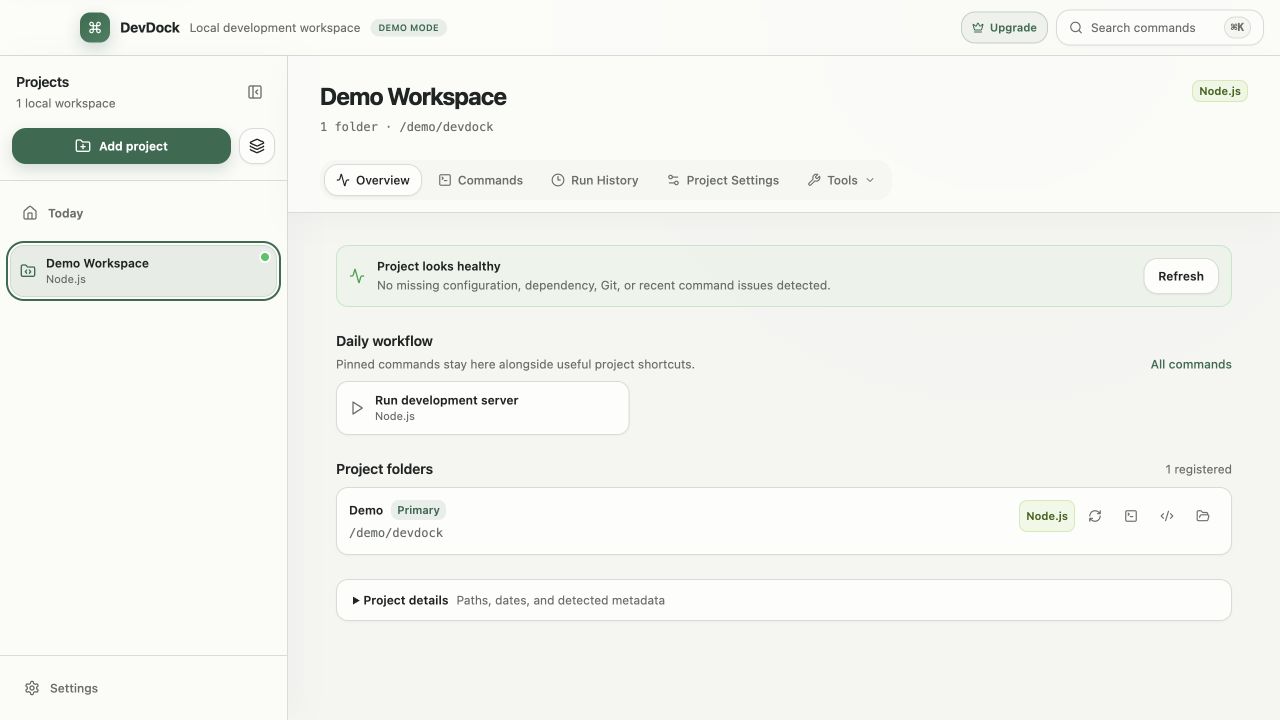
DevDock keeps that per project. Today lists recent projects, your pinned commands from all of them and the warnings that need attention. Opening a project shows what is running, its health and its daily commands on one Overview, and a command that takes input starts with the values you used last time.
Agent presence adds one more check. If Claude Code or Codex is still working in a project you are about to change, its sidebar row says so.
Recommended path
Switch projects in five short steps
Use Today as the starting point, and check the project before changing anything in it.
Start on Today
Recent projects lists what you had open most recently. Quick actions holds pinned commands from every project, and Needs attention collects health warnings from all of them.
Check for a running agent
Look at the project's sidebar row before switching branches or pulling. Hover the agent status to read the session title or the latest prompt.
Read the Overview
Running now lists commands still active in the project. Project health shows uncommitted changes, commits waiting to push, upstream changes and missing dependencies.
Start the day's commands
Run pinned commands from the Daily workflow panel. With Pro, one saved environment starts the whole local setup and shows Ready once its Readiness URL responds.
Move by keyboard
Ctrl+K opens the command palette by default for any project, section or folder. Ctrl+Shift+K opens the command launcher from any Windows app, with Today's pinned commands listed first.
Capabilities involved
What tells you where a project stands
Limits to know
Limits that affect switching
DevDock Free holds three projects. If you move between more than three, DevDock Pro removes the limit.
Quitting DevDock stops the commands it started, including the processes they launched. After a restart, you start the day's commands again from the Overview, Today or a Pro environment.
Agent presence recognizes Claude Code and Codex without setup. Other tools appear only when an integration writes DevDock's heartbeat file, and an idle agent session is not shown.
Run History in Free lists the 20 newest matching runs per project. Pro lists every run kept under the retention settings, which default to 30 days and 200 runs per project.
Related manual
Commands, workflows, and run history
Create dependable project commands, choose safe execution targets, manage long-running work, and use history to diagnose failed runs.
Its sections cover generated and custom commands, review before the first run, run and stop processes, build reusable workflows, read run history, protect environment values. Use it when you are ready to reproduce this workflow with your own project data.
Read the guideDirect answers
Questions about this use case.
What does DevDock remember about a project between sessions?
Its folders, pinned commands, saved presets, the input values you last used for each command, and run history within the retention settings. Processes that were running are not restarted after you quit.
Can I start a pinned command without opening a project first?
Yes. Press Ctrl+Shift+K in any Windows app to open the command launcher, or use the DevDock icon in the notification area, which also lists pinned commands.
Does agent presence pause an agent before I switch branches?
No. It reports activity only. Let the agent finish, or stop it in its own terminal or app, before you change the branch.
Can Today show only one client's projects?
Yes. Put that client's projects in a sidebar group and choose the group in Today's group selector.
Free & Pro: what’s included
Available on the Microsoft Store. Free for up to three local projects with core commands, Git, Docker, project health checks, and security-audit tools. A one-time Pro purchase unlocks unlimited and multi-folder projects, custom workflows, full history and insights, database tools, SSH transfers, and configuration backup and restore.