Capability overview
How can I use command history in DevDock?
Revisit commands with their target, timing, exit state, and retained output. Free shows the 20 newest matching runs per project; Pro shows the complete retained history.
Standard output and error output remain distinguishable. Stopping a managed command—or quitting DevDock—also ends the processes it launched, so servers and watchers do not remain behind.
Filter history by command and status to review a failed run beside earlier successful runs instead of reconstructing the command from memory.
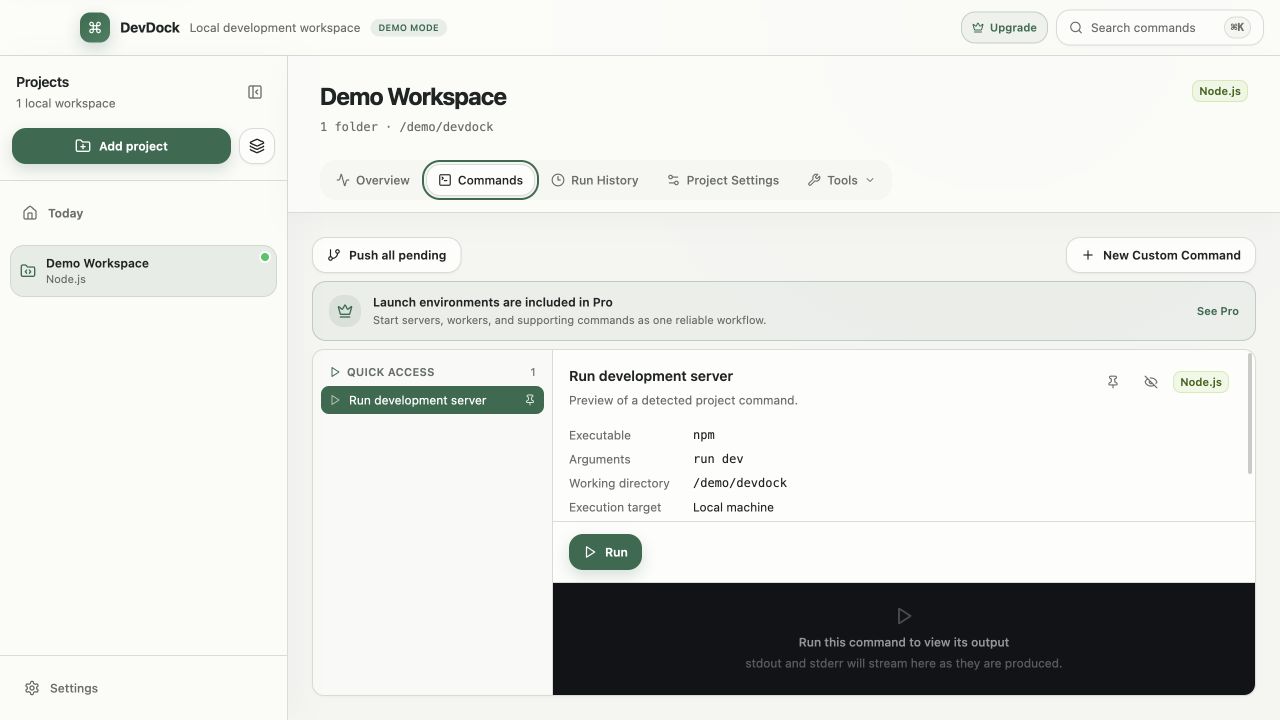
What a run records
What DevDock saves for each command run
A command started from Commands, the Daily workflow panel, Today or the launcher becomes an entry in Run History. The entry shows its status (Running, Succeeded, Failed or Terminated), duration and exit code, together with the Executable, Arguments and Working directory that were used.
Output is stored with standard output and standard error kept apart, and you can switch between the two streams. When a failed run wrote to standard error, that stream opens first. Very long output is shown from its most recent part.
When a command fails, its output panel can list suggested next steps for common causes: a port already in use, Docker not running, missing dependencies, a tool that is not on PATH, access denied, a local service that is not responding, or missing environment configuration. File paths with line numbers in the output are listed under Referenced files.
Finding a run
Filter by command and status
Two filters narrow the list: one for the command and one for the status. Choose a command and Failed to see every retained failure of that command, then switch to Succeeded to compare its runs that worked. Selecting a run opens its details and output beside the list.
A failed run also appears as Latest command failed in Project health and in Today's Needs attention list. View failed run opens that entry directly.
Run actions
Run again, stop, dismiss, or delete
Run Again starts the same command again, and commands that need confirmation ask first. A run that is still going has a Stop button, which ends the command and every process it started, including dev servers and watchers launched by a script.
Dismiss Alert clears the failure warning and keeps the entry. Delete removes a single entry from history. Each project has its own Run History, so runs from different projects are never mixed.
Retention and plans
How much history DevDock keeps
Retention is set in Application Settings with Maximum retained days and Maximum entries per project. The defaults are 30 days and 200 entries per project. History and output logs are stored in DevDock's application data folder on your computer, and the retention settings apply to every registered project.
DevDock Free lists the 20 newest matching runs for each project. Pro lists the full retained history and adds Insights & Audit, which uses that local history to show command reliability, success rate, average duration and recurring failures. Running a custom command again from history requires Pro, as custom commands do.
In the workflow
How to use it
Open Run History
Choose Run History in the project, or View failed run from a health warning.
Filter the list
Pick the command and a status such as Failed to find the run you need.
Read the run
Check the exit code, working directory and arguments, then switch between standard output and standard error.
Act on it
Use Run Again after a fix, Dismiss Alert when the failure is understood, or Delete for an entry you no longer need.
Useful in practice
When to use it
Related manual
Commands, workflows, and run history
Create dependable project commands, choose safe execution targets, manage long-running work, and use history to diagnose failed runs.
Read the guideDirect answers
Questions about command history.
How many runs does DevDock Free show?
The 20 newest runs that match the current filters, per project. DevDock Pro shows every run kept under your retention settings.
Are older runs deleted automatically?
Yes, according to Maximum retained days and Maximum entries per project in Application Settings. The defaults are 30 days and 200 entries per project.
Does stopping a run also stop the processes it started?
Yes. Stop ends the command and every process it launched. Quitting DevDock does the same for commands that are still running.
Is command output uploaded anywhere?
No. Run history and output logs are stored in DevDock's application data folder on your computer.
Free & Pro: what’s included
Available on the Microsoft Store. Free for up to three local projects with core commands, Git, Docker, project health checks, and security-audit tools. A one-time Pro purchase unlocks unlimited and multi-folder projects, custom workflows, full history and insights, database tools, SSH transfers, and configuration backup and restore.