The job to be done
Help a new contributor get the project running on their own PC
A new contributor usually gets a README, a few chat messages and somebody's list of commands that worked last month. They then discover one at a time that a runtime is missing, the .env file was never created, dependencies are not installed or a command belongs in a different folder.
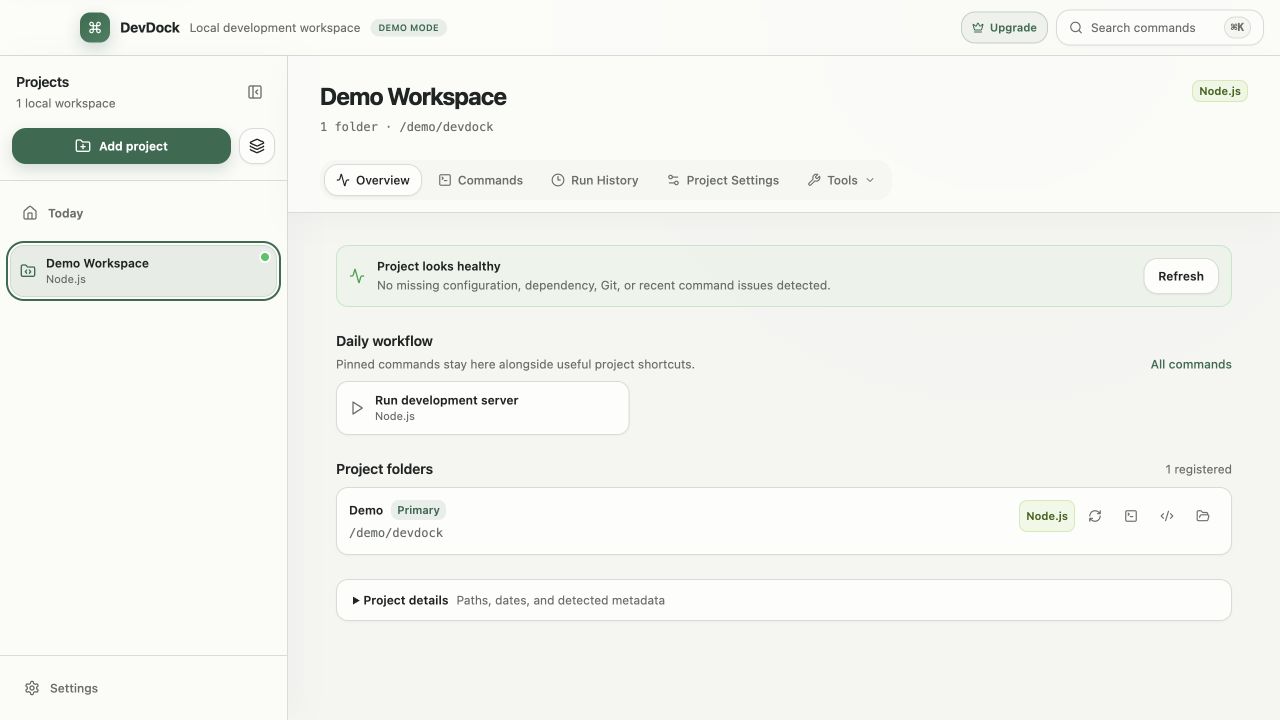
In DevDock, the contributor adds the cloned repository and sees what was detected before anything is saved. Detection only reads files; it does not run the project's scripts. Project health then names each missing piece with a fix beside it, and every command shows its executable, arguments, working directory and execution target before it runs.
A team can also commit a .devdock/technology.json file to the repository. Its commands appear for everyone who registers that folder, with the confirmation level the team chose.
Recommended path
A first-day path from clone to running project
The contributor clones the repository as usual, then lets DevDock show what the machine still needs.
Add the cloned repository
Choose Add project, select the folder and review the detected technologies. Clear any that come from unrelated tooling before saving.
Work through Project health
Handle the warnings one by one. Install dependencies, Create from example for a missing .env, and Open setup terminal for a missing runtime cover the usual first-day gaps.
Run a harmless command first
Start with a test or status command in Commands. Read the Executable, Arguments and Working directory in the command details before running anything that changes data.
Attach the other repositories
If the product spans several repositories, add them with Add Folder in Project Settings (Pro) so the whole product appears in one project with labeled commands.
Make the first commit and push
Commit and push from DevDock. If Git has no name or email yet, Set Git identity asks for both, and the push can keep running in the background from the Activity center.
Capabilities involved
What a newcomer sees in DevDock
Limits to know
What DevDock leaves to the team
DevDock does not install runtimes or SDKs. A missing or mismatched toolchain opens a terminal in the folder, and the contributor installs or switches it with the usual tools.
Repository manifest commands run in the registered folder and are defined as an executable plus an argument list, not a shell line. Commands that need secret values or a container target are Pro custom commands, and their secrets are stored in Windows Credential Manager.
Configuration backup in DevDock Pro exports projects, custom commands, environments, pins and settings without secret values. Import keeps existing projects and merges entries whose folder paths match, so it suits a PC with the same folder layout.
DevDock Free covers three single-folder projects, which is enough for a contributor on one repository. Multi-folder projects, custom commands and environments require DevDock Pro.
Related manual
Getting started with DevDock
Build a dependable DevDock workspace: register a project, verify detection, run commands safely, and create a daily workflow you can return to.
Its sections cover decide what the project represents, register the first folder, review detection before relying on it, read the project overview, run the first generated command, create a daily workflow, return to the project with context intact. Use it when you are ready to reproduce this workflow with your own project data.
Read the guideDirect answers
Questions about this use case.
Does adding a project run the repository's code?
No. Detection reads manifest and build files to identify the stack. Package managers, build tools and project scripts run only when the contributor starts a command.
How can a team share its standard commands?
Commit a .devdock/technology.json file to the repository. Each command is an executable with an argument list and a confirmation level of none, normal, destructive or production, and these commands work in DevDock Free.
What happens if the .env file is missing?
Project health shows .env is missing and offers Create from example, which uses the project's example file. Missing keys and blank values are reported as separate warnings.
Does a new contributor get a warning before a destructive command?
Yes. A command marked destructive or production opens a review with its executable, arguments, working directory, execution target and environment variable names before it runs.
Free & Pro: what’s included
Available on the Microsoft Store. Free for up to three local projects with core commands, Git, Docker, project health checks, and security-audit tools. A one-time Pro purchase unlocks unlimited and multi-folder projects, custom workflows, full history and insights, database tools, SSH transfers, and configuration backup and restore.