Capability overview
How can I use registered folders in DevDock?
With Pro, add several repositories or folders to one project as labeled folders, each with its own detection and project shortcuts.
Attach an API, web client, mobile app, infrastructure repository, or documentation folder without moving source code or flattening their boundaries.
Generated commands stay attached to the folder and working directory that produced them.
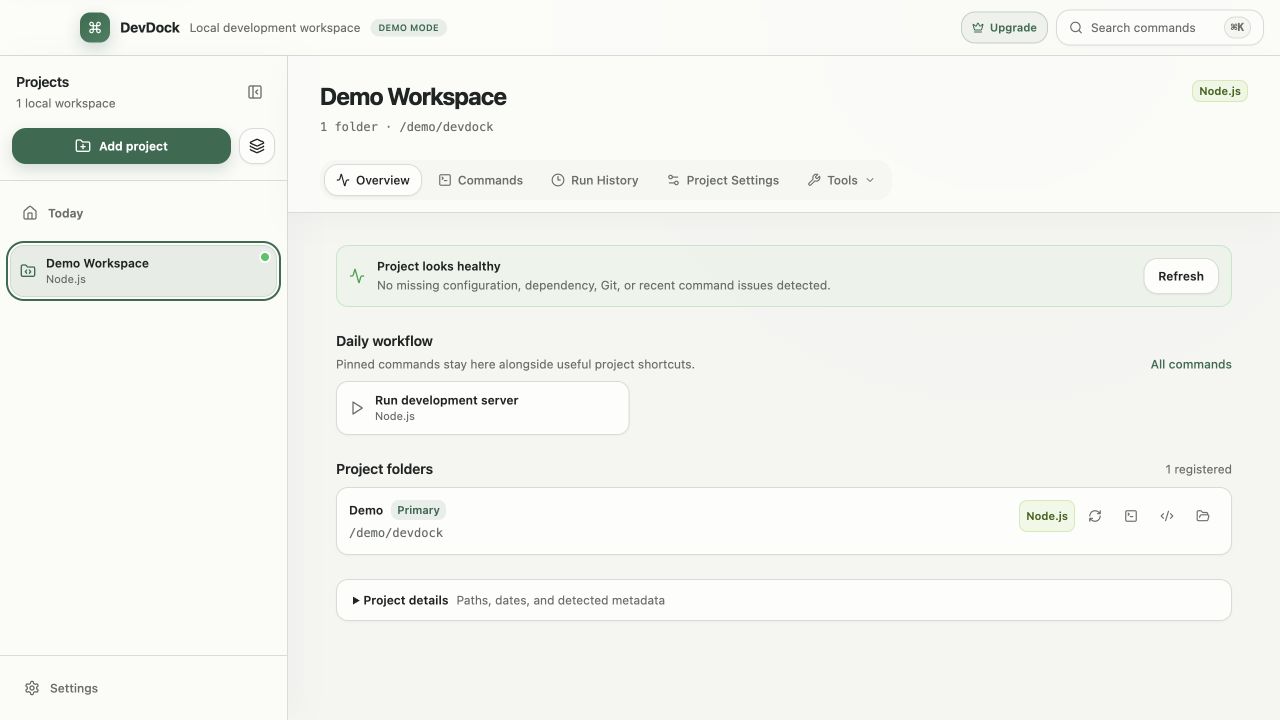
How folders work
One project, several folders
A registered folder is a local directory that belongs to a DevDock project, and a project's first folder is its primary folder. With Pro, Add Folder in Project Settings attaches more folders, such as a backend repository, a web client, a mobile app, infrastructure scripts or documentation, each with its own Folder label and wherever it is stored on disk.
Before a folder is added, DevDock shows the technologies it detected there. Clear a technology to leave out its commands and integrations; the folder is still added. A folder with no supported technology can be added too and rescanned later.
Monorepos
Subprojects inside one repository
When a repository contains several apps, DevDock lists them under Detected subprojects while you add the project. With Pro, the included subfolders are registered as separate folders so their commands run in the right working directory. Clear any subfolder you want to leave out.
On Free, DevDock still shows which subprojects it found, and you can add the primary folder as a single-folder project. The subproject search skips dependency folders, build output and virtual environments, so installed packages are not mistaken for apps.
Per-folder scope
What stays separate for each folder
Detection, generated commands, Git status and shortcuts are tracked per folder. In a project with several folders, each command name starts with its folder label, such as "API: Run tests", and runs in that folder. Git branch, changed files and remotes are shown for each repository, and Switch all repositories moves every repository to a branch they all have.
Each folder has its own Rescan, terminal, Visual Studio Code and File Explorer buttons. The security audit covers every registered folder, and agent presence matches an agent to the folder it is working in. Health warnings name the folder they come from, so a missing .env in the API folder is not confused with one in the web client.
Managing folders
Renaming, removing, and plan limits
Rename a folder label from its menu. Remove Folder takes a folder out of the project without deleting its files. If a folder is moved or deleted on disk, Project health reports Folder is unavailable and offers Manage folders. Project details on the Overview shows the number of registered folders and the primary folder's path.
Adding a second folder requires DevDock Pro. Free projects use one folder each, up to three projects. With Pro, Copy custom commands can reuse folder-based commands in a new project by matching folders with the same name or relative path.
In the workflow
How to use it
Start with the main repository
Add the repository you work in most as the project's primary folder.
Attach the other folders
With Pro, choose Add Folder in Project Settings for each related repository and give it a clear label such as API or Web.
Review each folder's detection
Keep the technologies that belong to that folder and clear the ones that do not.
Work across folders
Run folder-labeled commands, check each repository's Git state, and switch all repositories to one branch when needed.
Useful in practice
When to use it
Related manual
Organize multi-folder and multi-repository projects
With Pro, represent a complete product without forcing its API, web client, mobile app, and infrastructure into one repository.
Read the guideDirect answers
Questions about registered folders.
Do the folders have to be inside one parent directory?
No. Each registered folder can be anywhere on your computer. DevDock stores references to them and does not move files.
How do I tell commands from different folders apart?
In a project with several folders, every command name starts with its folder label, and it runs in that folder's working directory.
Can DevDock Free use several folders in one project?
No. Free projects use one folder each. Adding more folders, including detected monorepo subprojects, requires DevDock Pro.
What happens when a registered folder is moved?
Project health shows Folder is unavailable for that folder and offers Manage folders so you can remove it or add the new location.
Free & Pro: what’s included
Available on the Microsoft Store. Free for up to three local projects with core commands, Git, Docker, project health checks, and security-audit tools. A one-time Pro purchase unlocks unlimited and multi-folder projects, custom workflows, full history and insights, database tools, SSH transfers, and configuration backup and restore.