Capability overview
What does 20 responsive templates do in Screen Studio Kit?
Start from 20 built-in layouts—including editorial, product, comparison, and multi-device treatments—then keep every generated layer editable and responsive.
Save a working page as a custom project template for the next release.
Templates adapt to the selected output size instead of producing a flattened mockup.
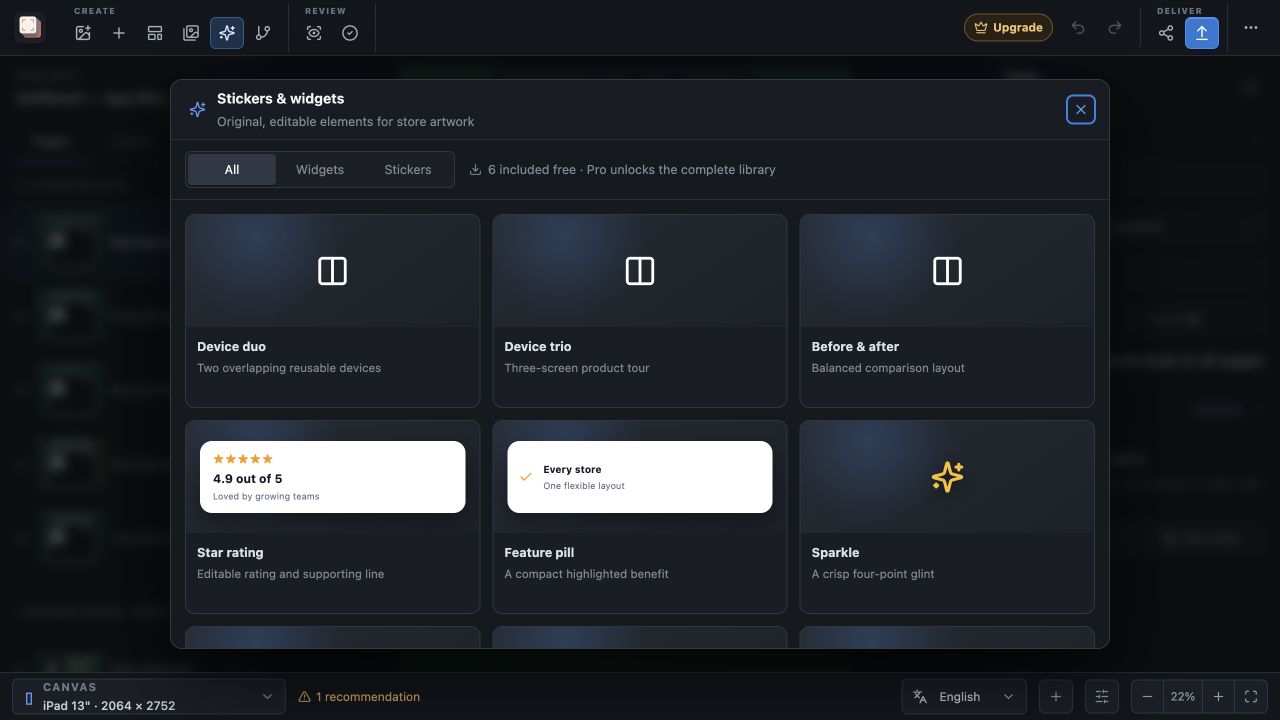
In the workflow
Validate and export
Run preflight, render the active treatment as a deterministic batch, and review the recorded output summary before publishing.
Screen Studio Kit keeps the scene, device preset, locale, validation result, and exported batch connected so a release can be reproduced instead of rebuilt by hand.
Useful in practice
Where this capability earns its place.
Related manual
Create your first screenshot project
Set up target stores, organize assets, create pages, and build a reusable composition that survives the next release.
The guide covers plan the output matrix, create the project, build the first page, use normalized geometry, duplicate and vary intentionally, save, recover, and hand off. It is the best next step when you want to move from the product overview into a repeatable setup.
Read the guideDirect answers
Questions about 20 responsive templates.
What does 20 responsive templates do in Screen Studio Kit?
Start from 20 built-in layouts—including editorial, product, comparison, and multi-device treatments—then keep every generated layer editable and responsive. Save a working page as a custom project template for the next release. Templates adapt to the selected output size instead of producing a flattened mockup.
Which stores and device families are supported?
The preset catalog covers Apple device families, Google Play outputs, and Microsoft Store targets, including target-specific dimensions and format rules.
Can one layout serve several screenshot sizes?
Yes. Geometry is normalized to the active canvas, and specific output sizes can override position, dimensions, or visibility when a shared layout needs adjustment.