The job to be done
Make the translated listing feel as considered as the original
A headline that fits neatly in one language may need a different line break or more room in another. The interface inside the frame also needs to match the language of the promise around it.
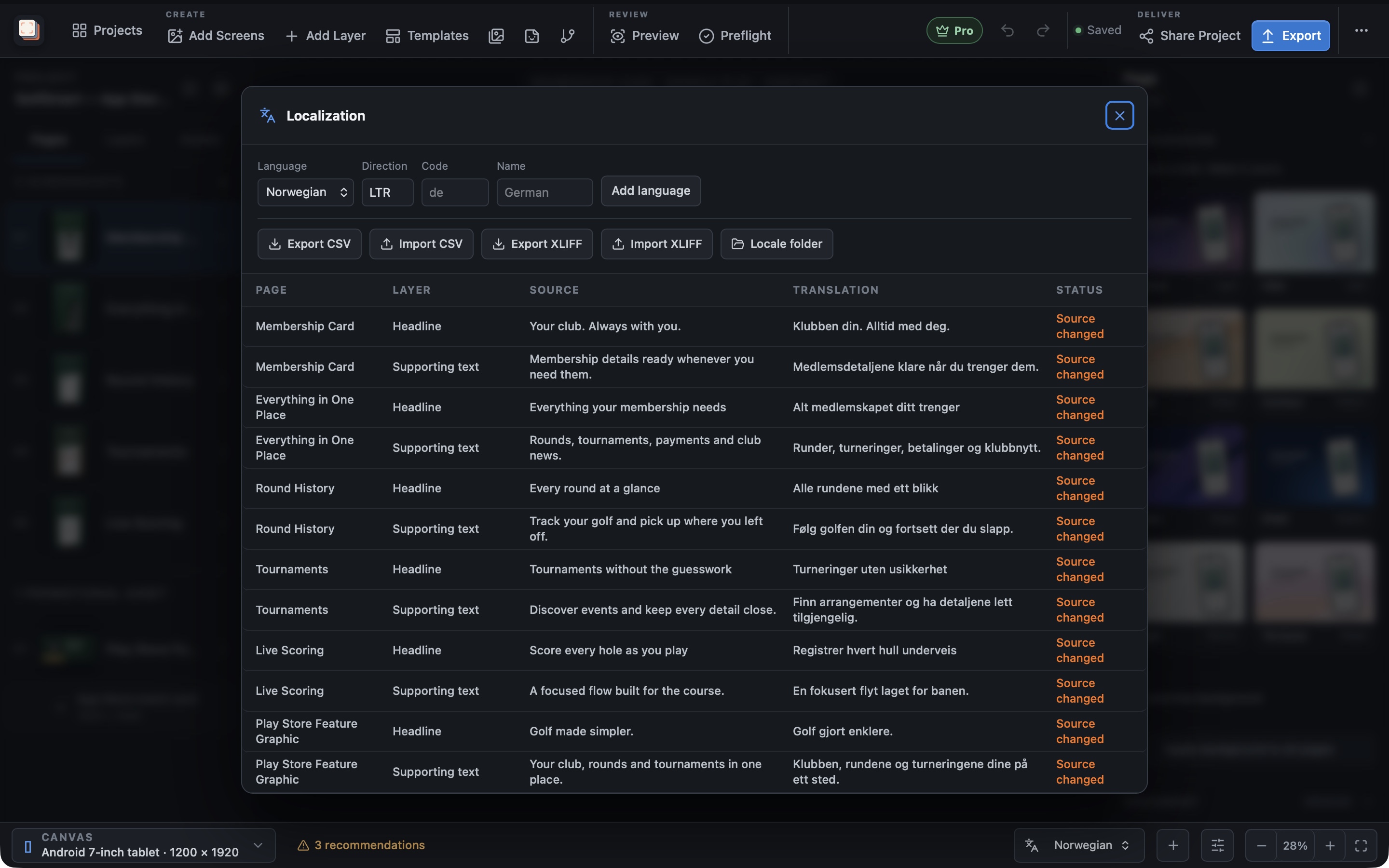
Screen Studio Kit Pro keeps supplied translations and language-specific app captures in the same project as the design. Review each locale with its actual text and images, then adjust the layout where the translated wording needs it.
CSV exchange lets you work on translations outside the editor while keeping the screenshot project as the place where the finished composition is checked. Pro batch export then produces the selected languages and sizes together.
Recommended path
Move from supplied translations to a complete screenshot set
Use the real translated wording throughout the layout review.
Add the release languages
Set up the locales you need with Pro.
Import the translated copy
Exchange CSV files or edit the supplied translations in the project.
Match the app captures
Use language-specific interface images and check each intended output.
Validate and batch-export
Resolve missing content and layout warnings, then export selected sizes and languages with Pro.
Capabilities involved
The controls that support this workflow
Related manual
Responsive layouts and localization
Adapt one screenshot system across aspect ratios and languages without turning every output into an unrelated page.
Its sections cover start with one shared composition, test the extremes, add targeted size overrides, set up languages, exchange translations through csv, check every size and language. Use it when you are ready to reproduce this workflow with your own project data.
Read the guideDirect answers
Questions about this use case.
Does localization require Pro?
Yes. Localization, translation CSV workflows and multi-language batch export are Pro features.
Does the tool write the translations?
You supply the translated wording. Screen Studio Kit manages it in the screenshot project and lets you review the layout for each language.