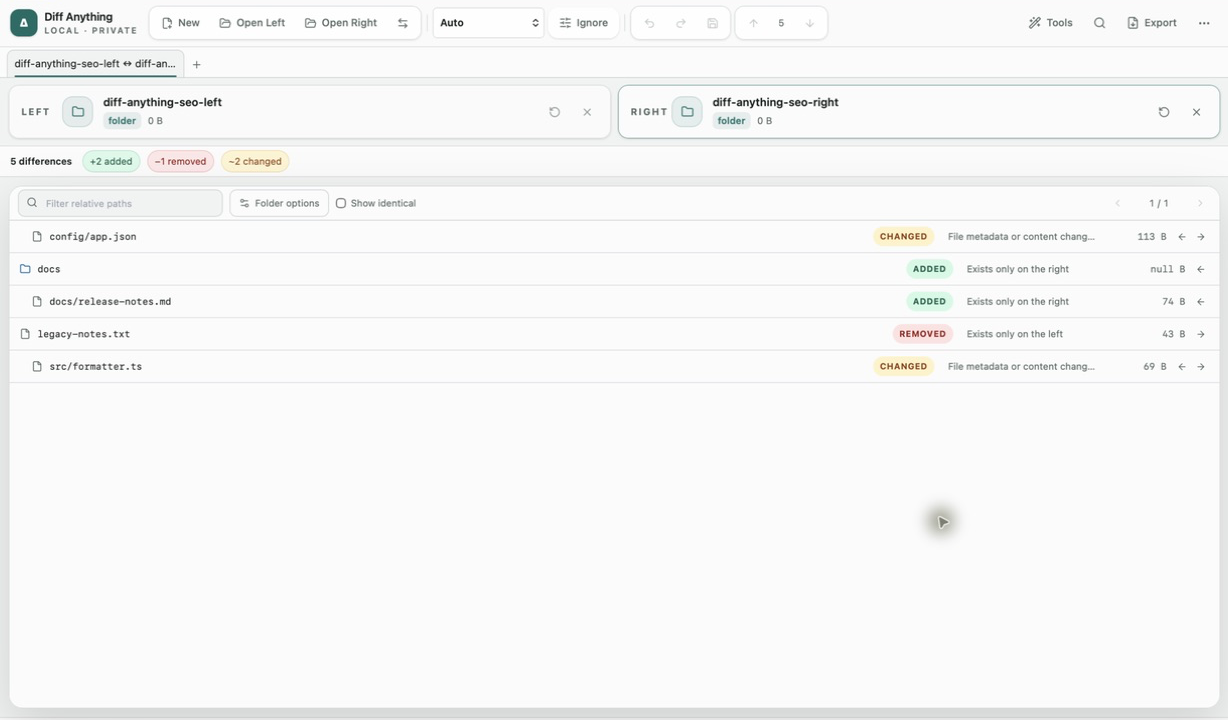
01 / Workflow detail
Move your everyday comparison work to your Mac
Start with a job you used WinMerge for: checking a backup, reviewing two versions of a text file, or finding what changed in a project folder.
- Files and code: review changes side by side or inline, edit text and apply changes between the two sides. Ignore whitespace, case or lines matching a regular expression when they obscure the change.
- Folders: search and filter recursive results, find moved files, use ignore patterns and .gitignore rules, and open changed file pairs.
- Spreadsheets: compare Excel, OpenDocument and Apple Numbers workbooks by rows, including across formats. Match rows by content or key columns.
- PDFs, archives and data: compare rendered PDF pages or extracted text, archive entries, and JSON, YAML, TOML and INI by their data.
02 / Workflow detail
How WinMerge and Diff Anything fit
WinMerge is open source and compares and merges files and folders on Windows. Diff Anything is a separate app with a free tier and a one-time Pro purchase.
See WinMerge’s official downloads →
Choose the tool for the computer and workflow you use| Topic | Diff Anything | WinMerge |
|---|
| Mac installation | Mac App Store; macOS 13 or later | Official downloads target Windows |
|---|
| Windows installation | Microsoft Store | Official Windows installers and binaries |
|---|
| Licence | Free tier and optional one-time Pro purchase | Open source |
|---|
| Three-way work | Pro: merge three files from Base, Ours and Theirs; no three-way folder merge | Three-way file and folder comparison |
|---|
03 / Workflow detail
Start comparisons from Finder
In Diff Anything, select two files or folders in Finder and use Compare with Diff Anything under Quick Actions or Services. You can also use Open With or drop files on the Dock icon. Check which side holds the original and swap sides if needed.
04 / Workflow detail
Free and Pro
Free allows 10 new comparison sessions per local day with files up to 5 MiB per side. Folder, archive and CSV previews show the first 100 items or rows, binary previews the first 100 byte differences, and PDF previews the first 3 pages. Plain text, JSON and notebook comparisons are complete within the file and daily limits.
A one-time Pro purchase removes the preview and session limits and allows larger sources within technical safety limits. Pro adds three-way merge and conflict resolution, folder copying and synchronization, saved profiles and history, and report export and printing.
05 / Workflow detail
Using Git or the command line on a Mac
Install the separate free command-line helper for the Mac App Store version to use diff-anything from Terminal or Git. Free command-line comparisons cover text, JSON and notebooks; merging, other comparison modes and batch runs require Pro.
Get the Mac command-line helper →