Capability overview
How can I use multi-device compositions in Screen Studio Kit?
Add reusable device duo, trio, and before-and-after compositions, then replace captures or restyle their frames without flattening the scene.
Device compositions are built from normal editable frame layers rather than a fixed promotional image.
They work beside stickers, widgets, callouts, text, and the same responsive output rules as every other layer.
Composition presets
Add two or three devices in one step
With the All filter selected, the Stickers & widgets panel starts with three device compositions. Device duo places two overlapping, slightly tilted devices. Device trio lines up three screens as a short product tour. Before & after sets two devices side by side for a comparison.
Each composition is added to the current page as a group of ordinary device frame layers named Two-device composition, Three-device composition or Before and after. The frames are filled with images from your asset library in order, so importing the captures first gives you a usable composition immediately. The group is placed above the layers already on the page, so an existing headline and background stay as they are.
Edit each device
Change captures and frames one device at a time
Select any device in the group to change its capture under Content, pick a finish under Frame finish or give it a Turn and Tilt of its own. Moving the group moves all devices together; ungroup it with Shift+Cmd/Ctrl+G when you want to arrange them freely.
The outer devices in a duo or trio start with a small flat rotation of five or six degrees. Set Rotate to 0 for a straight line-up, or use Turn and Tilt when you want 3D depth instead.
The composition frames use Automatic for preset, so the same group shows iPhone hardware on iPhone outputs and Android hardware on Google Play outputs. Where a smaller output gets crowded, use Hide at this output size on one device or Customize layout for this size on the devices that need to move.
Multi-device templates
Templates that combine devices and device families
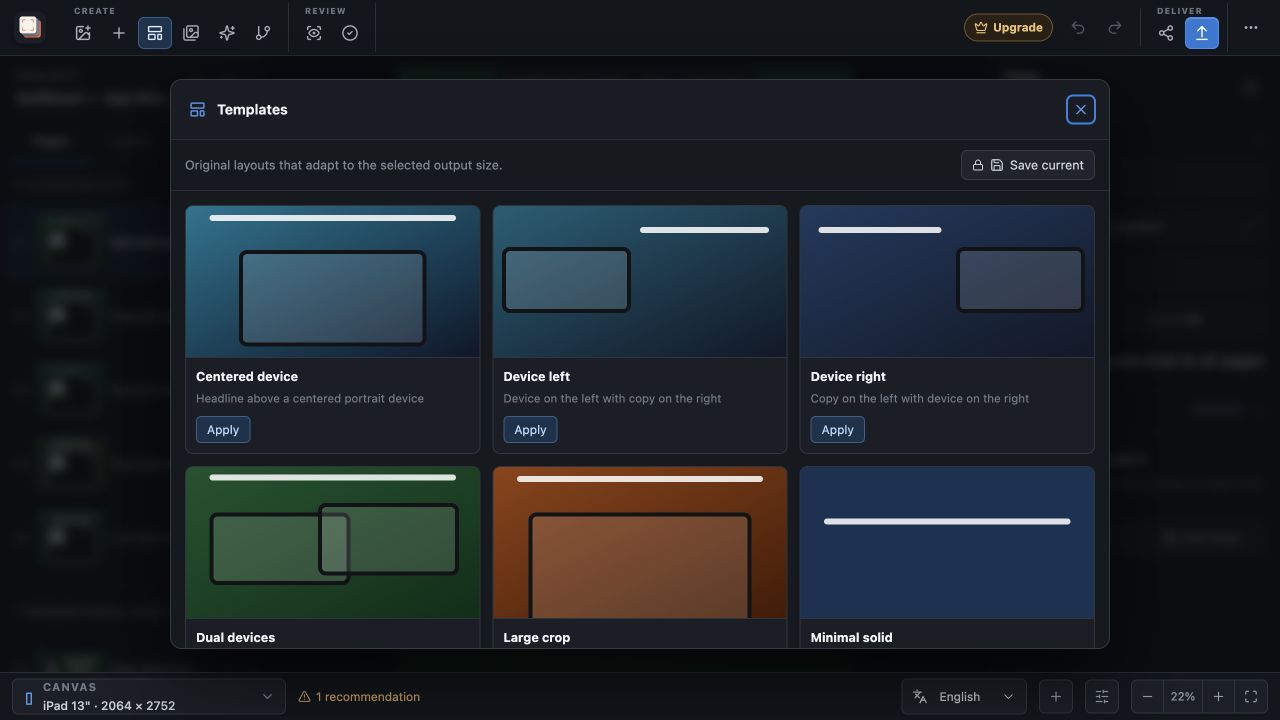
For a complete page layout, the template library includes Dual devices, Duo staggered, Trio showcase and Before and after, plus scenes that pair different hardware: iPhone + Apple Watch, Android + circular watch, and Windows workstation with a PC monitor and a laptop. These set the background, headline and device positions together.
A template replaces the page's current layers, whereas a composition from the element panel is added to what is already on the page. Use a composition when the page's headline and background are already in place.
Planning and access
Keep every screen readable
On Mac or Microsoft Store outputs, a composition of Automatic for preset frames shows MacBook or PC monitor hardware; set specific models when you want to mix device types. Each device is smaller when several share a page, so check that the interface inside every frame is still legible at your smallest output. A before-and-after pair works best when both captures show the same screen before and after a change.
Device duo, Device trio and Before & after are available in Free. The multi-device templates require Pro, because the three Free templates each use a single device.
In the workflow
How to use it
Import the captures
Add the screenshots you want to show, in the order the devices should use them.
Add a composition
Open Stickers & widgets and choose Device duo, Device trio or Before & after.
Adjust each device
Replace captures, choose finishes and set angles for the individual frames.
Check the smaller sizes
Review each output and hide or reposition a device where the layout becomes crowded.
Useful in practice
When to use it
Related manual
Create your first screenshot project
Set up target stores, organize assets, create pages, and build a reusable composition that survives the next release.
Read the guideDirect answers
Questions about multi-device compositions.
Are the devices in a composition a single flattened image?
No. A composition is a group of normal device frame layers, each with its own capture, finish and rotation.
Which captures does a new composition use?
It fills the frames with images from your asset library in order. Change any device's capture afterwards under Content.
Can I mix a phone and a watch on one page?
Yes. Use the iPhone + Apple Watch or Android + circular watch template with Pro, or add device frames and set each to a specific model.
Do device compositions require Pro?
No. Device duo, Device trio and Before & after are included in Free. The multi-device templates require Pro.