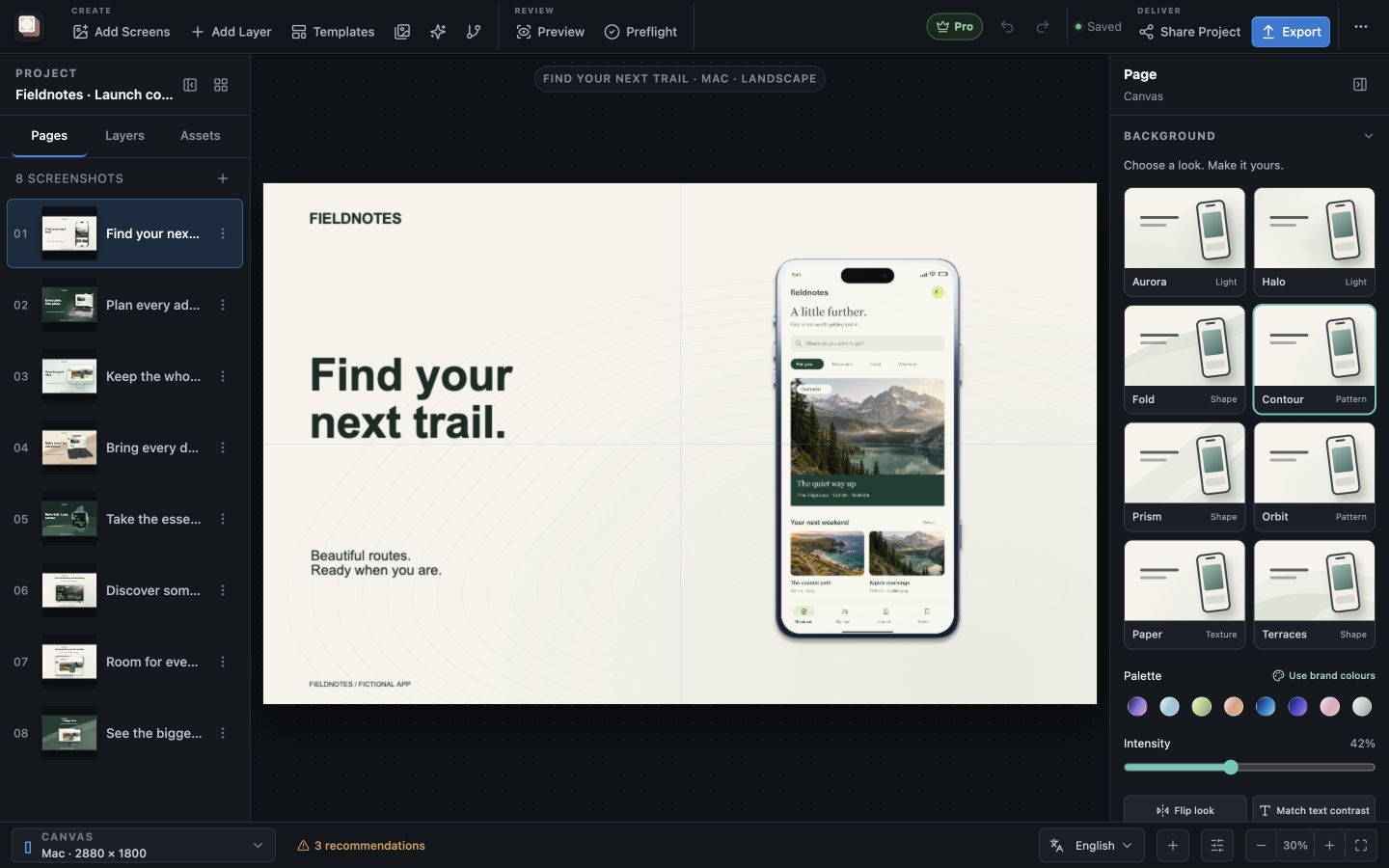
Capability overview
How can I use focal crops and feature callouts in Screen Studio Kit?
Choose the important region of a screenshot or image with focal-point controls, then create linked crop variants or zoomed feature callouts without editing the source capture outside the project.
The crop position is part of the scene and is reproduced by the native renderer.
Callouts remain editable layers with their own shape (circle or rounded rectangle), crop, border, shadow, and placement.
Focal point
Choose which part of a capture stays visible
A screenshot layer can Fill its box or Fit inside it, set under Image fitting. With Fill, part of the image is cut off whenever the box and the capture have different proportions. Crop focal point, in the layer's Content section, shows the image with a marker: click the area that matters and the crop keeps that area in view.
The focal point is saved with the layer and used by the export renderer, so it applies to every output size. That matters when one capture has to fill a tall phone box and a wider tablet box in the same project.
Crop variants
Make square and portrait versions of an image
In the Assets panel, select an image and choose Square crop or Portrait crop. Screen Studio Kit writes a centred crop as a new library asset marked Crop variant and leaves the original file untouched. Portrait crop keeps the middle three quarters of the width at full height.
Crop variants help when the same capture appears as a large hero on one page and as a tighter view on another. Place one with Add screenshot to page or Add image to page, and check its placement count in the asset details like any other asset.
Feature callouts
Magnify one detail next to the full screen
Add Layer → Feature callout creates a magnified view of part of a screenshot, device frame or image layer on the same page. It uses the selected media layer as its Source, or the first one on the page when nothing is selected, and starts as a circle with a white border and a soft shadow.
Under Callout crop, click the preview to centre the magnified area on a button, chart or setting, or enter exact Crop X, Crop Y, Crop W and Crop H percentages. Shape switches between Circle and Rounded rectangle, and the border colour, Border width and Shadow are adjustable. A callout reads from its source layer, so when that layer shows a different capture for another language or size, the callout magnifies that capture too.
A callout is a layer like any other. Place it near the detail it magnifies, move it with Customize layout for this size where a narrow output needs a different spot, or hide it on outputs where the full screen is already large enough to read.
Checks and quality
Keep detail shots sharp and connected
Preflight reports an error when a callout has no valid source image or an invalid crop, for example after its source layer was removed. Because a callout enlarges pixels from the original capture, a very small crop area will look soft; start from a full-resolution capture for detail shots.
Focal points, crop variants and feature callouts are all available in Free.
In the workflow
How to use it
Place the full capture
Add the screenshot or device frame that contains the detail you want to highlight.
Set the focal point
If the layer uses Fill, click Crop focal point on the part of the interface that must stay visible.
Add a feature callout
Select the media layer, choose Add Layer → Feature callout and move the crop onto the detail.
Style and review
Choose Circle or Rounded rectangle, adjust border and shadow, and check each output size and language.
Useful in practice
When to use it
Related manual
Assets, captures, and device frames
Manage source images, replace captures safely, use platform-aware frames, and keep the project portable.
Read the guideDirect answers
Questions about focal crops and feature callouts.
Does a crop variant change my original screenshot?
No. Square crop and Portrait crop create a new asset in the library and leave the original file unchanged.
Can a callout magnify part of a device frame?
Yes. The Source list includes screenshot, device frame and image layers on the same page.
Which callout shapes are available?
Circle and Rounded rectangle, each with an adjustable border colour, border width and shadow.
Is the focal point used in the exported images?
Yes. The export uses the same focal point as the canvas for every output size.