Direct answer
Can TestDock send test notifications through APNs?
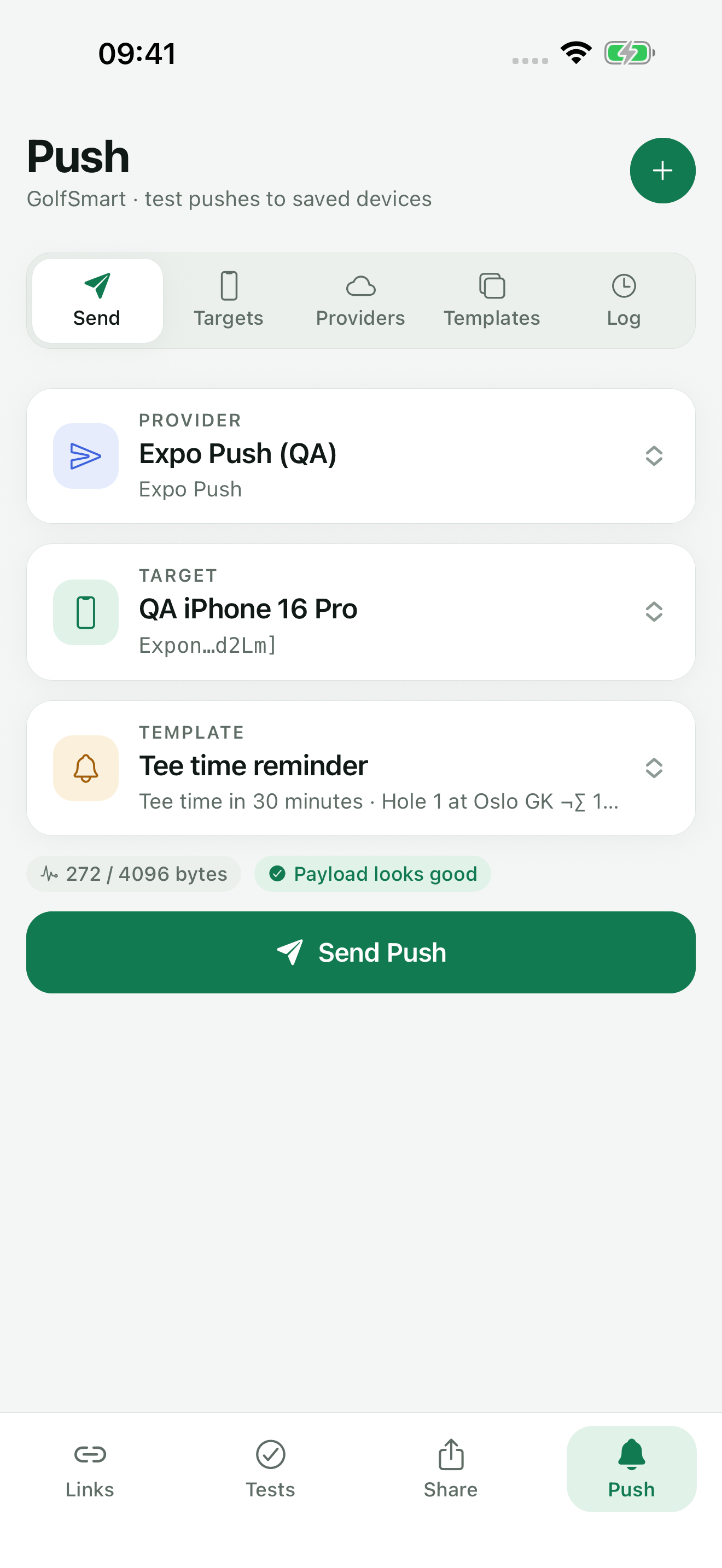
Yes, with TestDock Pro when TestDock runs on iOS. Each iOS app profile keeps its APNs topic, Sandbox or Production gateway, .p8 signing credentials, and saved device tokens. TestDock checks the payload before sending, creates the provider token for you, and records Apple's response in a local log that shows only a shortened token.
The manual route
Sending to APNs by hand takes a JWT, HTTP/2, and the right headers.
Apple's push service takes HTTP/2 requests at api.sandbox.push.apple.com for development builds and api.push.apple.com for production. Each request needs a provider token: a JWT signed with ES256 using your .p8 key, carrying your key ID and team ID. Add the apns-topic, apns-push-type, and apns-priority headers and put the device token in the path, and you have a working curl command.
Keeping that command working is the hard part. The JWT must be refreshed at least once an hour, the device token changes when the app is reinstalled, and a development token sent to the production gateway fails with BadDeviceToken. The simulator's xcrun simctl push skips all of this, but it never contacts APNs, so it cannot test your key, topic, or token.
APNs setup
What an APNs setup in TestDock contains.
APNs is offered as a provider when TestDock runs on iOS, as part of TestDock Pro. A setup and a target hold everything the request needs:
TestDock signs the provider JWT from the saved credentials at send time, so there is no token to paste or refresh. The .p8 key and device tokens are kept in iOS secure storage.
- APNs topic: the target app's bundle identifier, for example com.example.app
- APNs gateway: Sandbox for development-signed builds, Production for TestFlight and App Store builds
- APNs signing credentials: one JSON object with key_id, team_id, and private_key (the contents of the .p8 file)
- Target: the app's APNs device token in hexadecimal; spaces and angle brackets are removed
Payload
How a template becomes an APNs request.
A Visible alert template is sent with apns-push-type alert and priority 10. The title and body go into aps.alert, and the optional sound, badge number, and notification category ID go into aps. A Background data template is sent with apns-push-type background, priority 5, and content-available set to 1, with no alert.
Custom data fields are placed at the top level of the payload next to aps, where an iOS app reads them. The collapse ID becomes apns-collapse-id, and a TTL in seconds becomes the apns-expiration time. Before sending, TestDock checks for a missing topic, the 4,096-byte payload limit, and a collapse ID longer than 64 bytes.
Errors
APNs rejection reasons, explained where you see them.
When Apple rejects a request, TestDock shows the reason from the response with a short explanation and saves both in the log. Common reasons include:
- BadDeviceToken: the token does not fit the selected Sandbox or Production gateway
- DeviceTokenNotForTopic: the token belongs to a different bundle identifier
- TopicDisallowed: these credentials may not send to the configured topic
- InvalidProviderToken: check the key ID, team ID, and private key
- Unregistered: the app installation no longer uses this token
- PayloadTooLarge: shorten the alert text or custom data
Best for
Where this workflow fits.
- Testing iOS alert notifications and background updates
- Checking payload behavior before backend integration is complete
- Reusing notification templates without mixing tokens between apps
Profiles and logs stay on the device, provider credentials use platform secure storage, and exports omit secrets.
Relevant capabilities
What TestDock brings to the job.
Practical workflow
From setup to a reviewed result.
Collect the key and token
Get the .p8 key, its key ID, your team ID, and a device token printed by the app under test.
Create the APNs setup
Enter the bundle identifier as the APNs topic, choose Sandbox or Production, and paste the signing JSON.
Choose alert or background
Build a template with the aps fields and custom data your app reads.
Send and read Apple's answer
Check the diagnostics, send, and match any reason in the log to its explanation.
Useful in practice
Direct answers
Questions about APNs tester.
Can TestDock send test notifications through APNs?
Yes, with TestDock Pro when TestDock runs on iOS. Each iOS app profile keeps its APNs topic, Sandbox or Production gateway, .p8 signing credentials, and saved device tokens. TestDock checks the payload before sending, creates the provider token for you, and records Apple's response in a local log that shows only a shortened token.
Which gateway should I pick for a TestFlight build?
Production. TestFlight and App Store builds use the production APNs environment; builds installed from Xcode with a development profile use Sandbox. A mismatch returns BadDeviceToken.
Does TestDock support .p12 certificate authentication for APNs?
No. It uses token-based authentication with a .p8 signing key, its key ID, and your team ID.
Can I test a silent push that wakes the app?
Yes. A Background data template is sent with apns-push-type background, priority 5, and content-available set to 1. iOS decides when to deliver background pushes and may delay them.
Can I send APNs pushes from an Android phone?
No. APNs is only offered when TestDock runs on iOS. On Android, TestDock sends through Firebase / FCM or Expo Push.
Go deeper
Configure provider-specific push targets, reuse payload templates, and combine delivery checks with observable manual scenarios.
Read Test push delivery and repeatable app flowsFree & Pro: what’s included
Available on the App Store and Google Play. Free includes one app profile with unlimited saved links, Quick open, Paste, sharing links in, home-screen shortcuts, and the sample scenario plus one scenario of your own. A one-time Pro purchase unlocks unlimited profiles and scenarios, share fixtures, push testing, association inspection, links created from an apple-app-site-association file on iPhone, and profile or scenario import and export.