How it works
What can I make with the device frame generator?
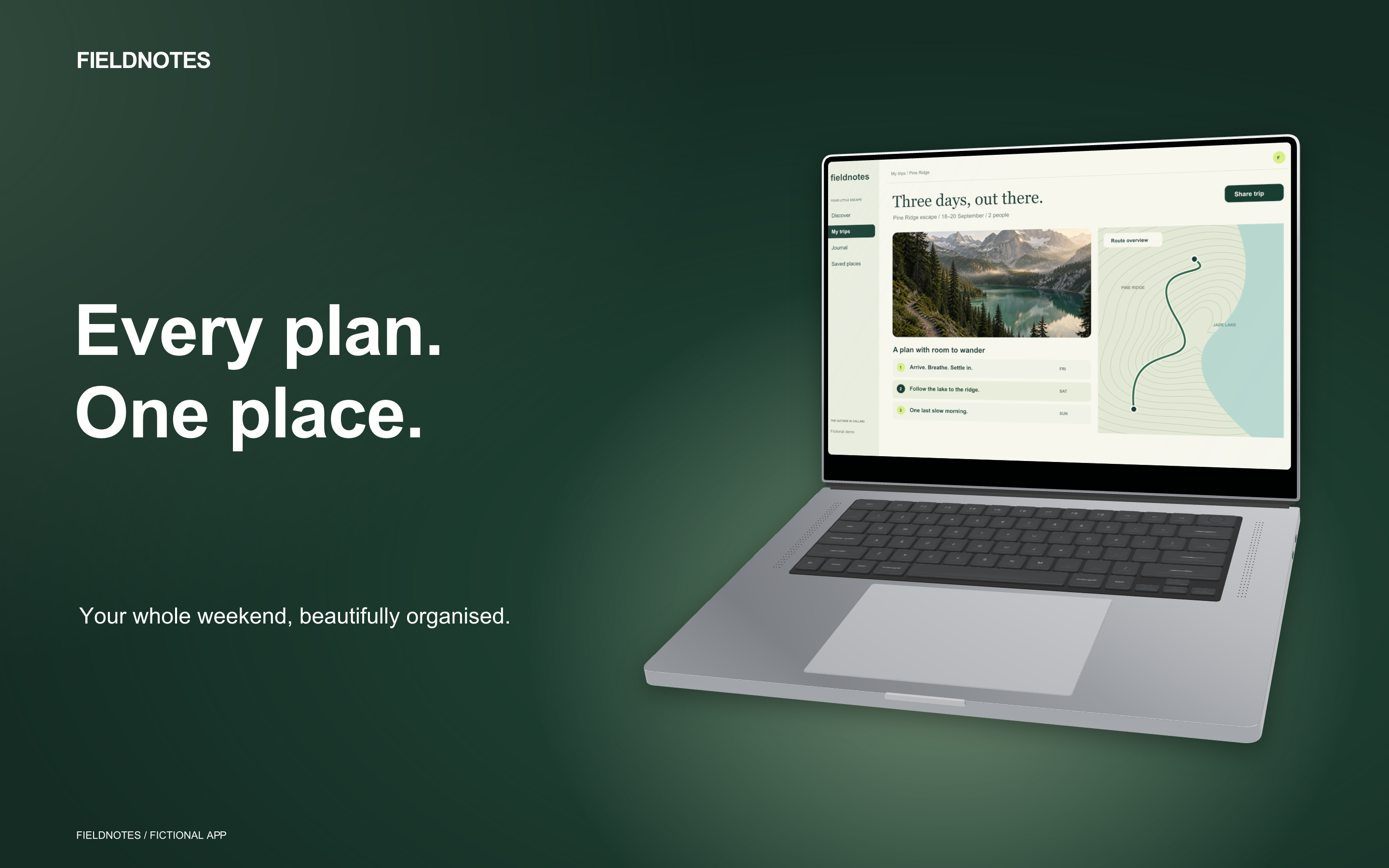
A device frame gives an app capture context. Screen Studio Kit places your screenshot inside an editable device model, so you can show a phone experience, a desktop workflow or a glanceable watch screen in artwork for your listing and website. The frame, screenshot, headline and background stay editable together.
Choose a device
Match the frame to the experience
An iPhone mockup suits a mobile app. A laptop or desktop frame gives a wider interface room to show its panels, documents and controls. A watch frame makes the scale of a compact interface immediately clear. Choose the device family that helps someone understand what they are looking at.
The frame library includes phone, tablet, watch, laptop, desktop and TV models. Version 1.4 refines their appearance and gives you finishes and 3D angles to work with. The gallery shows eight compositions from the same fictional app, so you can compare how different devices change the presentation.
Build the image
Frame the app without losing the message
Keep the capture prominent and give the headline a clear space beside or above it. A front-facing phone makes small interface details easier to inspect. A modest laptop angle can show depth while keeping the screen readable. Turn and Tilt let you adjust that balance in the editor.
Choose a device finish that separates the hardware from the background. Add one of eight background looks, tune its colours and intensity, then adjust the copy. You can try a different visual direction while retaining the original app screenshot.
Keep it editable
Update the capture, keep the composition
When the app changes, replace the capture and keep working with the frame, headline and background in the same project. Matching-frame appearance controls help carry a finish and angle across a series. Each page remains a design you can revise rather than a mockup you must recreate.
Select the output size for the store or website image you need and review that layout before export. PNG and JPEG export produce the finished artwork. Pro adds multi-size and multi-language batch export when the screenshot set grows.
Best for
Where this workflow fits.
- Store screenshots that present the interface inside a phone, tablet, watch, or desktop frame
- Layouts that mix framed captures with text and graphic layers
- Reusable designs that must survive a device or capture update
Relevant capabilities
What Screen Studio Kit brings to the job.
Practical workflow
Make it with your own app captures.
Import an app capture
Choose the screen that demonstrates the benefit you want to show.
Choose the device frame
Match the device to the app and set the finish, Turn and Tilt.
Add the message and background
Write a short headline and adjust the surrounding space, palette and background intensity.
Review and export
Preview the intended output size and export the image. Keep the project for the next update.
Useful in practice
Direct answers
Before you get started.
What can I make with the device frame generator?
A device frame gives an app capture context. Screen Studio Kit places your screenshot inside an editable device model, so you can show a phone experience, a desktop workflow or a glanceable watch screen in artwork for your listing and website. The frame, screenshot, headline and background stay editable together.
Can I change the device colour and angle?
Yes. Frame finishes, Turn and Tilt remain editable, with studio angle presets and controls to apply an appearance to matching frames.
Can I make device mockups with Free?
Yes. Free includes device-frame editing, background controls and up to ten full-resolution image exports per local day, at one size and one language per export. Pro adds unlimited exports and batch output.
Go deeper
Manage source images, replace captures safely, use platform-aware frames, and keep the project portable.
Read Assets, captures, and device frames