How it works
How do I localize screenshots without rebuilding the design?
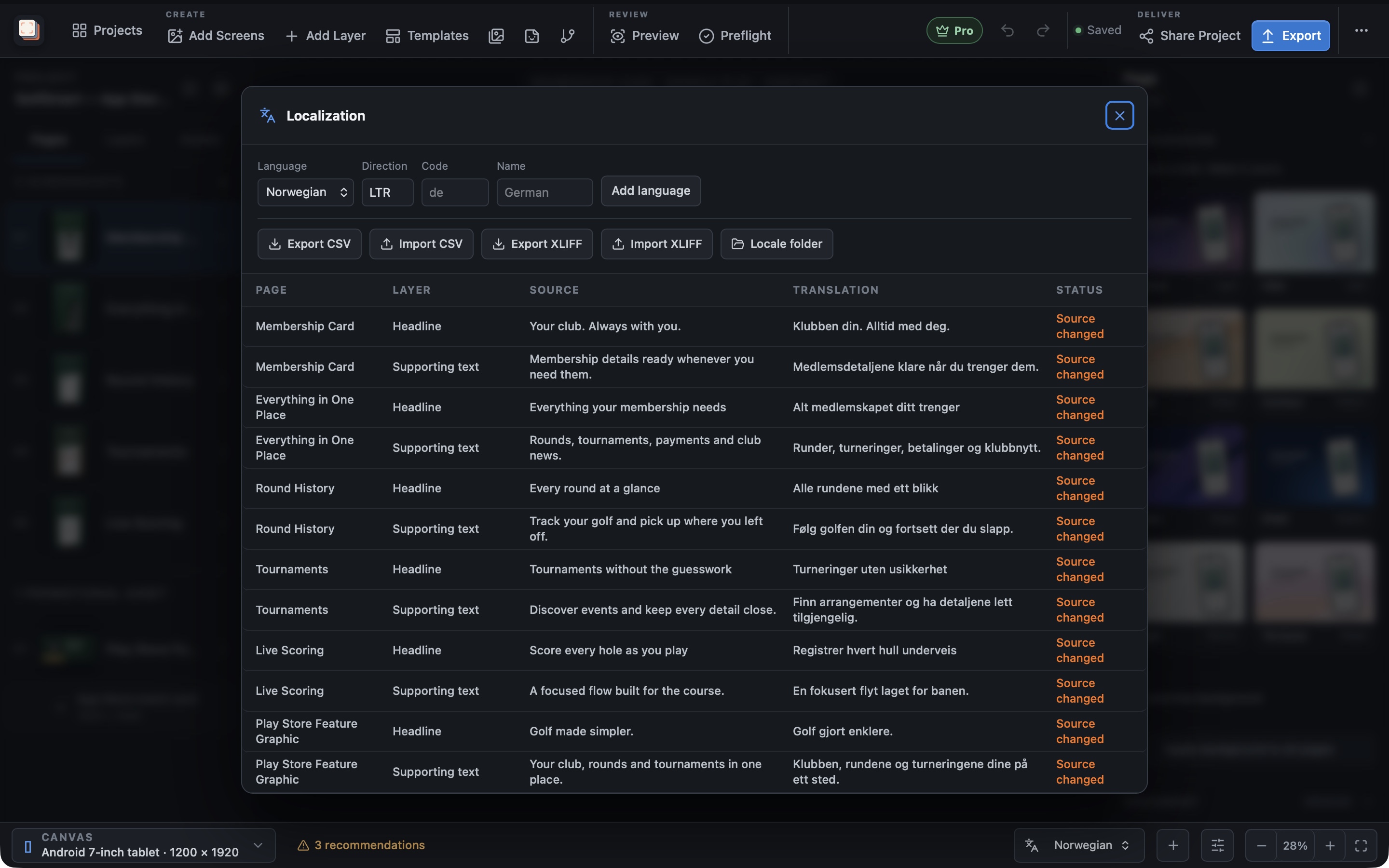
Screen Studio Kit Pro keeps translated headlines and language-specific app captures connected to the same screenshot project. Exchange translations through CSV, preview each language and adjust the layout where longer wording needs more room. Export selected sizes and languages together when the set is ready.
Fit translated copy
Give every headline the space it needs
A short headline in one language can be much longer in another. Review the wording in the actual composition, with the frame and app capture visible. Auto-fit can shrink text for each output size and language, down to a minimum size you set, so the message stays readable.
Translation CSV import and export let you exchange the copy without asking someone else to edit the entire design. Screen Studio Kit manages the supplied translations and checks for missing content; the wording remains yours to review.
Match the interface
Pair the headline with the right app language
A localized headline is more convincing when the interface shown underneath is localized too. Assign language-specific captures while keeping the shared visual treatment.
Preview the sizes and languages you intend to deliver. Validation flags missing translations and layout problems, and Pro batch export writes the selected outputs into organised folders.
Best for
Where this workflow fits.
- Apps listed in several languages or regions
- Long translations that require per-locale layout review
- Release teams exchanging copy through a translation spreadsheet
Relevant capabilities
What Screen Studio Kit brings to the job.
Practical workflow
Make it with your own app captures.
Add your languages
Set up the locales for this release with Pro.
Bring in translated copy
Edit the translations or exchange them through CSV.
Match captures and review layouts
Assign language-specific assets and check longer headlines at each required size.
Export the selected languages
Run validation and generate the selected sizes and languages in one Pro batch.
Useful in practice
Direct answers
Before you get started.
How do I localize screenshots without rebuilding the design?
Screen Studio Kit Pro keeps translated headlines and language-specific app captures connected to the same screenshot project. Exchange translations through CSV, preview each language and adjust the layout where longer wording needs more room. Export selected sizes and languages together when the set is ready.
Which stores and device families are supported?
The preset catalog covers Apple device families, Google Play outputs, and Microsoft Store targets, including target-specific dimensions and format rules.
Can one layout serve several screenshot sizes?
Yes. Geometry is normalized to the active canvas, and specific output sizes can override position, dimensions, or visibility when a shared layout needs adjustment.
Go deeper
Adapt one screenshot system across aspect ratios and languages without turning every output into an unrelated page.
Read Responsive layouts and localization